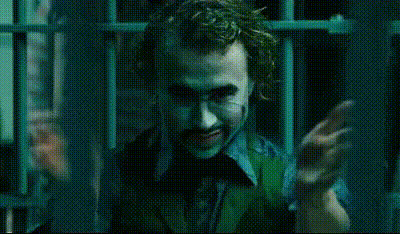
Joker Explosion
face-swap
Any aspect ratio
Tags
moviesJoker Explosion – Face Swap Video Template
Turn Yourself Into the Agent of Chaos
The Joker Explosion face swap video template lets you drop yourself straight into a high‑impact, cinematic explosion scene inspired by one of comic history’s most iconic villains. Built on Magic Hour’s production‑grade AI face swap technology, this template is ideal for:
- Short‑form creators (TikTok, Reels, YouTube Shorts)
- Marketers running character‑driven campaigns
- Developers and startups prototyping AI video experiences
- Cosplayers and fandom creators who want cinematic edits fast
In a few minutes, you can turn a static selfie or headshot into a fully animated, explosion‑driven Joker‑style performance—no VFX team or video editing skills required.
What This Template Does
-
High‑fidelity face swap
Powered by Magic Hour’s Face Swap Video creator, the template tracks facial structure, expressions, and head movement so your face blends naturally into the Joker‑inspired explosion scene. The output is a single, coherent shot that looks like you were on set. -
Cinematic explosion sequence
The scene is timed around a central explosion beat, making it perfect for punchlines, reveals, or dramatic hooks in short‑form content and ads. -
Ready to share across platforms
Export in multiple aspect ratios and resolutions suitable for TikTok, Instagram, X, YouTube Shorts, or presentation decks, so you can repurpose the same creative across your channels. -
Remixable for your own character
Use this template as a starting point, then swap in different faces, brand characters, or AI‑generated avatars using Magic Hour’s Avatar Generator or AI Character Generator.
How to Use This Template in Magic Hour
-
Open the face swap video creator
Go to the Face Swap Video tool in Magic Hour. This template appears as “Joker Explosion” in the template gallery. -
Upload the face you want to swap in
Use a clear, front‑facing photo or headshot with good lighting. For best results:- Keep the face unobstructed (no heavy shadows or large sunglasses)
- Use a resolution high enough to show facial details
- Avoid extreme angles; neutral frontal or 3/4 views work best
- AI Headshot Generator for professional or realistic faces
- AI Anime Generator or Disney‑style Generator for stylized characters
-
Select the “Joker Explosion” template
Pick the Joker Explosion scene from the template list. Magic Hour automatically aligns your face to the performance, expression, and movement in the clip. -
Preview and refine
Watch the live preview to confirm:- Face alignment looks natural during motion and at the explosion moment
- Skin tone and lighting feel consistent with the background scene
- Expressions match the mood you’re going for (serious, unhinged, comedic, etc.)
-
Export for your channel
Render and download the video in your preferred format. You can then:- Post directly to social platforms
- Drop it into a larger edit using your normal video editor
- Combine it with AI audio using AI Voice Generator or AI Voice Changer
How to Remix This Template into Your Own Version
You can treat Joker Explosion as a blueprint and build your own reusable face swap template for campaigns, clients, or internal tools.
-
Swap the character, keep the explosion
Instead of your own face, try:- A branded mascot or fictional villain using the AI Art Generator
- A stylized comic‑book villain via the Comic Book Generator
- A fantasy or dark‑fantasy anti‑hero using the Dark Fantasy AI tool
-
Chain it with lip‑sync or talking photo
Build a sequence:- Start with a static image and animate it talking using AI Talking Photo
- Or sync dialogue with Lip Sync
- Cut to the Joker Explosion face swap for the climactic moment
-
Convert to other animation styles
After creating the Joker Explosion clip, you can:- Stylize it with Video‑to‑Video for anime, comic, or painterly looks
- Turn it into a short loop using the AI GIF Generator
- Rebuild it as an animated sequence in the Animation tool
-
Build a face‑swap series
Use the same face across multiple templates (explosions, slow‑motion walks, heist scenes, etc.) to create:- Multi‑episode social series for storytelling
- AB tests for ad creatives with consistent characters
- Character arcs for games or interactive experiences
Use Cases for Creators, Marketers, and Builders
-
Creators & streamers
Use Joker Explosion as a punchy intro/outro, donation alert, or “rage moment” meme. You can add your own on‑brand overlays later with any editor. -
Agencies & marketers
Quickly prototype “what if our brand were a villain?” concepts, social hooks, or Halloween campaigns. Combine with:- AI Meme Generator for captions and variants
- Text‑to‑Video for narrative intros that lead into the explosion reveal
-
Developers & product teams
Use the template as a testbed for face‑swap workflows, user onboarding, or creative tools. It’s a tightly scoped scenario with clear visual payoff, making it ideal for demos and UX experiments.
Best Practices for High‑Quality Face Swaps
- Start from a clean image – If your source photo is low‑quality or noisy, enhance it first using the AI Image Upscaler or Unblur Image tool.
- Match mood and pose – Choose a face image whose expression roughly fits the explosion scene (serious, intense, or unhinged) for more believable results.
- Stay within consistent style – If you’re using stylized avatars (anime, comic, 3D), generate them with the same tool—like the AI Anime Generator—to ensure consistency across your sequence.
- Check frame‑by‑frame at the key moment – Quickly scrub the explosion beat to confirm the face holds up when motion and lighting are most extreme.
Lore, Inspiration, and References
The Joker has evolved over decades of DC Comics, film, and animation as a symbol of chaos and unpredictability. Notable interpretations—such as Heath Ledger’s performance in The Dark Knight (2008) and Joaquin Phoenix in Joker (2019), which won the Academy Award for Best Actor—emphasize psychological intensity, dark humor, and explosive set‑pieces. This template borrows from that lineage of “agent of chaos” visuals while remaining a generic, fan‑inspired creation rather than a recreation of any specific copyrighted scene or likeness.
For creators, this style of character is especially effective for:
- Hooking viewers in the first 1–2 seconds of a short
- Contrasting calm narration with sudden visual impact
- Building recurring personas that audiences recognize across multiple videos
Related Magic Hour Tools to Explore
Once you’ve built your Joker Explosion clip, you can expand your workflow with:
- AI Face Editor – Tweak age, expression, or style of your face source.
- AI Image Editor and Background Remover – Prepare and clean up promotional stills or thumbnails.
- Thumbnail Maker – Turn your explosion frame into a high‑CTR YouTube or Shorts thumbnail.
- Video Upscaler – Enhance resolution for paid campaigns or large‑screen displays.
- Auto Subtitle Generator – Add captions for accessibility and higher retention.
Summary
The Joker Explosion – Face Swap Video Template gives you a fast, production‑ready way to drop yourself (or any character you create) into a chaotic, cinematic explosion moment. Use it as‑is for quick social content, or remix it with Magic Hour’s Face Swap, Video‑to‑Video, and animation tools to build your own character‑driven series, campaigns, or demos.