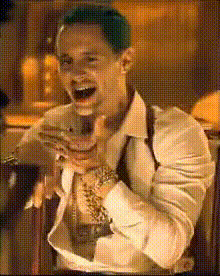
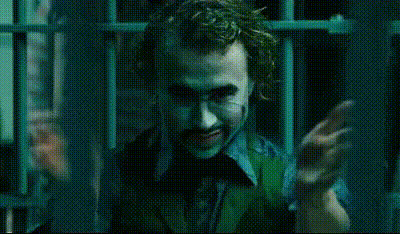
"Why So Serious?" - Joker

Magic Hour Profile Picture
by kpop_stan

face-swap

1 clip
13 videos

Any aspect ratio

Tags

movies

“Why So Serious?” Joker Face Swap Video Template

Turn Any Clip Into an Iconic Joker Moment

Transform yourself (or anyone else) into a Joker-style character in a few clicks. This “Why So Serious?” template is built on Magic Hour’s AI Face Swap technology, letting you reface any video with a Joker-inspired look for memes, trailers, skits, or short-form content.

Designed for creators, marketers, and storytellers, this template makes it fast to:

  • Remix the famous “Why so serious?” moment into your own content
  • Create attention-grabbing hooks for TikTok, Reels, or YouTube Shorts
  • Test dark, cinematic concepts without full makeup, costumes, or VFX
  • Prototype character-driven ideas for campaigns, pitches, or storyboards

What Is the “Why So Serious?” Reference?

“Why so serious?” is one of the most quoted lines from Christopher Nolan’s 2008 film The Dark Knight, delivered by Heath Ledger’s Joker. The performance won the Academy Award for Best Supporting Actor and has been widely cited by filmmakers and critics as one of the most influential portrayals of a comic-book villain in modern cinema (see, for example, coverage from The Guardian, Variety, and the film’s discussion in academic media studies).

The line has since become:

  • A meme format and reaction template across Reddit, X/Twitter, and TikTok
  • A shorthand for chaos, irony, and dark humor in internet culture
  • A reference point in marketing campaigns that lean into “disruption” or anti-hero narratives

This template lets you plug that cultural shorthand directly into your own video, while staying within fair‑use remix culture and parody norms when used creatively and responsibly. Always respect IP, platform policies, and local laws when publishing your content.

How This Template Works on Magic Hour

This template is powered by the same core engine used in Magic Hour’s Face Swap Video creation flow. You start from a preconfigured setup that’s already tuned for a Joker-style transformation, then simply swap in your own footage and face source.

At a high level, the workflow is:

  1. Start from the template
    Open the Joker “Why So Serious?” face swap template in Magic Hour. This gives you a ready-made project configured for face replacement in a short, punchy clip.
  2. Upload your base video
    Add the video where you want the Joker-style face to appear. This could be:
    • A close-up talking-head shot
    • A reaction video or commentary clip
    • A short skit, vlog, or product teaser
    For the cleanest results, use footage with:
    • Clear lighting on the face
    • Minimal motion blur
    • The subject roughly facing the camera at least part of the time
  3. Choose a source face
    Upload the face you want to “Joker‑ize.” This can be: To stay on the safe side of rights and platform rules, use faces that you have permission to remix.
  4. Generate the face swap
    Magic Hour’s AI Face Swap model automatically tracks head movement, expressions, and perspective, then renders the new face directly onto the original performance.
  5. Preview and iterate
    Watch the generated clip, check lip areas, eye contact, and expressions, then rerun or adjust your input footage if you want a different vibe (more intense, more comedic, more deadpan).
  6. Export and publish
    Download your Joker-style clip. You can then:
    • Post it directly to TikTok, Instagram Reels, or YouTube Shorts
    • Drop it into an edit in your usual NLE (Premiere Pro, Final Cut, DaVinci, CapCut)
    • Combine it with other AI outputs like Text-to-Video or AI Talking Photo

Ideas and Use Cases for Creators & Teams

Because the Joker archetype is so recognizable, even a brief face‑swapped moment can anchor an entire piece of content. Common patterns:

  • Hook intros: Open a startup pitch, marketing breakdown, or “hot take” video with a single Joker-style line before cutting to your normal face.
  • Before/after memes: Show “normal you” → “Joker you” to dramatize stress, chaos, or high-stakes scenarios (product launches, deadlines, bug incidents, etc.).
  • Parody trailers: Recut company promos or community clips as a mock “dark” trailer with a Joker-style narrator.
  • Community content: Let your audience submit their faces (with consent) and generate personalized Joker clips for contests or fan rewards.
  • Creator collabs: Swap collaborators into the same Joker-style sequence and stitch them together into a multi‑person skit.

How to Remix or Extend This Template

You can treat this template as a starting point and build more advanced flows on Magic Hour:

  • Face Swap + Lip Sync
    Use the Joker template, then run the result through AI Lip Sync to match the mouth to your own script, podcast snippet, or voiceover. This is useful for:
    • Custom “Why so serious?” variants that reference your product or niche
    • Localized or multilingual versions for global audiences
  • Face Swap + Video-to-Video Stylization
    After the face swap, send the clip into Video-to-Video to give everything a comic‑book, noir, or animated look. You can also pair this with the Comic Book Generator or AI Art Generator to build a full visual identity around the character.
  • Face Swap + Animation
    If you prefer a fully stylized character, start with a still made in the AI Character Generator, then bring it to life with Animation. Layer Joker-style mannerisms on top of your own dialogue.
  • Face Swap GIFs & Memes
    For fast‑sharing formats, use the same idea with Face Swap GIF and AI GIF Generator to create looping reaction GIFs or Slack/Discord assets.
  • AI Headshots and Social Avatars
    Create a toned‑down, Joker‑inspired avatar using the AI Headshot Generator or Avatar Generator, then use the face from that avatar as your source in the face swap flow for consistent branding.

Best Practices for High-Quality Results

To get production-ready outputs from this Joker template:

  • Start with strong input footage: Stable camera, clear lighting on the subject’s face, and minimal occlusions (no heavy sunglasses or hands blocking the face).
  • Use sharp, high-resolution source faces: Portrait-style images, ideally with good contrast and visible eyes, work best. If needed, enhance older or low-res photos with the AI Image Upscaler or Unblur Image tool first.
  • Check for uncanny artifacts: Quickly review eye alignment, teeth, and transitions between frames. If something looks off, try a clearer source image or a different base clip.
  • Respect identity and IP: Only swap faces you are allowed to use, and avoid deceptive or harmful use cases. This keeps you aligned with platform guidelines and ethical AI practices.

Combine With Other Magic Hour Tools

To build richer narrative or campaign assets around this Joker-style template, you can chain it with other Magic Hour tools:

Who This Template Is For

This “Why So Serious?” Joker face swap template is especially useful if you are:

  • A content creator looking for high‑impact, low‑effort hooks for short-form video.
  • A marketer or growth lead testing edgier creative concepts, teasers, and brand narratives.
  • A startup founder wanting a memorable cold-open or pattern interrupt for demos and launch announcements.
  • A developer or technical creative prototyping character-driven UX, interactive experiences, or AI storytelling tools.

Start Your Joker-Style Face Swap

Open the template, drop in your footage, and generate a Joker-style transformation in minutes. From there, you can remix, chain tools, and iterate until you have a version that fits your channel, brand, or campaign — all powered by Magic Hour’s Face Swap Video experience and the broader AI creation toolkit around it.

More Like This