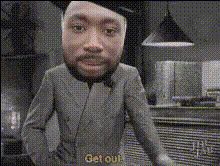
Joker Reaction Meme Template
Overview
With the Joker Reaction Meme Template, transform your videos into attention-grabbing content that channels the iconic mischievous smile of the Joker. This Video Face Swap template allows you to infuse your clips with humor and creativity, perfect for crafting memorable reaction memes. Tap into the trending power of the Joker's persona with ease and precision.
What It Does
This template enables you to swap faces in your video clips, replacing them with the Joker's distinct appearance. It's part of Video Face Swap technology, designed to automatically map and blend the Joker's features onto your subjects, ensuring a seamless, high-quality result. The outcome is a visually striking reaction meme that is both entertaining and engaging.
Who It's For
This tool is ideal for content creators, social media enthusiasts, and anyone looking to create viral reaction memes. Whether you're a seasoned meme-maker or new to video editing, this template provides an accessible way to enhance your content with professional-grade effects.
Summary
The Joker Reaction Meme Template is your go-to tool for adding a twist of humor and iconic imagery to your videos. Part of the versatile Face Swap suite, it ensures you're equipped to make a statement, whether for social media posts, fun personal projects, or engaging marketing content.
How to Use
Choose the Template

Customize Your Content

Generate and Download

Use Cases
Social Media Content
- Engage audiences on platforms like TikTok and Instagram
- Boost video shareability and likes
Marketing and Ads
- Enhance ad creatives with unique visual content
- Capture attention during ad breaks
Personal Projects
- Create funny videos for family and friends
- Experiment with video effects for skill development
Best Practices
Select Clear Footage
Ensure the video you upload is clear and well-lit for optimal face recognition and swapping results.Position Faces Centrally
Make sure the target faces are prominent and centered in the frame to aid accurate swapping.Use High-Quality Videos
Start with high-definition video files to preserve detail after the face swap process.