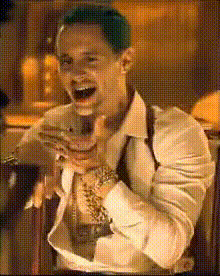
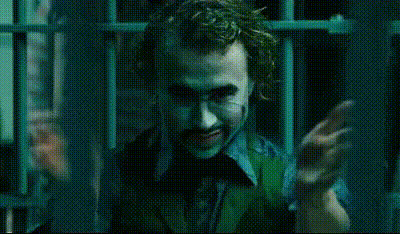
"All I have are negative thoughts" - The Joker

face-swap

1 clip
3 uses

Any aspect ratio

Tags

movies

"All I Have Are Negative Thoughts" – Joker Face Swap Video Template

Turn the Joker’s Most Iconic Monologue Into Your Own Scene

This template lets you step directly into one of the most talked‑about moments from Joker (2019). Using Magic Hour’s advanced AI Face Swap technology, you can replace the original face in the clip with your own (or another face you have rights to use), while preserving the performance, emotion, and lighting of the original shot.

It’s designed for creators, editors, and marketers who want a cinematic, share‑ready video in minutes—without needing a full VFX pipeline.

Why This Scene Matters

The line “All I have are negative thoughts” comes from Todd Phillips’ Joker (2019), spoken by Arthur Fleck (Joaquin Phoenix) in conversation with his social worker. It’s a turning point that captures:

  • His struggle with mental health and social isolation
  • The breakdown of support systems and public services
  • The shift from vulnerable comedian to the Joker persona

Because of its emotional weight and visual style, this scene has become a reference point in film analysis, memes, and character‑driven edits across TikTok, Instagram Reels, and YouTube Shorts.

What You Get With This Template

Cinematic Face Swap Powered by AI

This template is built on Magic Hour’s Face Swap Video system. Under the hood, it uses AI to:

  • Map your facial structure and expressions onto the character in the clip
  • Maintain lighting, shadows, and perspective for realism
  • Preserve the scene’s motion, timing, and camera work

Instead of manually rotoscoping or tracking faces in traditional VFX tools, you can get a production‑quality result in a fraction of the time.

Dark, Moody Gotham‑Style Atmosphere

The scene is framed in a gritty, low‑key lighting style reminiscent of Gotham City—muted colors, harsh shadows, and a grounded, almost documentary feel. This makes the template ideal for:

  • Character monologues and dramatic edits
  • Mental‑health, loneliness, or “villain arc” themed content
  • Short films, story experiments, or narrative teasers

Emotion‑First Performance

The strength of this template is the emotional intensity of the original performance. With Face Swap, you keep the nuanced acting—micro‑expressions, eye movements, and head tilts—while changing only the identity on screen.

Use it to:

  • Experiment with character interpretation and persona
  • Build highly shareable POV videos (“What if I were the Joker?”)
  • Test audience engagement with darker, more introspective content

How to Remix This Template in Magic Hour

You can either use this template directly in Magic Hour, or build your own variant by remixing it. Here’s a practical, repeatable workflow you can adapt for other scenes:

  1. Start from Face Swap Video
    Go to Face Swap Video. This is the core tool behind this template and is the best starting point if you want to customize or recreate it.
  2. Upload Your Source Clip
    Use this Joker template from the Magic Hour library, or import your own dramatic monologue or film‑style shot. The face swap model works best when:
    • The subject’s face is reasonably visible (not fully obstructed)
    • Lighting is relatively consistent within the shot
    • There is some facial movement or emotional change
  3. Add Your Face Source
    Provide a clear image or video of the face you want to insert. For best results, use:
    • Front‑facing or lightly angled photos with good lighting
    • Neutral expressions if you want the AI to flexibly adapt to the scene
    You can create new portrait images specifically for this using:
  4. Run the Face Swap
    Let Magic Hour process the video. The system handles:
    • Frame‑by‑frame face tracking
    • Blending skin tones, lighting, and shadows
    • Maintaining original lips, speech timing, and overall movement
  5. Enhance and Extend (Optional)
    To build more advanced remixes or a full content pipeline, you can chain other Magic Hour tools:
    • Image‑to‑Video – turn a still portrait of your “Joker” into additional animated shots
    • Lip Sync – make your Joker speak custom audio (your voice, a script, or cloned voice)
    • AI Talking Photo – generate talking‑head variations for social posts
    • Video Upscaler – improve resolution for platforms that favor HD or 4K
    • Auto Subtitle Generator – add captions for better engagement and accessibility

Advanced Use Cases for Creators & Teams

  • Content Creators & Streamers
    Turn this template into:
    • Reaction videos (“Me when the algorithm flops… all I have are negative thoughts”)
    • Series intros or channel bumpers with a darker tone
    • Persona‑driven narrative arcs (villain, anti‑hero, or satire)
  • Marketers & Brand Builders
    Use the scene structure and style—without infringing on IP—by:
  • Filmmakers & Storytellers
    Rapidly prototype:

Responsible Use & IP Considerations

Face Swap technology is powerful, so it should be used responsibly:

  • Only swap faces you have rights and consent to use (your own, collaborators, licensed talent, or synthetic faces).
  • Avoid misleading edits that could cause real‑world harm or misrepresentation.
  • If you reference or evoke well‑known characters, ensure your usage aligns with platform policies and applicable copyright and fair‑use rules in your jurisdiction.

Tips for Getting the Best Result

  • Use high‑quality face images – sharp, well‑lit images improve realism and reduce artifacts.
  • Match the mood – photos with similar lighting and expression to the Joker scene will blend more convincingly.
  • Enhance post‑production – after rendering, consider:

Extend the Template Into a Full Character System

If you want to go beyond a single Joker clip and build a recurring “dark persona” for your channel, you can:

Who This Template Is For

  • Creators and editors who want fast, cinematic, meme‑ready content.
  • Marketers and startups testing darker, narrative‑driven campaigns and character branding.
  • Filmmakers, writers, and narrative designers exploring character psychology and alternate castings using AI.

Start Your Joker Face Swap in Minutes

Open the template in Magic Hour, drop in your face source, and render your own version of the “All I have are negative thoughts” monologue. From there, you can spin off remixes, meme edits, narrative experiments, and branded variations using the rest of the Magic Hour toolchain.

When you’re ready to go further, explore Video‑to‑Video and Animation to transform or stylize your Joker scenes into entirely new visual worlds while keeping your performance front and center.

More Like This