Crimson Theater
- Model
- Nano Banana 2
- Image
- 1024 × 1024 px
Prompt
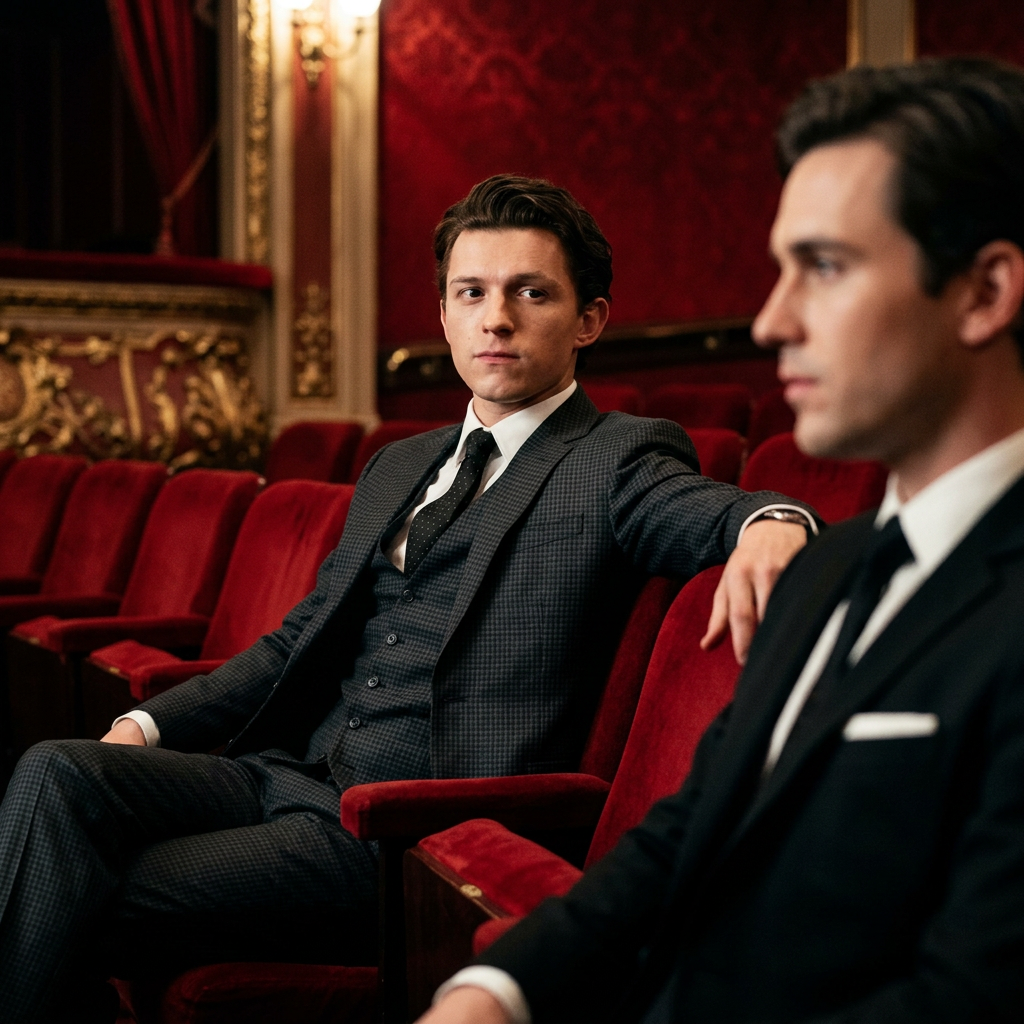
Create an 8K ultra-high-definition cinematic still of the subject seated comfortably in a luxurious red theater, wearing a dark-gray fine-check suit, crisp white shirt, and black tie with subtle dotted patterns. The subject is positioned on the left third of the frame, reclining naturally in a plush red theater seat with the left arm resting casually along the backrest, gazing straight ahead with a thoughtful, composed expression. On the right side of the frame, include a second subject in a black suit shown in partial side-profile close-up, softly defocused to create visual depth and narrative tension. Use shallow depth of field to keep the primary subject sharply defined while the surrounding theater gradually falls into soft blur. Illuminate the scene with a directional cinematic key light from the upper left, sculpting the face, suit, and red upholstery with dimensional highlights and deep shadows. Build a sophisticated palette dominated by rich crimson red and deep black, accented with subtle antique gold reflections. Apply high-contrast cinematic grading, restrained saturation, slightly lifted filmic shadows, delicate highlight roll-off, and subtle analog film grain. Preserve realistic skin, fabric, upholstery, and architectural textures, with natural imperfections and refined photographic detail. The composition should follow the rule of thirds, maintaining negative space toward the right while the secondary subject creates a layered foreground element. The final image should evoke an elegant, mysterious luxury-thriller film still—opulent, atmospheric, dramatic, and photorealistic, with premium cinema lighting and authentic film texture.
Any aspect ratio
Overview
Create a photorealistic cinematic still with the Crimson Theater template, leveraging the advanced capabilities of the AI Image Editor. This template enables you to generate an 8K ultra-high-definition image that embodies the mood and nuance of a luxury thriller film scene.
What It Does
Using the nano-banana-2 model, this template artfully combines lighting, texture, and composition to craft a visual story. You'll achieve a seamless blend of sharp and defocused elements, creating depth and tension with sophisticated cinematic grading. The resulting image is both dramatic and luxurious, designed to evoke a sense of mystery and elegance.
Who It's For
This template is ideal for photographers, graphic designers, and filmmakers seeking to enhance their portfolios or create captivating visual content. Whether you're working on a movie poster, a high-end advertisement, or a storyboard concept, storyboarding and cinematic visualization projects will benefit from this tool's realistic and stylish output.
Summary
The Crimson Theater template provides a comprehensive toolkit for producing detailed and atmospheric images underpinned by compelling narrative elements. Emphasize luxury and creativity in your scene setups and bring a new dimension of storytelling to your visual explainer videos or thrillers using this versatile image editor.
How To Create a Crimson Theater Image
Select the Template

Customize Your Scene

Generate and Download

Use Cases
Film Storyboarding
Advertising Campaigns
Portfolio Development
Best Practices
Attention to Detail
Focus on lighting, texture, and color grading to maintain a consistent and realistic cinematic atmosphere.Iterative Adjustments
Make small tweaks to the composition and lighting to achieve the desired mood and depth.Experiment with Angles
Vary camera angles slightly within the composition rules to discover unique perspectives and enhance storytelling elements.