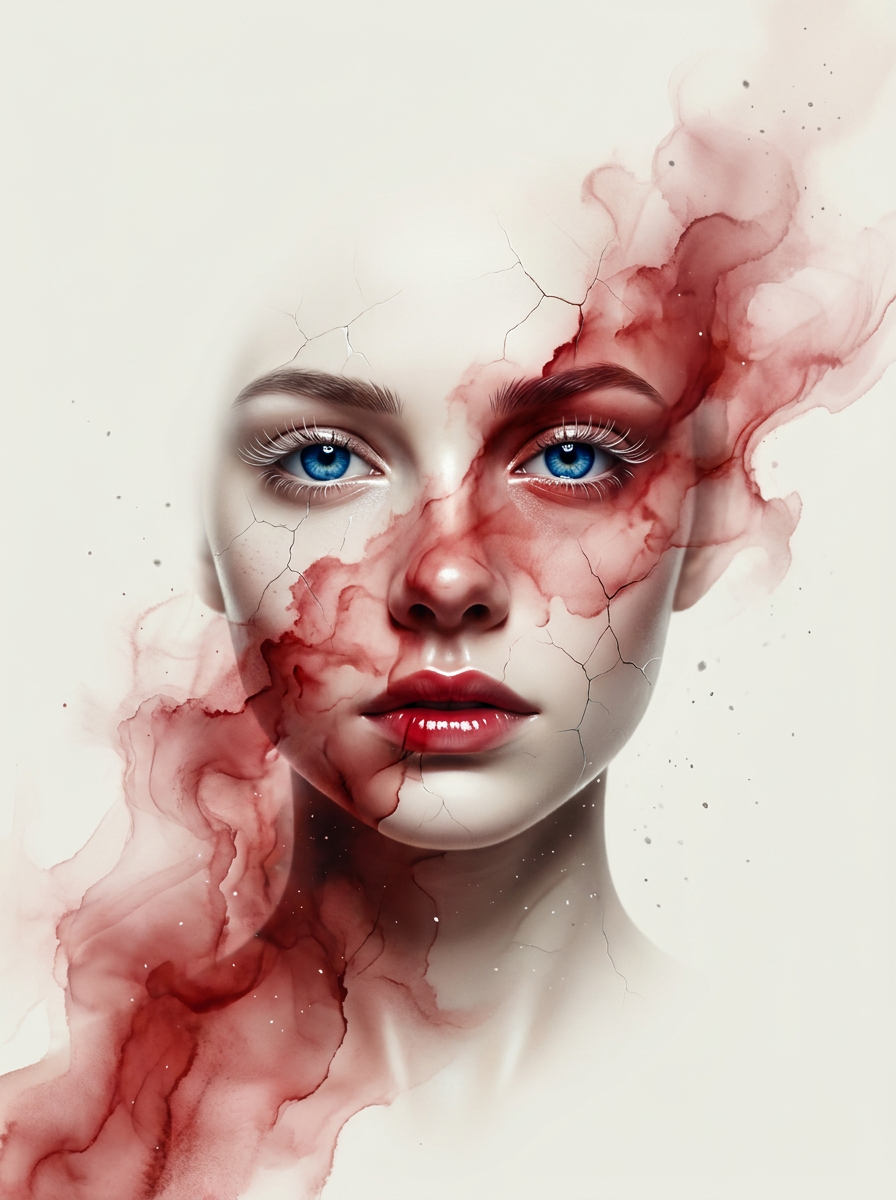
Porcelain Bloom
- Model
- Nano Banana Pro
- Image
- 896 × 1200 px
Prompt
Ultra-detailed artistic portrait of a mysterious young woman unevenly emerging from a flat, polished ivory-white background, her centered, frontally depicted face only partially (approx. 80%) visible. Her sapphire-blue eyes are sharply detailed with glossy reflections and delicate long platinum eyelashes, while the rest of her face dissolves into flowing crimsom ink textures and smokey watercolor streaks. Fine cracked porcelain patterns subtly spread across her skin like fragile ceramic art. Soft overhead lighting creates cinematic shadows and depth, highlighting the contours of her high cheekbones, her thin, glossy crimson lips, and neck. Floating dust particles and subtle texture noise add realism and atmosphere. Minimal composition with enough negative space, elegant contemporary fashion-art aesthetic, hyperrealistic 3D render, extremely fine details, immersive depth, ultra sharp focus, soft gradients, luxury editorial style, hyper-realistic skin texture, reduced color palette with subtle platinum accents, masterpiece quality, 8K.
Any aspect ratio
Overview
Porcelain Bloom is an advanced AI Image Editor template, powered by the nano-banana-pro model. It offers a hyper-realistic editing experience, transforming images into detailed artistic portraits with luxury editorial aesthetics. This template is designed to enhance portraits with ultra-detailed textures and elegant compositions.
What It Does
The Porcelain Bloom template allows users to create masterpiece-quality, hyperrealistic 3D renders of portraits. It incorporates delicate artistic elements like porcelain skin patterns and flowing ink textures, producing an exquisite visual effect. The template is perfect for creating visual effects-rich portraits for both personal and professional projects.
Using the AI Image Editor capabilities, it adds dramatic lighting and platinum color accents, aligning with luxury contemporary fashion-art aesthetics.
Who It's For
This template is ideal for digital artists, photographers, and designers seeking to enhance their portrait images with high detail and artistic flair. It's especially useful for those creating content for luxury fashion or editorial projects who require an ultra-sharp focus and immersive depth in their imagery.
Users looking to leverage advanced AI capabilities in image editing will find this tool aligned with their needs, similar to those who might use the AI Image Upscaler for high-definition outputs.
Summary
Porcelain Bloom enriches your portraits with intricate artistic details and porcelain textures, making it a standout choice for creatives in the field. By incorporating this template, you're able to achieve a sophisticated, magazine-quality finish in your digital works.
Explore further enhancements by integrating with AI Image Generator for diverse creative outputs.
How-To
Choose the Template

Customize Your Inputs

Generate Your Artwork

Use Cases
Luxury Editorial Portraits
- Editorial magazines
- Brand advertising
- Model portfolios
Artistic Personal Projects
- Galleries
- Personal collections
- Gift prints
Marketing and Branding
- Product promotions
- Luxury catalogs
- Brand storytelling
Best Practices
Leverage Fine Details
Focus on adjusting textures and lighting to maximize the impact of porcelain patterns and ink textures.Optimize Lighting
Control the soft overhead lighting for more pronounced shadows that add depth to the portrait.Maintain Clarity
Use the minimal composition space to maintain sharp focus and create an immersive depth.