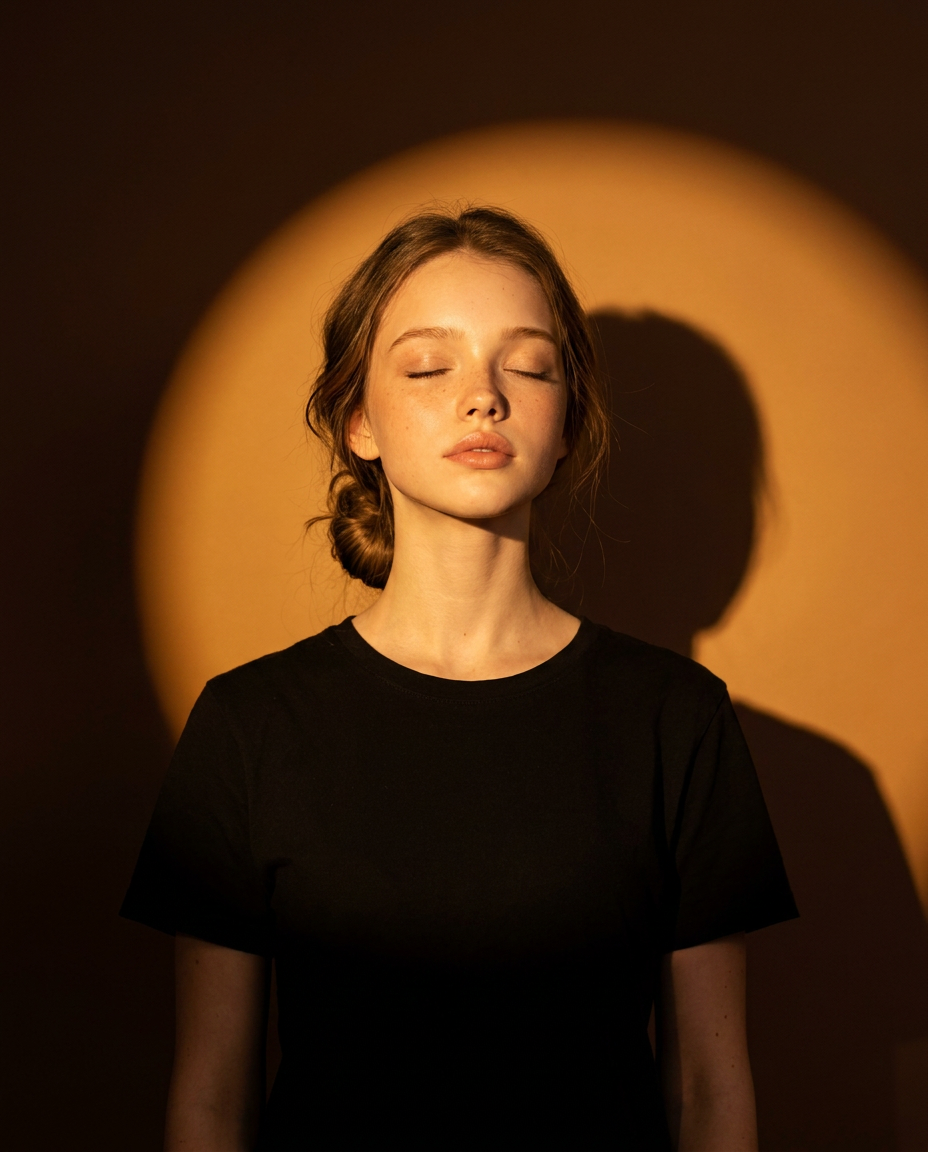
Amber Circular Spotlight
- Model
- Nano Banana Pro
- Image
- 928 × 1152 px
Prompt
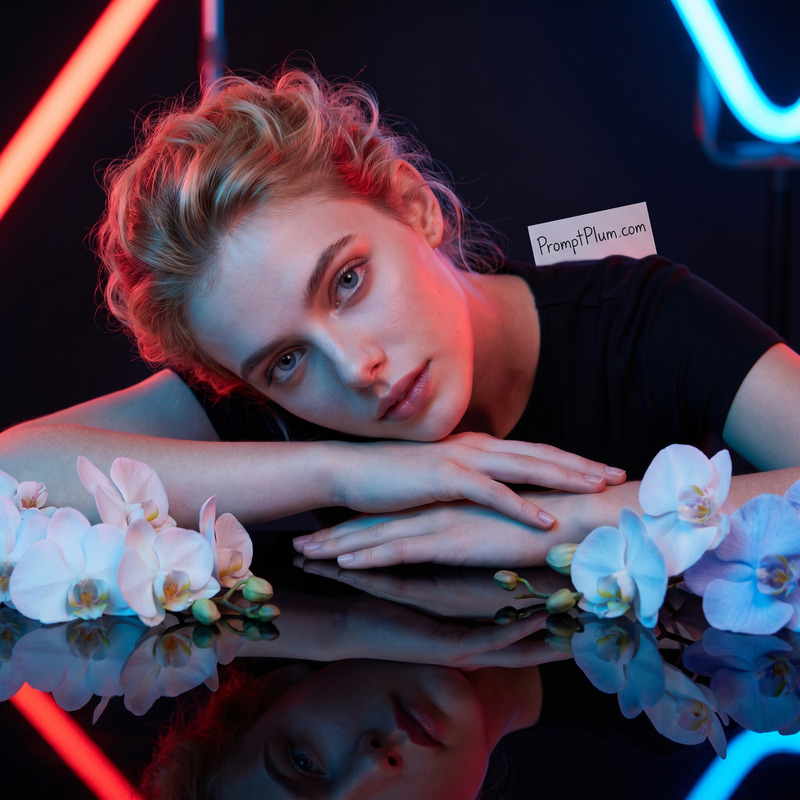
Use the uploaded image ONLY for identity reference. Preserve the natural face shape, facial proportions, forehead, eyebrows, eye shape and spacing, nose, lips, jawline, skin tone, and natural facial asymmetry with high accuracy. Do not beautify, reshape, age-change, or blend the face with another identity. The person must remain clearly recognizable even with closed eyes and warm lighting.Create an ultra-realistic, warm cinematic studio portrait of the uploaded woman standing directly in front of a dark wall.Composition and Framing:Use a vertical 4:5 aspect ratio. Frame the subject from the lower torso to the head, showing the full head, neck, shoulders, upper arms, and most of the black T-shirt. Keep her centered and front-facing or slightly off-camera facing, with generous headroom and balanced negative space on both sides. Do not crop the head or shoulders.Pose:She stands upright with her upper back and shoulders resting lightly against the wall. Her body and face are aligned toward the camera, shoulders naturally lowered, arms relaxed beside her body and continuing beyond the lower edge of the frame.Face, Hair, and Expression:Her eyes are gently closed, and chin slightly raised, creating a calm, soft natural expression. Keep the facial muscles natural and relaxed. Style her natural color hair in a loose, side-parted low bun, with a few natural wispy strands around the ear, cheek, and neck.Outfit:A plain matte-black short-sleeve crew-neck T-shirt with realistic cotton texture and subtle natural folds. No jewelry, graphics, logos, or accessories.Lighting:Use one strong, warm golden-amber directional spotlight positioned in front of the subject on camera-left and slightly above face level. The light directly illuminates the face, neck, collarbones, and upper shoulders while producing natural warm highlights and soft facial shadow transitions.Aim the same spotlight toward the wall to create a large, perfectly round golden-orange pool of light centered behind the subject’s head and upper torso. The circle must be much larger than her head, with its upper edge well above her hair and its lower portion extending behind her shoulders and torso. Give it a clearly visible but slightly feathered circular boundary, an evenly glowing golden center, and a gradual amber falloff. It should look like a real spotlight projected onto the wall, not a glowing ring or digital halo.Because the subject is standing close to the wall, create a dark, sharply defined silhouette of her head, neck, and shoulders offset toward the viewer’s right. Keep the shadow direction fully consistent with the front-left light source. Allow the lower face, arms, and black T-shirt to gradually fall into deep shadow.Background:A clean, smooth, matte dark chocolate-brown studio wall. Outside the circular spotlight, the wall transitions into deep brown-black shadows with a natural vignette. No visible floor, wall seams, props, smoke, or additional background elements.Camera and Finish:Eye-level camera, straight-on angle, 50mm lens, approximately f/4. Keep the face sharply detailed while retaining clearly visible halo edges and wall shadow. Warm tungsten color temperature, rich amber-brown cinematic grading, strong chiaroscuro contrast, natural skin pores and texture, natural highlight roll-off, editorial photography quality, high resolution.Avoid front fill light, backlight, rim light, cool tones, excessive blur, artificial skin smoothing, plastic facial texture, composited appearance, text, icons, and watermarks.
Any aspect ratio
Overview
The Amber Circular Spotlight template within the AI Image Editor is designed to transform a straightforward image into a cinematic studio portrait. Utilizing the advanced capabilities of the nano-banana-pro model, this template emphasizes facial fidelity, maintaining the subject's natural features while applying a warm, golden-amber spotlight effect that enhances the visual drama of the portrait.
What It Does
This template is perfect for creating an ultra-realistic, studio-like portrait. It uses a single strong directional spotlight to cast a warm golden-amber hue, ensuring the subject's natural features and textures are highlighted with editorial quality. The surrounding background is skillfully blended into a dark chocolate-brown, providing a stark, professional contrast that enhances the subject's silhouette and facial shadows.
Who It's For
Photographers, digital artists, and content creators looking to add cinematic flair to their portraits will find this template invaluable. It's particularly suited for those who wish to maintain the subject's natural look while enhancing the dramatic lighting effects. Additionally, it provides substantial creative control for those involved in video style transfer or high-end editorial projects.
Summary
The Amber Circular Spotlight template offers a sophisticated approach for creating striking portraits. By centering the subject in a warm amber spotlight and preserving their natural features, this tool is ideal for generating visually stunning portraits that are both artistically and technically impressive. For those looking to explore more editing capabilities, the template complements other tools such as AI Talking Photo and AI Profile Picture Generator.
How To
Select the Template

Customize Your Image

Generate the Final Image

Use Cases
Editorial Photography
- Maintains natural facial detail
- Creates cinematic portraits
Social Media Content
- Boost follower engagement
- Set your content apart
Video Style Transfer
- Integrate with video production
- Enhance visual storytelling
Best Practices
Ensure Proper Lighting
Position your subject so the amber spotlight illuminates the face evenly and naturally. Avoid additional light sources that could dilute the effect.Maintain Aspect Ratio
Adhere to the 4:5 aspect ratio for consistency and optimal framing. This ratio best supports the spotlight and subject's silhouette.Utilize Complementary Tools
Consider using alongside the Photo Colorizer for advanced color grading effects.