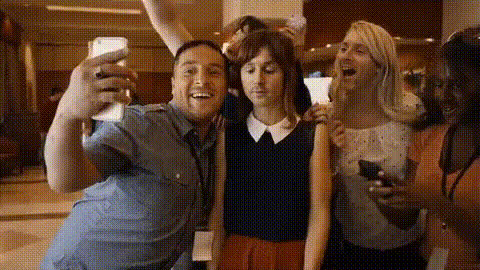
Studio Selfie Moment
- Video
- 56.14 sec
Any aspect ratio
Overview
Capture the excitement of a studio photoshoot with the Studio Selfie Moment template. This Video Face Swap template allows users to place their face into dynamic, professional studio settings without leaving the comfort of their home.
What It Does
The Studio Selfie Moment template integrates state-of-the-art face swap technology from our Face Swap suite, offering highly realistic video composites. The tool matches facial features to the chosen studio background, providing a seamless blend for high-impact visuals.
Who It's For
Ideal for content creators, influencers, and social media enthusiasts who want to elevate their profile pictures or video content. It's also perfect for digital marketers looking to create engaging ad content. Explore more possibilities with our AI Talking Photo product to further enhance your media strategy.
Summary
With the Studio Selfie Moment template, anyone can create professional-grade content that stands out. Utilize our AI Image Editor for refined touches and enhanced creativity. This tool empowers you to craft stunning visuals easily, engaging your audience with uniquely personalized content.
How-To
Choose the Template

Customize Your Inputs

Generate Your Video

Use Cases
Social Media Content
- Instagram profile pictures
- TikTok video intros
- Snapchat stories
Digital Marketing
- Localized ad campaigns
- Brand storytelling
- Promotional videos
Personal Branding
- LinkedIn profile updates
- Portfolio highlights
- Networking events
Best Practices
Select High-Resolution Photos
Always use the highest quality images to ensure smooth transitions and realistic results.Match Lighting Conditions
Choose backgrounds with similar lighting to your original photo for a more natural blend.Experiment with Angles
Try various facial angles to see which works best with your chosen background.