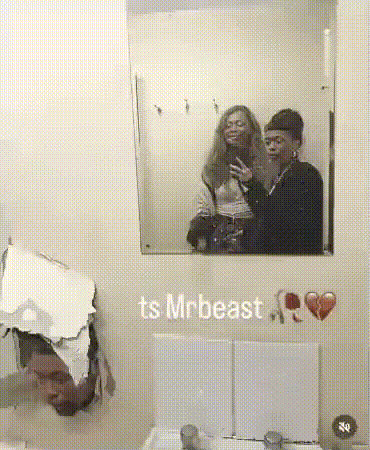
Mirror Selfie Moment
- Video
- 11.05 sec
Any aspect ratio
Overview
The Mirror Selfie Moment template provides you with an innovative way to swap faces in mirror selfies with precision and ease. This template leverages advanced technology to deliver realistic results, making your creative process smoother than ever. Ideal for both personal projects and professional assignments, this tool redefines how you interact with Face Swap capabilities in videos.
What It Does
This template provides an intuitive interface for performing Video Face Swaps, specifically tailored for scenarios involving mirrors. Simply select your video and let the AI handle the intricate face reflection adjustments. It draws on the same robust technology that powers our Image to Video tools, ensuring each swap aligns naturally, even in reflective surfaces.
Who It's For
Whether you're a social media influencer, content creator, or video editor, the Mirror Selfie Moment template offers valuable functionality. It's designed for users who need to produce engaging video content quickly and accurately. Compatible with a wide range of styles, our platform is also ideal for creative professionals exploring Text to Video adaptations or other visual storytelling methods.
Summary
The Mirror Selfie Moment template transforms how creatives approach video editing, offering a reliable solution for those looking to integrate advanced face swap features into their workflows. With its combination of user-friendly customization and powerful technology, it's a perfect tool for achieving polished results in your video productions.
How to Use the Mirror Selfie Moment Template
Choose Your Template

Customize Your Inputs

Generate and Download

Use Cases
Social Media Content
- Instagram stories
- TikTok challenges
Creative Video Projects
- Short films
- Music videos
Virtual Events and Promotions
- Event intros
- Product promotions
Best Practices
Choose High-Quality Source Material
Ensure that video clips are of high resolution to facilitate more accurate face swaps and reduce potential errors during processing.Pre-check Face Alignment
Before executing the swap, verify the alignment and placement of faces for smoother integration, especially in mirrored surfaces.Use Clear and Distinct Prompts
When using prompts, provide clear guidance to enhance the AI's ability to replicate the intended results effectively.