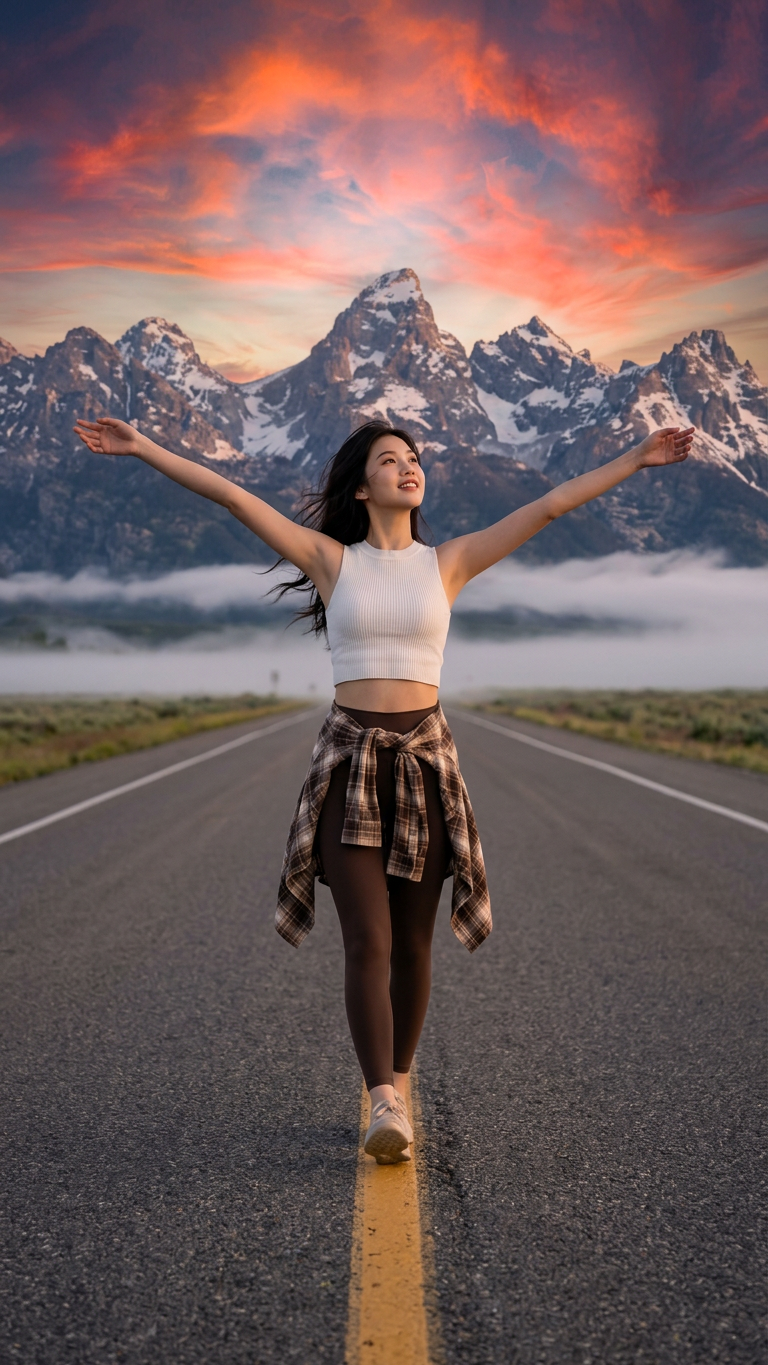
Golden Road Walk
- Model
- Nano Banana 2
- Image
- 768 × 1365 px
Prompt
A full-body cinematic photograph of a person walking confidently down the exact center line of an empty, straight asphalt road cutting through lush green fields. The person has their arms outstretched wide, looking up and slightly to the side with a carefree expression. They are wearing a white sleeveless crop top, brown leggings, and a brown plaid flannel shirt tied around their waist. In the background, massive, majestic snow-capped mountains rise under a vibrant, dramatic sunset sky filled with fiery orange, gold, and deep red clouds. A light layer of low fog floats near the base of the mountains. Shot on a Sony A7R V with an 85mm f/1.8 lens, hyper-realistic, photorealistic textures, dramatic golden hour lighting, 8k resolution, crisp details
Any aspect ratio
Overview
The "Golden Road Walk" template from our AI Image Editor offers a stunning and vibrant way to enhance your digital projects. Featuring hyper-realistic textures and dramatic lighting, this template helps create the perfect cinematic shot.
What It Does
This template transforms basic images into breathtaking cinematic scenes. Utilizing the AI Image Generator, it crafts photorealistic textures and detailed imagery, making it ideal for all who seek to elevate their visual storytelling with a professional-grade touch.
Who It's For
The "Golden Road Walk" is perfect for photographers, digital artists, and creative content creators who value high-quality, vivid imagery. Whether you're developing a personal project or commercial content, this template offers versatility and sophistication.
Summary
Leverage the power of the nano-banana-2 model to produce artwork rich in detail and color. This tool excels in creating high-resolution images, ideal for AI Product Photography and more, ensuring each scene captures attention and imagination.
How to Use Golden Road Walk
Choose the Template

Customize Your Inputs

Generate Your Image

Use Cases
Creative Projects
Commercial Promotions
Social Media Enhancements
Best Practices
Focus on Lighting and Angles
Maximize the dramatic lighting and angles the template offers for more engaging images.Consider Composition
Use the rule of thirds to place your subject effectively within the frame.Prepare High-Resolution Inputs
Upload high-quality images for the best output, especially when creating detailed backgrounds.