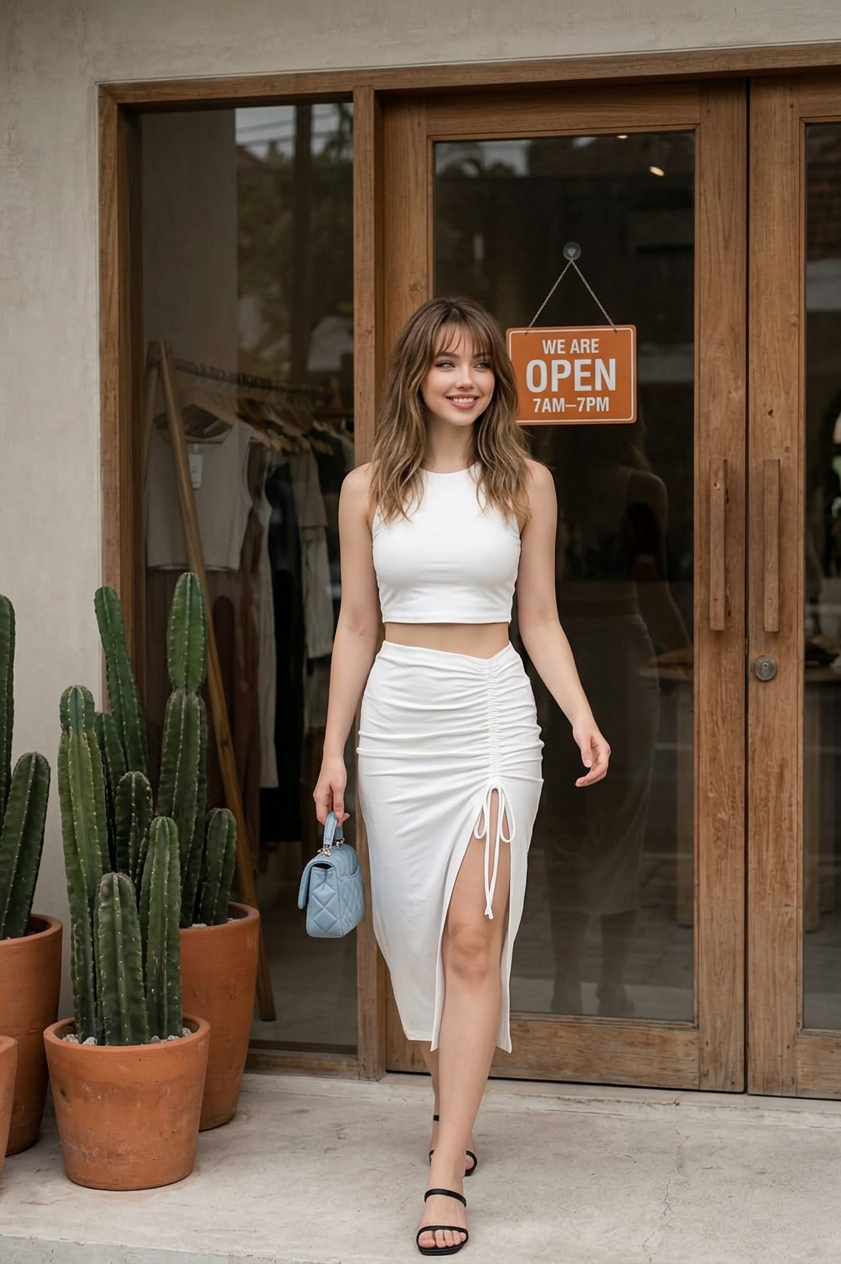
Summer Boutique Walk
- Model
- Nano Banana 2
- Image
- 841 × 1264 px
Prompt
A straight-on full-body editorial street shot of a young subject in their 20s with fair skin and medium-length loose hair with soft highlights. The subject wears a white cropped sleeveless top paired with a high-waisted white ruched skirt featuring an adjustable tie and a thigh-high slit, with smooth, lightweight fabric texture. The subject carries a small quilted light blue handbag in the left hand and wears simple black sandals, styled in a relaxed summer aesthetic. The scene is set outdoors directly in front of a boutique storefront with large wooden-framed glass doors. An orange hanging sign above reads “WE ARE OPEN 7AM–7PM.” To the left of the subject are terracotta pots filled with tall clustered cacti, adding an earthy natural accent. Inside the store, straw baskets and wooden shelving are softly visible, while the exterior remains grounded in neutral tones and natural wood textures. Soft diffused daylight creates even, flattering illumination with gentle shadows, producing a calm, natural, and realistic mood. The color palette is dominated by muted neutrals, warm earth tones, and fresh green accents from plants. HEX values: #494b4d, #493d31, #3a2d22, #e6d8bf, #dcd9ce, #634936, #ba8a66, #d3c5b0, #6a5d4e, #c6a591, #917861, #8c6146, #1d1815, #e9e8e3, #a39183. Captured at eye level with a modern smartphone-like look, minimal distortion, high resolution, clean focus, natural color rendering, and documentary-style editorial street photography. Calm, stylish, casual summer atmosphere with a refined lifestyle aesthetic.
Any aspect ratio
Overview
The Summer Boutique Walk template is an AI Image Editor tool designed to bring your creative vision to life with a modern, stylish touch. This template captures the essence of summer street style and luxury in an editorial setting. Perfectly suited for achieving a sophisticated, artistic look, it allows creators to adjust elements for a unique, polished output.
What It Does
This template utilizes the AI Image Editor capabilities to enhance images by adjusting textures, lighting, and color schemes. It provides users with the tools to craft detailed street photography that feels both stylish and natural. The AI-driven features ensure high resolution and minimal distortion, perfect for clean, focused images.
Who It's For
Professionals and hobbyists who wish to create editorial-style photographs will find this template particularly useful. Whether you are preparing content for fashion blogs, magazines, or social media, the AI Profile Picture Generator can be a complementing tool to refine personal portraits within this context. E-commerce businesses focusing on fashion can leverage this tool to enhance their online presence.
Summary
The Summer Boutique Walk template offers a seamless experience for generating top-tier editorial street imagery. Its AI capabilities, supported by the nano-banana-2 model, provide flexibility and precision, enabling creators to produce images that resonate with the elegance and calm of a summer day.
How To
Choose

Customize

Generate

Use Cases
Fashion Editorials
- Publish in digital magazines
- Enhance blog visual content
Social Media Content
- Increase engagement through captivating visuals
- Showcase summer collections effectively
E-commerce Imagery
- Build brand aesthetic
- Improve conversion rates
Best Practices
Focus on Lighting
Ensure that the lighting settings are adjusted to enhance the natural feel of the image, reflecting a realistic and appealing street photo.Consistency is Key
Maintain consistent color tones across your visual assets. Use similar HEX values and texture adjustments for uniformity.Complement with Tools
Enhance the output further using the AI Image Generator for backgrounds and the AI Clothes Changer for wardrobe adjustments.