The Amber Portrait
- Model
- Nano Banana 2
- Image
- 928 × 1152 px
Prompt
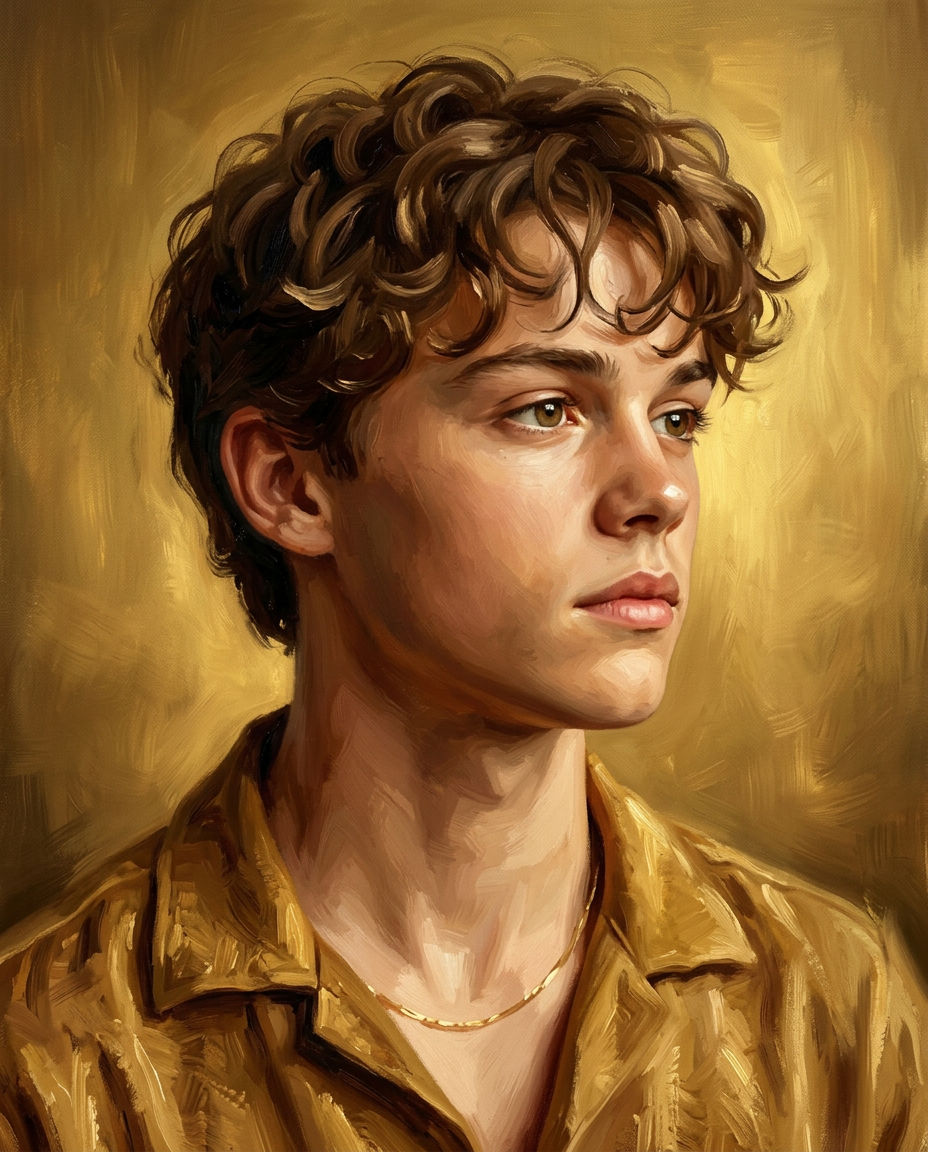
An ultra-detailed 8K cinematic digital oil painting portrait of a stylish man, rendered in a classic hand-painted fine art style. The artwork features rich, expressive brush strokes with visible texture, mimicking traditional oil on canvas. The background is a warm, glowing golden tone with soft painterly gradients, creating a timeless and luxurious atmosphere. MUST maintain accurate identity and face matching to the provided reference image — preserve exact facial structure, proportions, hairline, and all unique facial features. Translate the likeness into a realistic oil painting style (NOT stylized or cartoon) while strictly retaining recognizable identity. Do NOT beautify, distort, or replace facial features. Composition & Camera: A tight head-and-shoulders portrait (no crop of head or hair), framed in a clean 4:5 vertical composition. The subject is positioned slightly off-center, facing toward the right side of the frame. Eye-level camera angle with a refined, editorial portrait balance and controlled negative space around the head. Pose & Gaze: A strong side-profile composition with the head turned slightly toward the right (three-quarter profile). The gaze is directed off-camera into the distance, not toward the viewer, creating a calm, introspective, and self-assured mood. With a calm, composed expression. Facial Features & Hair: Highly detailed and realistic facial structure with natural skin texture and painterly depth. Defined and refined facial proportions. Thick, natural hair with a natural flow, featuring natural colour tones blended with highlights, rendered with textured brush strokes. Outfit & Styling: A sophisticated golden-brown shirt with a slightly open collar, rendered with soft fabric folds and painterly shading. A minimal thin gold chain around the neck adds a subtle touch of elegance without overpowering the composition. Lighting & Mood: Soft, warm directional lighting from the front-left gently illuminates the face, creating smooth highlight transitions and natural shadow falloff along the cheek and jawline. The lighting enhances the golden tones of the background and clothing, reinforcing a cinematic, fine-art mood. Technical Details: 8K ultra-high resolution, sharp facial detailing, realistic painterly textures, visible brushwork, professional fine-art rendering, cinematic color grading. Aspect ratio: 4:5(vertical).
Any aspect ratio
Overview
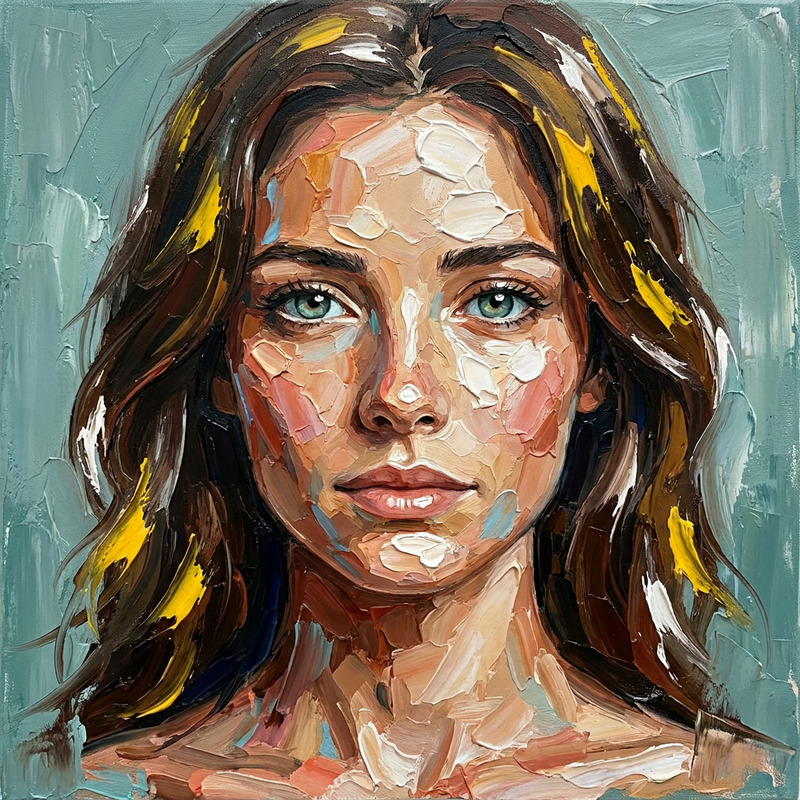
The Amber Portrait is a sophisticated AI Image Editor template designed to create ultra-detailed 8K portraits. Utilizing the nano-banana-2 model, this template faithfully translates a reference image into a realistic oil painting, maintaining exact facial proportions and distinctive features. The final artwork is infused with rich brush strokes and a warm, cinematic ambiance, ideal for fine art connoisseurs.
What It Does
The Amber Portrait template is engineered to transform a provided reference image into a lifelike oil painting. It ensures precise facial accuracy, capturing every unique feature without altering the subject's identity. The template offers a classic hand-painted fine art style, characterized by detailed brushwork and cinematic color grading. Ideal for capturing the subject in a timeless, elegant composition, it enhances both the aesthetic quality and the artistic value of any portrait.
Who It's For
This template caters to digital artists, photographers, and creative directors who require detailed reproductions of realistic portraits in a fine art style. It's perfect for projects that demand high-fidelity detail and authenticity, such as art exhibitions, editorial spreads, or personalized keepsakes. Additionally, anyone utilizing AI Image Editor tools for portraiture will find this template integral to achieving gallery-quality results.
Summary
The Amber Portrait provides a robust solution for creating high-resolution portraits that blend modern technology with classical art techniques. By employing the AI Talking Photo and AI Image Generator, users can produce detailed, life-like paintings that preserve the subject's true likeness. The result is a captivating portrait, perfect for capturing intricate details and subtle nuances that are characteristic of traditional paintings.
How-To Structure
Choose Template

Customize Your Portrait

Generate and Download

Use Cases
Fine Art Prints
- Gallery exhibitions
- Private collector sales
- Art auctions
Editorial and Advertising
- Fashion editorials
- Luxury advertising
- Brand identity materials
Personalized Gifts
- Anniversary presents
- Family commemorations
- Special occasion gifts
Best Practices
Input Image Quality
Ensure your reference image is of high quality to fully capture and retain all facial details.Lighting Consistency
Match the lighting conditions in your reference image to the soft, warm lighting suggested by the template for best results.Facial Feature Preservation
Double-check the final image to confirm that all significant facial features have been accurately maintained.