woman-singing-with-mic
Overview
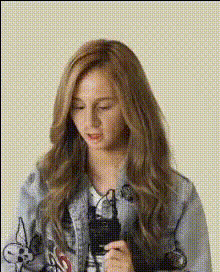
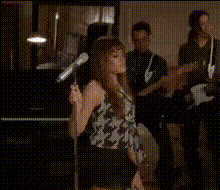
Transform any video with our 'Woman Singing with Mic' Video Face Swap template. This tool allows you to swap faces in a dynamic singing scene, offering a fun and creative way to bring your video ideas to life. Whether for personal use or content creation, this template makes swapping faces in videos straightforward and entertaining.
What It Does
This video face swap template lets you insert yourself or someone else into a vibrant scene of a woman singing into a microphone. By using facial recognition technology, it maps and overlays a new face onto the performer, maintaining the original facial expressions and movements. This can create humorous, engaging, and unique video clips perfect for social media and personal reels.
Who It's For
Creators, marketers, and social media enthusiasts will find this template invaluable. It's perfect for those who want to make their content stand out by adding a personal or comedic touch. Whether you're creating engaging content for TikTok videos, funny Instagram stories, or memorable YouTube shorts, this template allows you to craft content that attracts attention and engagement.
Summary
The 'Woman Singing with Mic' template brings a creative edge to your video projects with easy-to-use face swapping capabilities. From light-hearted videos for friends to professional content aimed at boosting user engagement, this template is a versatile addition to your creative toolkit. Explore related tools like the Image to Video or AI GIF Generator to further enhance your projects.
How-To
Choose

Customize

Generate

Use Cases
Personalized Comedy Clips
Engaging Social Media Content
Brand Promotions
Best Practices
Use High-Quality Images
Make sure to upload clear and well-lit images for the best face swapping results. Poor quality can lead to mismatched facial elements.Check Face Alignment
Adjust the uploaded face to align correctly with the original video subject's face to ensure natural-looking replacements.Experiment with Lighting
Try different lighting settings on your image to match the video’s lighting conditions for a more seamless look.