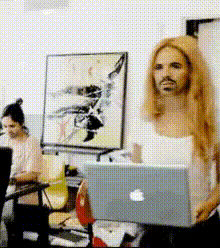
woman-on-laptop
Overview
Transform your video projects with the Woman on Laptop Video Face Swap template. This tool allows you to creatively insert and swap faces in videos, enhancing storytelling or marketing content. Whether you're working on promotional materials or entertainment content, this template provides the functionality you need to create engaging and personalized videos.
What It Does
The Video Face Swap template seamlessly integrates your chosen faces into existing video scenarios, such as a woman on a laptop. This enables you to customize the appearance of characters for marketing campaigns or narrative-driven content. The template supports various video file formats, ensuring compatibility and flexibility with Video To Video tools.
Who It's For
This template is ideal for video content creators, marketers, and social media managers who want to personalize their video projects. It's excellent for brands aiming to diversify their marketing materials or content creators crafting unique and relatable characters. It's a great fit for anyone looking to leverage product videos or enhance their social media presence through engaging visuals.
Summary
Incorporating the Video Face Swap template into your workflow offers a distinct advantage in creating customized video content. Ideal for both personal and professional projects, it offers user-friendly functionalities to help you craft compelling visual stories. For more advanced editing, consider exploring the AI Video Generator to complement your content creation efforts.
How To
Follow these steps to create a customized video using the Woman on Laptop Face Swap template:
Choose Your Template

Customize Your Video

Generate and Download

Use Cases
Discover how the Woman on Laptop Video Face Swap template can elevate your projects:
Social Media Campaigns
- Unique influencer content
- Interactive brand stories
Marketing Videos
- Product showcase videos
- Personalized customer greetings
Entertainment
- Comedy sketches
- Fan re-creations
Best Practices
Maximize the impact of your Video Face Swap projects with these tips:
Select Clear Images
Use high-resolution and well-lit photos for the most seamless face swaps.Fine-Tune Alignments
Spend time on the alignment step to ensure that the face swap looks natural and convincing.Explore Background Options
Combine with AI Background Changer for a fully immersive video experience.