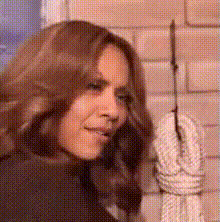
woman-smiling-with-notebook
face-swap
Any aspect ratio
Tags
transformationsCreate Hyper‑Realistic Face Swap Videos in Minutes
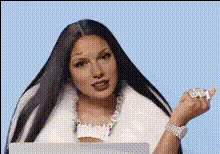
This template shows how to turn any clip into a polished, hyper‑realistic face swap video using Magic Hour’s Face Swap Video workflow. Use it as‑is, or remix it into your own branded, character‑driven, or UGC‑style content—no manual masking, VFX team, or custom model training required.
What This Template Is For
Use this face swap template when you need to:
- Turn yourself (or an actor) into a different character
- Localize creatives with different faces for different markets
- Create VTubers, influencers, or spokespersons from a single source performance
- Generate UGC‑style ads without reshooting content
- Produce memes, reaction clips, or parody videos safely and quickly
- Prototype character‑driven concepts for games, animation, or storyboards
It’s ideal for:
- Performance marketers and growth teams
- Solo creators and YouTubers
- Agencies and production studios
- Product and growth teams at startups
How to Remix This Template in Magic Hour
You can recreate and customize this template in a few minutes:
Open the Face Swap workflow
Start from Face Swap Video. This is the core workflow used behind this template.Upload your base video
- Use a talking head, interview, testimonial, or actor performance.
- For best results, choose footage with:
- Clear lighting on the face
- Minimal motion blur
- The face mostly visible (not heavily occluded)
Choose the face to swap in
You can:- Upload a portrait of yourself, a model, or a fictional character
- Generate a new face first with tools like:
- AI Face Generator – to create a completely new identity
- AI Photo Generator or AI Image Generator – to design stylized or branded characters
Preview and iterate
- Generate a short preview to check realism, expression transfer, and identity consistency.
- Swap in alternative faces (different demographics, styles, or brand personas) to quickly A/B test creative and performance angles.
Export and integrate
- Download your face swap video and plug it directly into your ad stack, social schedule, pitch decks, product demos, or user onboarding.
Because you’re working from a template, most of the creative risk is already handled—you’re simply changing inputs (face, base clip, style) rather than rebuilding from scratch.
Turning This Template Into a Full Creative System
To get the most value, treat this template as a building block in a larger AI video pipeline:
Batch testing ad creatives
Produce multiple variants of the same script with different faces and personas using Face Swap Video. Combine with Video Upscaler for high‑resolution final exports for paid media.Localizing content at scale
- Use this template for region‑specific spokespersons.
- Pair with:
- AI Voice Cloner or AI Voice Generator for localized voiceovers
- Auto Subtitle Generator for on‑brand captions in multiple languages
Repurposing existing assets
- Turn older footage into new campaigns by swapping in current ambassadors or fictional characters.
- Clean or enhance legacy content with:
- AI Image Upscaler and Unblur Image for stills
- Old Photo Restoration for historical or archival images
Creating characters and avatars
- Use AI Character Generator, Avatar Generator, or AI Anime Generator to design unique characters.
- Swap those identities into live‑action footage with Face Swap Video or animate them with AI Talking Photo.
Combine Face Swap With Other Magic Hour Templates
This template becomes more powerful when chained with other Magic Hour creation flows:
Face Swap + Lip Sync
- Start from Lip Sync to match speech and mouth movements to your script or language.
- Then use Face Swap Video to change the on‑screen identity while preserving timing and performance.
Face Swap + Video‑to‑Video Stylization
- Use Video to Video to stylize your original footage (cinematic, anime, comic, etc.).
- Apply face swap on top to keep a consistent character identity across multiple visual styles.
Face Swap + Animation
- Generate animated sequences in Animation.
- Use Face Swap Video to align animated characters to specific faces, useful for brand mascots, VTubers, or stylized campaigns.
Face Swap + Image‑First Workflows
- Design hero images or storyboards with tools like AI Art Generator, Comic Book Generator, or AI Illustration Generator.
- Turn selected images into motion with Image to Video, then run Face Swap Video on the resulting clips.
Best Practices for Realistic, Safe Face Swap Content
To help you get production‑quality outcomes:
Use high‑quality input faces
- Well‑lit, front‑facing images generally yield the most consistent swaps.
- For professional use (ads, brand campaigns), start from high‑resolution images or generate crisp portraits with AI Headshot Generator.
Maintain identity consistency across scenes
- Use the same source face(s) for all shots in a sequence to keep your character stable.
- If you’re building a recurring brand character, store a small library of source images (different angles, lighting) and test which ones generalize best.
Design for your channel
- For TikTok, Reels, and Shorts, prioritize vertical framing and expressive, close‑up face footage.
- For YouTube and paid media, combine this template with Thumbnail Maker and Album Cover Generator to create consistent visual systems.
Respect ethics and compliance
- Only swap faces you have the rights and consent to use.
- Avoid impersonating private individuals or misrepresenting endorsements.
- For brand and enterprise use, consider pairing your workflow with internal reviews and audit trails.
Resources on responsible synthetic media and deepfakes:
- Partnership on AI – “Responsible Practices for Synthetic Media”
- EU AI Act and FTC guidance on deceptive synthetic content (summaries frequently referenced by AI policy researchers)
Example Use Cases You Can Clone
You can adapt this template quickly to match real‑world scenarios:
Performance marketing
- Create 5–10 variants of the same direct‑response script with different demographic faces, then test CPA and CTR across audiences.
- Add meme overlays or dynamic text using AI Meme Generator for social‑native creatives.
Product demo explainers
- Record a single human presenter once.
- Swap in different branded characters or fictional “guides” for different product lines or regions.
Founder or expert content
- If your founder or expert is camera‑shy or not always available, capture a small set of good base clips and reuse them by swapping in updated looks, outfits, or stylized avatars with AI Face Editor and AI Clothes Changer.
Fiction, gaming, and world‑building
- Generate NPCs or lore characters with DnD AI Art Generator, Fantasy Map Generator, and Dark Fantasy AI.
- Swap those identities into VO‑driven cutscenes using Face Swap Video and Text to Video.
Related Magic Hour Tools Often Used With This Template
Teams frequently combine this face swap template with:
- Face Swap – overview of face swap capabilities
- Face Swap GIF – for short, shareable loops and social reactions
- AI Talking Photo – turn static portraits into speaking avatars
- AI GIF Generator – convert highlights into GIFs for social and chat
- Text to Video – script‑first video generation to feed into face swap
- AI Selfie Generator – generate social‑ready selfies for your characters
- Gender Swap – exploratory identity variations for character design
- AI Outfit Generator and AI Fashion Generator – change clothing styles across campaigns
How to Start From This Template
- Open Face Swap Video.
- Use the same structure as this template:
- Base video with a clear speaking subject or actor
- One or more source faces representing your character(s)
- Iterative previews until you’re happy with realism and identity
- Save your workflow as your own “house template” for your team, and reuse it across campaigns, markets, and experiments.
By treating this template as a reusable pattern—rather than a one‑off gimmick—you can build a repeatable, scalable system for character‑driven, on‑brand synthetic video across your entire content operation.