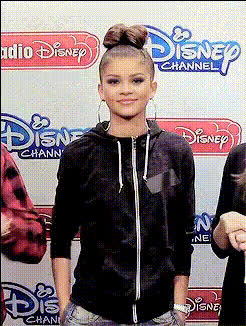
tom-holland-and-zendaya
Overview
Transform your videos with the "Tom Holland and Zendaya" Video Face Swap template. This tool lets you swap faces in your videos, creating exciting and share-worthy content. Ideal for social media platforms, this template allows you to engage audiences by featuring iconic faces.
What It Does
This Video Face Swap template replaces the faces in your chosen video clips with those of celebrities Tom Holland and Zendaya. Perfect for creating entertaining and viral video content, you can adapt this template for multiple uses, from social media ads to personalized video messages. Its capability extends to various video file formats, ensuring easy integration into your preferred editing workflow.
Who It's For
Designed for content creators, marketers, and anyone looking to inject some fun into their videos, this template is perfect for increasing engagement and followers. Whether you're a social media manager crafting the next big viral hit, or a YouTuber wanting to experiment with new concepts, the Video Face Swap opens up a world of creative possibilities. Explore other user-friendly tools, such as the AI Image Generator and Image to Video, to enhance your visual projects.
Summary
With the "Tom Holland and Zendaya" Video Face Swap template, you can incorporate famous faces into your videos for a captivating twist. This tool helps you effortlessly blend entertainment with creativity, paving the way for dynamic and engaging content. Delve deeper into our Face Swap solutions to see how they can revolutionize your content strategy.
How To
Choose Your Template

Customize Your Video

Generate and Download

Use Cases
Social Media Content
- Create short, engaging clips for Instagram & TikTok
- Engage followers with dynamic and humorous posts
Marketing Campaigns
- Add a surprise element to video ads
- Tailor celebrity-endorsed videos for promotions
Personal Projects
- Create funny videos featuring friends and family
- Surprise loved ones with custom face-swapped messages
Best Practices
Select Clear Videos
Use high-quality source videos to ensure the face swap looks natural and convincing.Refine Face Placement
Pay attention to alignment to achieve a realistic look; adjust as necessary.Integrate with Storytelling
Combine face-swapped clips with a meaningful narrative to engage viewers more deeply.