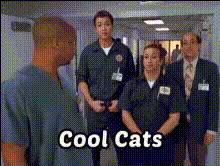
the-hills-tv-show
Overview
Create entertaining and engaging videos by swapping faces with the iconic cast of The Hills TV Show. This Video Face Swap template makes customization simple, allowing you to craft content that stands out. Perfect for sharing laughs with friends or building content for social media platforms, this tool is a game-changer.
What It Does
This template allows you to exchange faces in video clips with members from The Hills cast, offering a humorous twist or nostalgia-driven edits. Using advanced Image to Video technology, the tool ensures that the swaps look natural and entertaining, perfect for viral content creation.
Who It's For
The Video Face Swap template is ideal for influencers, content creators, and fans of The Hills wanting to add a fresh, fun element to their posts. Additionally, marketers looking to leverage pop culture in campaigns will find this an inventive choice. Integrate it with the AI Image Editor for enhanced creativity.
Summary
With the ability to swap faces in videos smoothly, this template opens new doors for content innovation. It combines humor and familiarity, making it appealing across different audience demographics. Pair this with other tools such as the AI GIF Generator to maximize content variety and engagement.
How To
Choose

Customize

Generate

Use Cases
Social Media Content
- Face swaps with the cast for unique Instagram stories.
- Create viral videos for TikTok using face swaps.
Marketing Campaigns
- Engage audiences with throwback content.
- Introduce product launches with a pop culture twist.
Personal Entertainment
- Create birthday or event specials swapping with the cast.
- Design funny clips for private group sharing.
Best Practices
Selecting the Best Videos
Opt for clear videos where faces are visible and not obstructed to ensure the swap looks realistic.Match Lighting and Angles
Ensure that the lighting and angles of both faces match closely for a seamless appearance.Edit Interactively
Use the editor to fine-tune placements and previews, checking each face swap before finalizing.