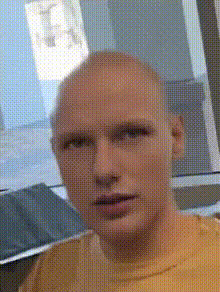
Capture the essence of classic cinema with the The Breakfast Club Movie Still template. This Video Face Swap tool allows you to insert your own or others' faces into iconic scenes, turning any video into a nostalgic masterpiece. Embrace the feel of 80s cinema with modern technology.
What It Does
This template leverages advanced face-swapping techniques to seamlessly blend contemporary faces into historical film clips. Customize your selected movie still from The Breakfast Club to feature anyone you choose. The transformation is digitally precise, maintaining the original ambiance while giving it a personalized twist. To explore more about video editing possibilities, check out AI Video-to-Video and Video Face Swap.
Who It's For
Ideal for filmmakers, content creators, and nostalgia enthusiasts, this template is a creative tool for anyone wishing to bring a personal touch to beloved cinematic memories. It's perfect for social media influencers looking to engage audiences, educators wishing to add flair to historical lessons, or any individual wanting to relive favorite scenes with a personal twist. For more creative ideas, see our AI GIF Generator.
Summary
The The Breakfast Club Movie Still template offers an engaging way to transform ordinary footage into a film-worthy experience. By utilizing Magic Hour's face-swapping capabilities, you can create personalized moments in a revered cinematic context. Explore the potential of AI-enhanced video with options like Image to Video and AI Video Generator.
How-To Structure
Follow these steps to create your face-swapped masterpiece.
01
Choose Your Template
Navigate to the Face Swap templates section of Magic Hour and select "The Breakfast Club Movie Still" template.
02
Customize Your Inputs
Upload the video scenes where you'd like to perform the face swap. Adjust the input parameters to align with the faces you want to overlay onto the scene.
03
Generate Your Video
Click 'Generate' to process the face swap. Once completed, download your transformed video masterpiece directly from the platform.
Use Cases
Discover diverse scenarios where this template shines.
📱
Social Media Engagement
Create engaging and personalized content for platforms like Instagram and TikTok.
Increase follower interaction with unique post styles.
Generate buzz with nostalgic content.
📘
Educational Content
Enhance learning materials by personalizing historical video clips.
Provide students with a fresh perspective on historical events.
Use multimedia to illustrate timelines and narratives.
🏢
Corporate Training
Incorporate engaging video content into employee training modules.
Energize training sessions with personalized scenarios.
Utilize recognizable film scenes to illustrate points.
Best Practices
Maximize the impact of your face-swapped videos with these tips.
Select High-Quality Inputs
Use high-resolution images for the best results in face swapping. This ensures clarity and a more realistic integration.
Mind Scene Lighting
Ensure lighting in your overlay matches the scene's original lighting to maintain authenticity.
Test and Adjust
Experiment with different faces and settings to optimize the swap effect before finalizing your video.
Related Tools
Explore other tools that complement this template for a richer video creation experience.