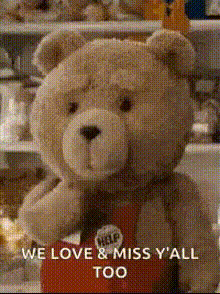
teddy-bear-in-apron
Overview
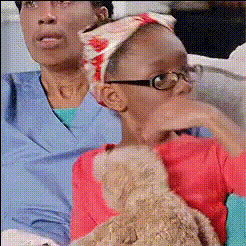
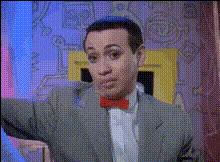
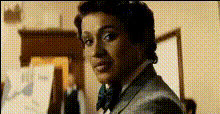
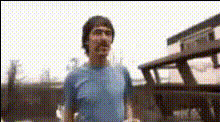
Transform your videos with our Video Face Swap template, featuring a whimsical teddy bear in an apron. This engaging tool lets you swap faces in videos, creating amusing and delightful content perfect for any occasion. Ideal for parties, social media posts, or simply having a laugh, this template is both fun and easy to use.
For more creative options, explore our Face Swap for GIFs and the comprehensive Face Swap for Video products.
What It Does
This Video Face Swap template allows you to insert your or someone else's face onto a teddy bear wearing an apron within a video clip. By leveraging advanced modeling, it ensures the face aligns naturally with the teddy bear's movements, adding a layer of hilarity and creativity.
For transforming images into animations, consider using our Image to Video product.
Who It's For
Designed for social media enthusiasts, party planners, and content creators, this template provides a unique way to engage audiences. Whether you're creating content for TikTok or preparing a memorable video greeting, the teddy bear face swap adds an element of surprise and humor.
If you're a business, explore our Social Media Ads use case to understand how this tool can elevate your promotions.
Summary
The teddy bear face swap template offers a straightforward way to create entertaining videos by merging facial transformations with playful characters. It's perfect for adding a personal touch to your video content.
To enhance your creative process, check out our AI Image Editor for additional editing capabilities.
How To

Customize Your Inputs

Generate and Share

Use Cases
Social Media Content
- Engage your audience with funny and unique videos
- Boost your social media presence with creative content
Party Entertainment
- Create personalized video highlights
- Share moments that will make everyone laugh
Content Marketing
- Stand out with unusual visual content
- Attract more viewers to your campaigns.
Best Practices
Choose Clear Faces
Ensure the face you upload is clear and well-lit, to improve alignment accuracy in the swap.Leverage Humor
Pick expressions and faces that will complement the teddy bear's playful nature for a humorous effect.Experiment with Angles
Try different face angles to see which aligns best with the teddy bear's movements.