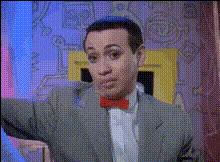
ted-bundy-closeup
Overview
Step into the intriguing world of true-crime storytelling with our Ted Bundy close-up Video Face Swap template. This innovative tool allows creators to seamlessly integrate Bundy's likeness into their video content, serving both educational and entertainment purposes. Ideal for documentaries, reenactments, and creative video projects, this template captures the chilling essence of historical true-crime narratives.
What It Does
This Video Face Swap template enables users to replace faces in their video content with an image of Ted Bundy. Perfect for projects that require realistic portrayals, this tool enhances storytelling by providing a convincing transformation. Compatible with various video formats, it easily merges with platforms like our Face Swap Video tool and the Head Swap feature for multi-faceted video editing.
Who It's For
The Ted Bundy close-up Video Face Swap template caters to filmmakers, educators, and content creators interested in exploring true-crime themes. It's particularly useful for documentary producers and those in educational settings aiming to discuss criminal psychology. Additionally, storytellers in social media realms can leverage this tool to create engaging, historically-influenced content.
Summary
Integrate the infamous visage of Ted Bundy into your video projects with precision and ease. Whether your goal is to educate or entertain, our Video Face Swap template offers a robust solution for authentic transformations. Users might also explore complementary tools such as the AI Image Generator for supplementary content creation or the AI Talking Photo for added interactivity.
How-To
Choose Your Template

Customize Your Inputs

Generate Your Video

Use Cases
True Crime Documentaries
Educational Content
Social Media Content
Best Practices
Select High-Quality Source Videos
For best results, use videos with clear facial features to enable accurate swaps.Adjust Lighting Conditions
Ensure the lighting in the source video matches or can be adjusted to suit the swapped face for a natural look.Combine with Other Tools
Enhance the depth of your project by incorporating the AI Profile Picture Generator for character development or background enhancements.