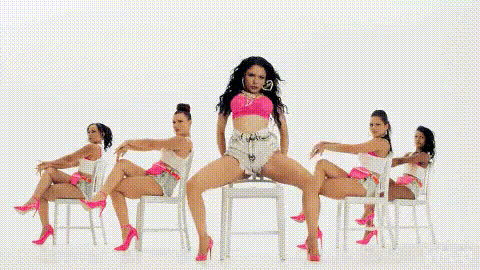
Nicki Minaj In Pink Outfit
Overview
Dive into the world of pop culture transformations with our Nicki Minaj In Pink Outfit Video Face Swap template. This tool allows you to insert yourself or any face into the glamorous persona of Nicki Minaj, decked out in her signature pink outfit. Whether you're creating content for fun or crafting a unique video project, this template provides a versatile avenue for creativity.
What It Does
The Nicki Minaj Video Face Swap template enables you to replace existing faces in a video with another. Using AI-driven facial recognition and replacement technology, it maintains realistic facial expressions and lighting effects to ensure your transformed video looks natural. For more sophisticated face-altering capabilities, explore our Face Swap and AI Face Editor products.
Who It's For
This template is perfect for content creators, social media influencers, or anyone interested in experimenting with video transformations. It's a valuable tool for those in the entertainment industry looking to create engaging promotional content without the need for extensive resources. Check out our AI Video Generator to easily produce a variety of video types for different audiences.
Summary
The Nicki Minaj In Pink Outfit template combines fun and finesse by letting you step into the shoes of a pop sensation. Ideal for both casual users and professionals, this tool simplifies the creation of share-worthy content. To amplify your video-making capabilities, pair it with our Image to Video and Text to Video solutions.
How-To
Choose Your Template

Customize Your Inputs

Generate and Download

Use Cases
Social Media Content
- Instagram Reels
- TikTok Challenges
- YouTube Shorts
Entertainment Promotions
- Music Video Teasers
- Fanbase Engagement
- Celebrity Event Promotions
Personal Projects
- Video Greetings
- Digital Birthday Cards
- Customized Storytelling
Best Practices
Choose High-Quality Images
For optimal results, use high-resolution images with clear lighting and crisp detail.Consider the Background
Ensure the background of your uploaded images does not conflict with the overlay, maintaining focus on the subject's face.Experiment with Angles
Test various head angles in images to find the most natural fit in the video.