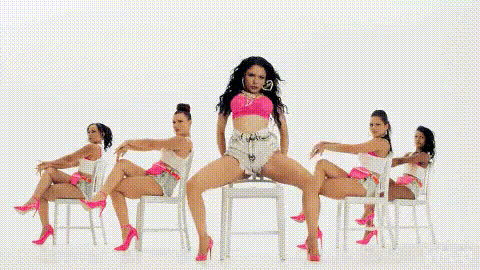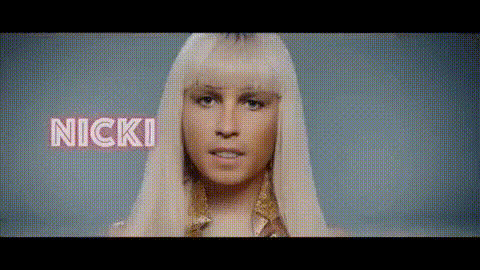
Nicki Minaj Speaking
Overview
Get ready to entertain your audience with the Nicki Minaj Speaking template. This Video Face Swap tool lets you insert Nicki's face into your videos, creating fun and engaging content that can go viral. Leveraging advanced face swap technology, you can create videos that make your audience laugh and grab attention on social media platforms.
What It Does
The Nicki Minaj Speaking template utilizes state-of-the-art Video Face Swap technology to replace the face in your video with Nicki Minaj's face. This feature allows users to create humorous and eye-catching videos with minimal effort. Ideal for personal entertainment, marketing campaigns, or creating viral memes, this tool is both versatile and user-friendly.
For a broader range of transformations, explore our Face Swap product lineup, or consider integrating audio alterations with the AI Voice Changer for added effect.
Who It's For
This template is perfect for social media enthusiasts, marketers, and entertainers looking to create unique video content. Whether you're aiming to boost engagement with hilarious videos or wish to enhance your brand's social media presence, this template offers the tools you need. It's also a great fit for those working within the meme video creation niche, providing the visual punch needed for standout content.
Summary
With the Nicki Minaj Speaking Video Face Swap template, creating viral and humorous videos is both simple and effective. Ideal for those looking to inject a touch of celebrity fun into their content, this template can be a powerful tool for capturing attention online. Pair it with our AI Video Generator to expand your creative possibilities further.
How To
Choose Your Template

Customize Your Video

Generate and Download

Use Cases
Social Media Content Creation
- Stand out on platforms like Instagram and TikTok
- Boost engagement through creative videos
Meme Video Development
- Quickly generate shareable content
- Tap into trending topics
Marketing Campaigns
- Create buzz around product launches
- Develop captivating advertisements
Entertainment & Personal Use
- Make family and friends laugh
- Add a humorous twist to video messages
Best Practices
Select Appropriate Videos
Choose videos with clear lighting and a stable face view for better results.Experiment with Angles
Align the face swap to match head movements for a natural appearance.Mix with Other Tools
Combine this template with the Lip Sync tool for enhanced audio-visual effects.