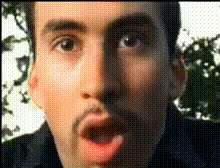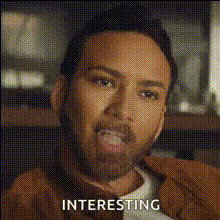
Nick Cage Surprised Expression
Overview
Transform boring videos into viral sensations with the Nick Cage Surprised Expression template. Dive into the world of Video Face Swap and replace faces in your videos with the iconic surprised look of Nick Cage. Designed for those who love humorous content creation, this template is your ticket to endless laughs.
Features
This template allows you to insert Nick Cage's surprised expression onto any face in a selected video. Utilize advanced Face Swap technology to ensure seamless integration and match facial movements for realistic expressions. Output your final creation in various file formats suitable for sharing on social media platforms or personal projects.
Ideal Users
If you're a content creator, social media influencer, or just enjoy making your friends laugh, this template is perfect for you. It's an excellent tool for generating unique memes or surprising your audience with unexpected transformations. Also, digital marketers can spice up campaign videos with a touch of humor.
Conclusion
With the Nick Cage Surprised Expression template, create captivating and humorous content effortlessly. Whether for personal entertainment or professional projects, this template empowers you to bring creativity and laughter to your video productions. Explore more with Image to Video tools and expand your creative horizons.
How to Use
Choose the Template

Customize Your Inputs

Generate and Download

Use Cases
Social Media Pranks
- Create funny reactions
- Increase engagement and shares
Marketing Campaigns
- Draw attention
- Stand out from competitors
Meme Creation
- Capture viral attention
- Use on platforms like Twitter and Instagram
Personal Projects
- Surprise friends and family
- Customize home videos
Best Practices
Select High-Quality Videos
For the best results, upload videos with clear and well-lit faces. This ensures the face swap process is as seamless and convincing as possible.Use Short Clips
To maintain the humor and pace, consider using shorter video clips, which can improve processing time and audience engagement.Experiment with Angles
Try various facial angles for the swap to see which produces the most amusing or realistic effects.