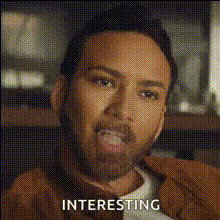
Nicholas Cage Smiling
Overview
The "Nicholas Cage Smiling" template lets you swap Nicholas Cage's memorable smile onto any face, creating comical and entertaining videos. Whether you're crafting the perfect prank or just having fun with edits, this Video Face Swap template is designed for ease and creativity.
What It Does
This template expertly maps Nicholas Cage's famous smile onto the faces in your video, transforming the footage with a professional touch. Ideal for both GIF creators and meme enthusiasts, it opens up new avenues for humor and quirky content.
Who It's For
Perfect for content creators, pranksters, and anyone in the entertainment industry, this template can spice up your social media posts or video projects. It's also an excellent tool for social media ads that aim to engage audiences through humor.
Summary
Use the Nicholas Cage Smiling template to bring a smile to your audience's faces with minimal effort. With this straightforward AI Video Generator, create and download your projects with ease, maintaining high-quality and engaging results every time.
How-To

Customize Your Video

Generate and Download

Use Cases
Comedy and Pranks
- Perfect for social media pranks
- Engage audiences with humor
Social Media Content
- Boost engagement
- Increase shareability
Personal Entertainment
- Enjoy with friends and family
- Make any video memorable
Best Practices
Choose High-Quality Videos
Upload videos with clear and well-lit faces to ensure the best face swap results.Consider Facial Angles
Faces captured head-on with even lighting offer the most seamless transformations.Test and Tweak
Experiment with different videos to get accustomed to the template's capabilities and limits.