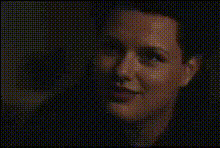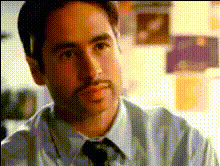
Man Looking Frustrated
Overview
The "Man Looking Frustrated" template is a fun and engaging tool that allows you to create humorous videos by swapping faces with a frustrated man. This Video Face Swap template is perfect for infusing comedy into your content and appealing to lighthearted entertainment.
By leveraging this template, you can generate engaging videos that capture attention and foster sharing, ideal for social media or casual projects.
What It Does
This template allows users to replace the face in a video with their own or someone else's, generating a new video where a character looks frustrated. It uses advanced AI to ensure the outcome is realistic and seamless. The template supports common video formats, making it easy to download and share your creations.
Integrate it with tools like the AI GIF Generator for creating loops or the Lip Sync feature to add a talking element.
Who It's For
This template is tailored for anyone looking to inject humor into their videos, from casual social media users to content creators and marketers crafting engaging content. It’s also an excellent choice for educators or presenters who wish to lighten the mood of their material.
The tool is simple enough for beginners but offers creative potential that professionals can exploit in innovative ways.
Summary
Utilize the "Man Looking Frustrated" Video Face Swap template to craft inventive and humorous videos that capture and engage your audience. This tool is an excellent addition for anyone aiming to make their content more dynamic and shareable.
Explore other capabilities like the AI Meme Generator to further enhance your projects.
How-To
Choose the Template

Customize Your Inputs

Generate and Download

Use Cases
Social Media Content
- Eye-catching face swaps
- Shareable and viral potential
- Enhances user engagement
Team Building Exercises
- Lighten the mood with colleagues
- Encourage creativity and laughter
- Foster team connection
Marketing Campaigns
- Make your brand more relatable
- Capture and hold viewers' attention
- Ideal for quick promos
Event Promotions
- Stand out with humorous content
- Easily share across channels
- Increase event reach
Best Practices
Select High-Quality Images
Use clear, well-lit face images to ensure the swap looks natural and appealing.Consider the Video Setting
Choose videos where the lighting and angles are consistent with the face images you plan to use.Test Different Angles
Try multiple images to achieve the best and most natural-looking results, ensuring the face fits well into the video scene.