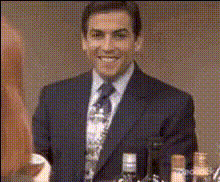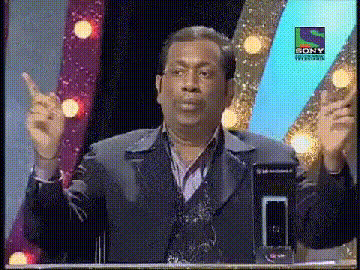
Man In Suit Frustrated Expression
Overview
The "Man In Suit Frustrated Expression" template is ideal for those looking to add humor and a touch of realism to their videos. As a Video Face Swap template, it allows you to replace faces in the video with ease, giving your content a fresh and comedic look. This template is tailored specifically for creators who want to highlight the relatable emotion of frustration in a light-hearted way.
What It Does
This template offers a quick and accurate face swapping feature that keeps the expressions intact, particularly capturing the comedic frustration of a man in a suit. Using advanced algorithms, this Face Swap technology integrates seamlessly into video projects, allowing you to transform ordinary clips into comedic gems. Benefiting from AI, it ensures high-quality results every time.
Who It's For
This template is perfect for content creators, marketers, and video producers who seek to inject humor into their projects. Whether you're making a social media post, an e-commerce ad, or a meme video, this tool can amplify engagement by transforming mundane expressions into hilarious frustrations.
Summary
Featuring an amusing frustrated man in a suit, this Video Face Swap template adds a punch of humor to your video content. Perfect for creating memes or adding a lively twist to otherwise serious footage, this template is a go-to for boosting viewer engagement and entertainment value.
How To
Choose Your Template

Customize Your Video

Generate Your Content

Use Cases
Social Media Content
- Meme creation with the man's frustrated expressions.
- Entertaining video posts with a comedic twist.
Marketing Campaigns
- E-commerce ads highlighting product frustrations with humor.
- Brand videos that need a light-hearted approach.
Entertainment Videos
- Short comedic skits featuring exaggerated emotions.
- Creative storytelling through facial expression swaps.
Best Practices
Select Clear Videos
Ensure that the original video file has clear and well-lit visuals to get the best results from the face swap process.Align Faces Accurately
While customizing, take time to align the new face with the original to maintain the natural look of expressions.Review Output
After generating the video, review it for any mismatches or alignment issues and reprocess if necessary for perfect results.