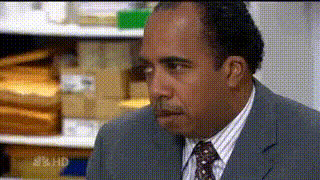
Man In A Suit Looking Left
Overview
Transform your video projects with the Man In A Suit Looking Left template. This Video Face Swap tool allows you to replace a face with ease, making it ideal for both professional and creative endeavors. Embrace the opportunity to enhance your video content with accuracy and flair.
What It Does
The Man In A Suit Looking Left video template specializes in face swapping. This tool allows you to integrate a different face into a video featuring a man in a suit looking left, maintaining natural motion and expressions. By utilizing this template, you can achieve a seamless and convincing transformation.
Who It's For
This template is ideal for video editors and content creators looking to add a touch of professionalism or creativity to their work. Whether you're in advertising, filmmaking, or social media content creation, the Man In A Suit Looking Left template provides the flexibility to adapt to any project's needs. Agencies working on compliance training videos or social media ads will especially benefit.
Summary
Enhance your video projects with the Man In A Suit Looking Left template, perfect for transforming faces in videos with professional accuracy. This tool simplifies the process of video face swapping, making it accessible and efficient for a variety of creators and industries. Check out other related tools like the Image to Video converter and AI Voice Changer for more functionalities.
How-To Guide
Choose Your Template

Customize Your Content

Generate and Download

Use Cases
Professional Video Ads
- Corporate ads
- Product launch videos
- Service demonstrations
Creative Film Projects
- Short films
- Parodies
- Creative interpretive videos
Social Media Content
- Instagram reels
- TikTok challenges
- User-generated content
Best Practices
Select High-Quality Faces
Ensure the source faces are well-lit and clear for the best swap results.Maintain Realistic Proportions
Align the face carefully to maintain natural proportions and expressions.Preview Before Finalizing
Use the preview feature to ensure all adjustments meet your satisfaction before finalizing the video.