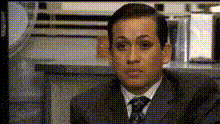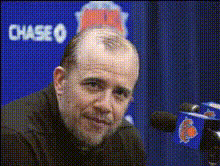
Template preview

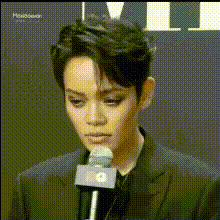
Man At Press Conference 2

Video Face Swap
1 clip
0 uses

Any aspect ratio

Tags

transformations

Overview

Bring humor and creativity to your content with the Man at Press Conference 2 template. This Video Face Swap tool is designed to allow you to insert faces into any press conference scene, making it ideal for memes and social media ads.

What It Does

The template allows you to swap faces on individuals in a press conference setting. Simply upload the desired face images, and the tool integrates them into the video. Enhance comedic timing and audience impact with a few clicks using this feature, which integrates seamlessly with other tools like the AI GIF Generator for broader content options.

Who It's For

Designed primarily for meme creators, social media influencers, and marketers, this template simplifies the process of creating engaging video content. It's perfect for those aiming to enhance their content with a humorous twist.

Summary

The Man at Press Conference 2 engages your audience by allowing customized face swaps in a press conference setting. Build attention-grabbing viral moments effortlessly. For more dynamic transformations, consider using the AI Face Editor.

How to Use

Steps to use the Man at Press Conference 2 template for face-swapping videos.
    01

    Choose Your Template

    Start by selecting the Man at Press Conference 2 template from the Face Swap section on Magic Hour.
    02

    Customize Your Input

    Upload the face images you wish to use. Adjust settings as needed for lighting and color matching.
    03

    Generate Your Video

    Click 'Generate' to process your video. Download your new face-swapped press conference scene directly from the dashboard.

Use Cases

Explore how the Man at Press Conference 2 template can enhance various content scenarios.
😂

Memes Creation

Craft humorous memes by swapping faces in a press conference scene.
  • Create relatable content
  • Increase social engagement
📱

Social Media Branding

Utilize the swap feature to build viral social campaigns for brands.
  • Brand engagement
  • Creative storytelling
🎬

Promotional Content

Add a comedic twist to video ads by swapping faces at crucial conference moments.
  • Unique ad experience
  • Product launch awareness

Best Practices

Maximize the potential of face-swapped videos in press conferences.
  • Optimize Image Quality

    Ensure high-resolution face images for better swap accuracy.
  • Match Skin Tones

    Adjust settings to match the skin tone and lighting of your original video for realistic results.
  • Experiment with Timing

    Play around with different moments in the video to find the most humorous impact.
FAQs

The template supports common video formats such as MP4 and MOV.

Yes, you can swap multiple faces at once for more complex scenes.

Absolutely, it’s ideal for both personal projects and professional content creators looking to stand out.

You can use additional tools like the AI Image Editor for more detailed customizations.

More Like This

Man At Press Conference 1
Man In A Suit
Man In A Suit
Man In Shirt Speaking
1
Man In Shirt Speaking
Man In Suit Gestures
Man In Suit Gesturing
Man On Tv Screen
Man On Tv Screen
Man At Press Conference
1
Man At Press Conference
Man In A Suit (2)
2
Man In A Suit (2)
Man In Suit Gestures (2)
Man In Suit Gesturing (2)
Man On Talk Show
Man On Talk Show
Man With Video Camera

Face Swap Video