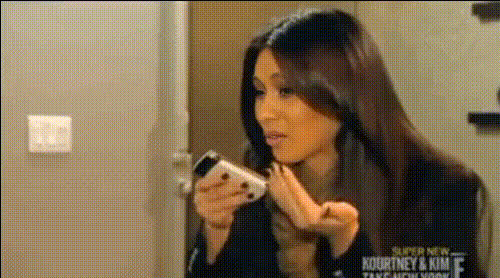
Kim Kardashian Smiling At Phone 1
Overview
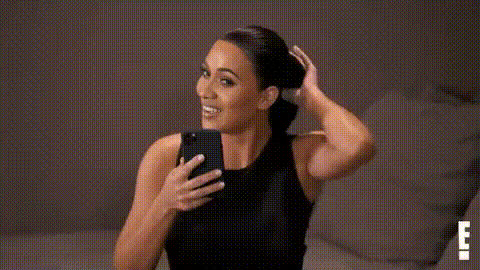
The Kim Kardashian Smiling At Phone 1 template allows you to perform a Video Face Swap with Kim Kardashian smiling at her phone. This template is ideal for creating personalized video content with a touch of celebrity glamour. It's designed to be straightforward, enabling you to quickly achieve professional results.
What It Does
This template lets you swap any face onto Kim Kardashian's as she smiles warmly at her phone. You can create engaging videos featuring your chosen faces, maintaining the original video dynamics and expressions. It's a powerful tool for digital content creators who want to augment their projects with celebrity impressions.
Utilizing advanced algorithms, it ensures natural-looking results and seamless integration. Whether for a social media post or a marketing clip, this tool aids in enhancing your visual content.
Who It's For
This template is perfect for social media influencers, marketers, and content creators aiming to boost engagement with innovative video content. It's also useful for agencies seeking effective tools for client projects and anyone interested in experimenting with face transformations.
Additionally, those using platforms like Instagram or TikTok for promotion can find this template particularly beneficial.
Summary
Creating a Video Face Swap has never been easier with the Kim Kardashian Smiling At Phone 1 template. Blend faces smoothly and spruce up your videos for any occasion. Beyond this, explore our AI Image Editor and AI GIF Generator for even more creative opportunities.
How To
Choose Your Template

Customize Your Inputs

Generate and Download

Use Cases
Social Media Content
- Celebrity face swap videos
- Funny and relatable clips
Marketing and Promotions
- Brand endorsements
- Campaign highlights
Digital Storytelling
- Character transformations
- Unique narrations
Best Practices
Select High-Quality Images
For best results, use high-resolution images that match the lighting and angle of the original video.Adjust Settings Precisely
Fine-tune the face swap settings to improve the blend and achieve a more natural appearance.Experiment with Various Inputs
Try different faces and expressions to explore creative outcomes and determine what works best for your content.