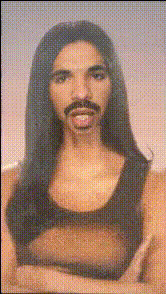
Kim Kardashian Smiling Portrait
Overview
With the Kim Kardashian Smiling Portrait video face swap template, you can inject a sense of humor into your digital creations. Whether you're crafting hilarious social media posts or generating captivating entertainment content, this template offers a unique twist with its iconic subject. Transform videos by replacing faces with a Kardashian smile using advanced AI technology, perfect for content creators looking to make a splash.
What It Does
This template allows users to swap any face in a video with a smiling Kim Kardashian portrait, giving projects an amusing and trending flair. It processes input videos and applies realistic, seamlessly blended face swaps, complete with expressions that mimic Kim's signature smile. Ideal for use in meme creation or viral social media content, it uses cutting-edge technology for stunning results.
Discover more about face swapping with our Video Face Swap tool or check out related transformations like the Body Swap feature.
Who It's For
This template is tailored for content creators, social media managers, and marketers who want to add a playful touch to their content. Whether you're a meme maker aiming to ride the latest trend wave or a digital marketer looking to increase engagement, the Kim Kardashian face swap offers endless creativity. It's also a perfect tool for influencers trying to entertain followers with unique and engaging content.
Summary
Whether you're diving into meme culture or spicing up a social media campaign, this template provides a humorous yet effective transformation solution. By leveraging the appeal of a celebrity's smile, users can craft videos that capture attention and spark conversation. For an extended range of creative options, explore similar tools like the AI Clothes Changer or the AI GIF Generator.
How To
Choose Template

Customize

Generate

Use Cases
Meme Creation
- Stay relevant by tapping into trending topics
- Boost shareability and engagement
Social Media Campaigns
- Drive interactions through unique content
- Capitalize on celebrity appeal
Entertainment Content
- Inject humor into everyday videos
- Surprise viewers with creative flair
Best Practices
Select High-Quality Source Video
Ensure the video you're importing is of high resolution for the best face swap effect.Align Faces Correctly
Make sure the face placement is meticulously aligned for believable results.Experiment with Angles
Try different angles to see which provides the most natural look for the swap.