Celebrity Interview On Stage 1
Overview
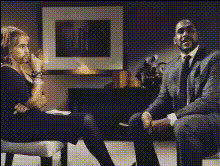
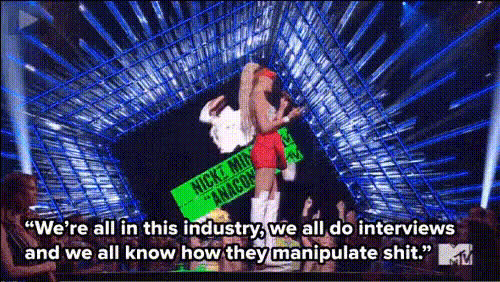
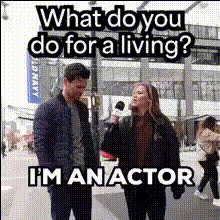
The Celebrity Interview On Stage 1 template allows you to craft engaging and funny videos by swapping your face with a celebrity's during an interview setting. Leveraging state-of-the-art video face swap technology, this tool is perfect for creators looking to generate shareable content that captivates audiences on social media platforms or elevates your stage productions. It's efficient and straightforward, letting creativity flow naturally. Pair this with other exciting tools like the AI Image Editor or the AI Meme Generator for even more creative possibilities.
What It Does
This Video Face Swap template takes an input video and applies a face swap with a chosen celebrity. This is excellent for producing content that stands out, whether it be humorous skits or entertaining clips for a variety of events. Users can input their own face or choose from available options to replace a celebrity's face during an interview. Consider using the AI Video Generator for creating background footage or AI Voice Changer to match the voice for more authenticity.
Who It's For
This tool is ideal for video content creators, social media influencers, and event organizers. Whether you are creating for TikTok, YouTube, or live performances, the Celebrity Interview On Stage 1 template simplifies the process of producing viral content. It’s also beneficial for educators and presenters looking to add a creative twist to their materials. For those involved in social media advertising, it can provide unique and engaging ads that capture viewer attention.
Summary
Unlock the potential of video creation with the Celebrity Interview On Stage 1 template. It offers a specialized approach to video face swapping that blends ease of use with powerful technology. Enhance your video projects by integrating with tools like AI Talking Photo and explore our broad range of face swap products to keep your content fresh and exciting.
How To
Choose Your Template

Customize Your Inputs

Generate and Download

Use Cases
Viral Social Media Content
- Entertaining skits
- Creative parodies
Stage Productions
- Comedic plays
- Live talent shows
Marketing Campaigns
- Eye-catching ad spots
- Brand engagement
Best Practices
Select High-Quality Videos
Ensure your input video is of high quality for the most seamless face swaps.Use Clear and Well-Lit Footage
Footage with good lighting and clear visuals will yield the best results.Combine with Other Tools
Enhance your projects by using supplementary tools like the AI Image Upscaler for improved quality.