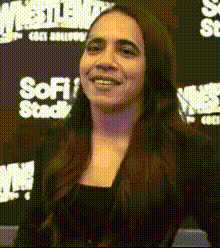
woman-on-a-stage
Overview
Transform your videos with the Woman on a Stage Video Face Swap template. This tool enables creators and enthusiasts to replace the face of the performer with any face of their choice, breathing new, personalized life into existing footage. Ideal for content diversifying and engaging audiences in a completely novel way.
What It Does
The Video Face Swap capability of this template allows users to digitally replace the original performer's face in the video with another face from their image selection. This feature supports various video formats and adjusts naturally with the performer's expressions and movements, making the swap look incredibly realistic and seamless. Utilize our Video Face Swap and explore other transformative features like the Face Swap for images or our AI Image Editor for additional enhancements.
Who It's For
This template is perfect for marketers seeking to create engaging ad content, educators wanting to spice up training videos, or social media influencers aiming for fun and creative content. It's tailored for anyone who needs a fast, reliable way to generate personalized video content, whether for social media ads or personalized video ads.
Summary
With the Woman on a Stage Video Face Swap, you can integrate any chosen face into dynamic stage performances, expanding creative possibilities. Supported by AI Voice Changer tools, you can ensure that the audio matches the new visual identity seamlessly. Explore this alongside our full suite of AI Video Generator tools to unleash the full potential of your content.
How To
Choose Your Template

Customize Your Inputs

Generate Your Video

Use Cases
Social Media Content
- Customized performances for TikTok videos
- Creative Instagram reels
Promotional Videos
- Ecommerce product demos
- Brand storytelling
Educational Videos
- Dynamic storytelling
- Interactive presentations
Best Practices
Select High-Quality Images
For best results, use images that are high resolution and well-lit. This ensures the face swap looks natural and convincing.Adjust Lighting for Consistency
Keep the lighting consistent between your face and the template video to make the face swap more seamless.Preview and Refine
Always preview your video after generation. If needed, adjust the inputs and settings and regenerate for better results.