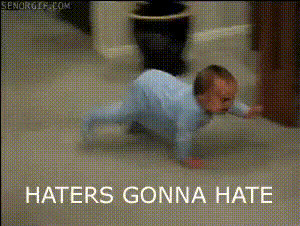
Baby Walking On Floor
Overview
The Baby Walking on Floor template offers a delightful twist to your video projects by swapping faces with a baby taking their first steps. This Video Face Swap template transforms ordinary footage into charming, shareable experiences that capture attention and amusement.
What It Does
This template allows you to replace your face or anyone else's with that of a baby engaging in their first steps. By leveraging advanced face swap technology, it seamlessly integrates your facial features onto a baby’s body in a walking scene. Compatible with standard video formats, this tool ensures crisp and realistic transformations.
Explore other related transformations with our Body Swap and AI Face Editor products to heighten your video fun.
Who It's For
This template is ideal for parents looking to create whimsical family videos, social media influencers who want to engage audiences with light-hearted content, and anyone keen on experimenting with video transformations. It's also perfect for budding animators and video editors seeking unique tools to expand their creative repertoire.
Summary
The Baby Walking on Floor template is a humorous and creative tool designed for those who love to experiment with video content. Whether it's for a playful memory or an entertaining social media post, this template offers an easy way to bring your ideas to life.
How to Use
Choose Your Template

Customize Your Video

Generate Your Video

Use Cases
Social Media Content
- Instagram Reels
- TikTok challenges
- YouTube Shorts
Family Memories
- Family gatherings
- Personal photo albums
Humorous Presentations
- Birthday surprises
- Office parties
Best Practices
Use High-Quality Videos
For the best results, use videos that are clear and have good lighting, which helps the face swap feature function more effectively.Frame Your Subject Properly
Ensure the subject's face is fully visible and not obstructed during the video to achieve a seamless swap.Explore Other Templates
Combine with other transformations like Head Swap for more creativity in your projects.