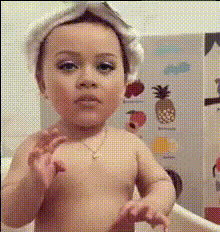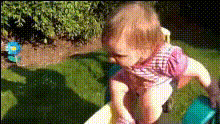
Baby Crawling On Floor
Overview
Inject some humor into your videos with the Baby Crawling On Floor template. This template allows you to perform a Video Face Swap, turning an innocent crawling baby scene into a comedic masterpiece by swapping in faces from your photo library. Whether it's a family member's or a friend's face, this template adds a fun twist to your videos.
What It Does
This template makes it easy to swap faces onto a crawling baby within a video. The tool uses advanced AI models to map chosen faces onto the baby, ensuring they move and interact with the video seamlessly. The output is a humorous clip, perfect for sharing among friends or adding a light-hearted touch to creative projects. For more advanced projects, explore our Character Replace tool.
Who It's For
Ideal for creators looking to add humor to their content, this template is perfect for video editors, content creators, and social media enthusiasts. Whether you're a seasoned pro or a newbie exploring AI video modifications, the Baby Crawling On Floor template suits users across all experience levels looking for quirky and entertaining video transformations.
Summary
With this Video Face Swap template, transform ordinary baby crawling footage into hilarious clips. Customize easily by choosing a face to swap, making it a fun and interactive experience. Perfect for social media, this tool opens up new avenues for personal and professional content creation. If you're interested in more AI editing tools, check out our AI Image Upscaler to enhance your visuals.
How to Use
Choose Your Template

Customize Your Video

Generate Your Video

Use Cases
Social Media Content
- Engage audiences with relatable humor
- Create viral-worthy posts
Family Moments
- Surprise family members with personalized clips
- Liven up family video calls
Marketing Campaigns
- Enhance customer engagement with funny campaigns
- Differentiate your brand with creative visuals
Best Practices
Choose Clear Photos
To achieve the best results, use high-quality, well-lit photos that clearly show the facial features.Experiment with Angles
Test different face angles to find the most natural fit for the swap.Preview Before Finalizing
Use the preview option to ensure the face aligns well with the body and expressions in the video.