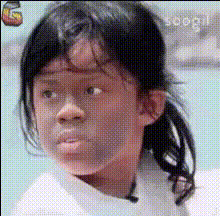
Funny Baby Face
Overview
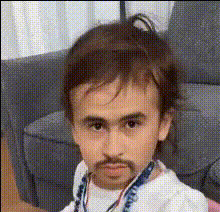
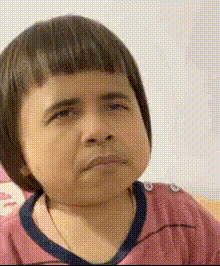
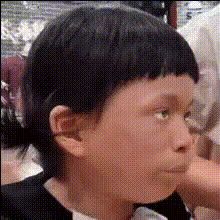
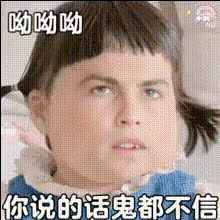
Transform any video scene into a hilarious moment with the Funny Baby Face Swap template. This Video Face Swap tool allows you to replace adult faces with a baby's face instantly, adding a layer of comedy. Create memorable and shareable clips with ease.
What It Does
The Funny Baby Face Swap template utilizes advanced Video Face Swap technology to interchange facial features seamlessly. This tool captures facial structure and expressions, allowing you to superimpose a baby's face onto subjects in your video content. The end result is a hilarious transformation that maintains the original video's quality.
Who It's For
This tool is perfect for content creators, comedians, and social media enthusiasts looking to create engaging and funny content. Whether you're a YouTuber aiming to diversify your uploads or a meme creator adding humor to your clips, the Funny Baby Face Swap is an excellent addition to your toolkit.
Summary
Incorporate humor into your video projects with the Funny Baby Face Swap template. Effortlessly swap faces to create entertaining videos. Leverage this tool to enhance your content's entertainment value, making it more likely to be shared across social media platforms. Explore other transformation tools such as the AI Meme Generator and AI GIF Generator for more creative options.
How To
Choose Your Video

Customize Your Swap

Generate Your Video

Use Cases
Social Media Content
- Boost engagement with humor
- Create shareable moments
- Enhance storytelling with comedic effects
Family Videos
- Create memorable clips
- Add humor to home videos
Marketing Campaigns
- Capture audience attention
- Make ads memorable
Best Practices
Choose High-Quality Videos
Always start with high-resolution videos to maintain output quality after the swap.Clear Facial View
Select videos where the faces to be swapped are clearly visible and well-lit for the best results.Experiment with Settings
Try different face swap settings and evaluate which delivers the funniest outcomes. Use complementing tools like AI Face Editor for enhanced results.