Cricket Hero Poster

Cricket Hero Poster

ai-image-editor

1 clip
0 uses

Any aspect ratio

Prompt

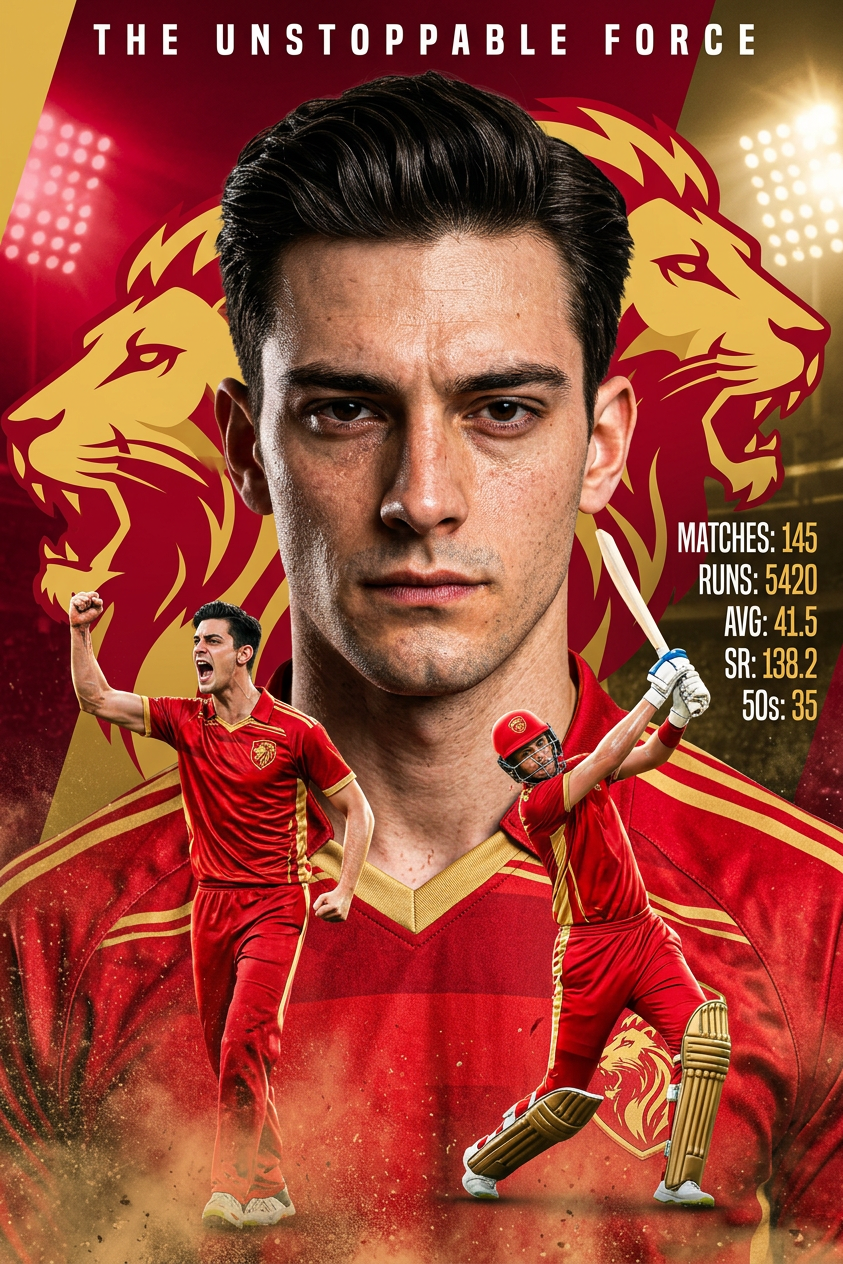
Subject is an cricketer in a dynamic sports poster, wearing a red team jersey; bold red background with a golden lion emblem; large close-up portrait in front with a serious expression; behind are smaller action shots—one celebrating and one batting mid-swing; dramatic studio lighting highlights the face and uniform; include stylized text on the side showing player stats (innings, runs, average, strike rate, fifties); high-impact sports graphic style, mix of photorealism and bold design, vibrant colors, sharp details.

AI Image Editor Template: Smart Object Removal & Background Cleanup

Use this template to instantly remove unwanted objects, logos, people, and visual distractions from your images with the AI Image Editor. It’s built for creators and teams who want clean, production-ready visuals without manual Photoshop-style editing.


What this template is for

This AI Image Editor template is optimized for:

  • Removing objects, people, and clutter from photos
  • Cleaning up product shots (stands, hands, props, labels)
  • Removing watermarks, logos, and stray text from images you own or have rights to edit
  • Fixing social content (background photobombs, distracting signage)
  • Preparing images for ads, landing pages, decks, and app stores

Under the hood, it uses AI inpainting: the model understands your image context and fills in the removed area with realistic pixels instead of simple blurring or smudging.

If you just want a streamlined object-removal flow, you can also try the dedicated AI Remover or Remove Object from Photo tools. This template gives you more flexibility for multi-step edits and creative workflows.


How to use this template in Magic Hour

  1. Open the template

    • Start from this template in Magic Hour.
    • Or open the AI Image Editor and select this template from your saved or recommended templates.
  2. Upload your base image

    • Use a high-quality photo for best results (product shots, portraits, lifestyle images, etc.).
    • The template works well with images destined for e‑commerce, marketing, presentations, and social media.
  3. Mark what you want removed

    • Use the brush/selection tools to highlight the object, person, logo, or text you want to remove.
    • Be as precise as you can around edges (products, faces, hairlines, etc.) for cleaner reconstructions.
  4. Let the AI rebuild the background

    • The model analyzes surrounding pixels and reconstructs what would likely be behind the removed area.
    • You’ll typically get a realistic fill that matches lighting, texture, and depth in the rest of the image.
  5. Refine and iterate

    • If needed, run multiple passes: remove several objects in sequence, or refine a specific area.
    • Combine with other Magic Hour tools in your workflow (for example, upscale or color-correct after cleanup).
  6. Export and reuse

    • Export your edited image and use it directly in campaigns, product pages, pitch decks, or social posts.
    • Save a copy of the workflow as your own template so you can reuse the same process across your content library.

How to remix this template for your own workflow

You can treat this as a starting point and create custom variants for different use cases:

  • E‑commerce cleanup pipeline

    • Start with this AI Image Editor template to remove props, stands, cables, or labels.
    • Then pass the cleaned image through:
  • Creator / influencer content polishing

  • Brand-safe asset preparation

To “remix” this template in Magic Hour, duplicate it in your workspace, then adjust the steps in your workflow: which tools you chain, which outputs you export, and how you organize templates for different teams or clients. You can maintain multiple variants (e.g., “Product Cleanup,” “Portrait Cleanup,” “UGC Cleanup”) and share them across your organization.


Advanced use cases for teams and power users

This template is especially useful for:

  • Product teams and startups

    • Quickly clean early prototype photos without booking studio retouching
    • Generate consistent visual assets for pitch decks and investor updates
  • Marketing & performance teams

    • A/B test creatives by removing or simplifying background elements that might distract from your main CTA or product
    • Prepare clean, compliant ad assets across campaigns and channels
  • Agencies and studios

    • Standardize editing pipelines for clients: remove clutter, brand conflicts, or sensitive content in bulk
    • Combine with video and animation tools to create full campaigns from the same cleaned assets

To extend beyond static images, consider pairing this template with:

  • Image-to-Video — animate your cleaned images into short motion clips
  • Text-to-Video — generate explainer or ad concepts from prompts, then drop in your cleaned visuals
  • AI Meme Generator — turn cleaned photos into on-brand memes and social assets
  • AI Talking Photo — create talking avatars from polished portraits

Combining with other Magic Hour templates

This AI Image Editor template works well as a first step in larger Magic Hour flows. Popular combinations include:


Best practices for high-quality results

  • Use the highest-quality image you have

    • Higher resolution gives the model more context and texture to reconstruct realistic backgrounds.
  • Remove step-by-step for complex scenes

    • For dense scenes, remove objects in several passes (foreground first, then mid-ground). This often yields more natural fills.
  • Pair with upscaling and sharpening

  • Keep visual consistency across assets

    • Use a small set of remixed templates for different campaigns (e.g., “Clean + White Background,” “Clean + Studio Background,” “Clean + Lifestyle Background”) so your brand stays visually cohesive.

If you’re working with legacy assets, you can also combine this template with:


Related creative workflows you can explore

Once you’re comfortable with this object-removal template, you can branch out into more specialized tools for niche projects:


This template is a reliable, repeatable way to remove unwanted elements from your images and feed clean, high-quality assets into the rest of your Magic Hour workflows. Duplicate it, remix it for your own pipelines, and integrate it with the tools linked above to build an end-to-end visual production system tailored to your team.

More Like This