Football Champion

Football Champion

ai-image-editor

1 clip
0 uses

Any aspect ratio

Prompt

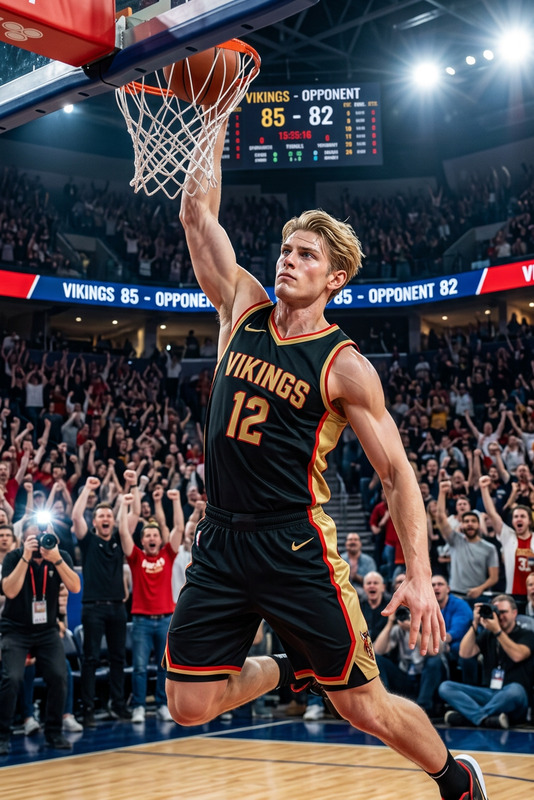
A hyper-realistic full-body portrait of a subject styled as an American football player. The subject wears a red and gold uniform with a helmet, sprinting energetically while clutching a football. The subject radiates joy and triumph, captured mid-touchdown in a dynamic action pose. Dramatic stadium lighting enhances motion and atmosphere. Ultra-detailed, lifelike textures, cinematic composition, captured with professional sports photography quality (Canon EOS-1D X Mark III style), HD, vibrant and energetic scene.

AI Image Editor Template: Smart Object Removal & Visual Cleanup

Use this template to quickly clean up photos, remove distracting objects, and polish visuals with the AI Image Editor in Magic Hour. It’s designed for creators, marketers, and product teams who need fast, high‑quality edits without opening Photoshop.


What this template is best for

Use this AI Image Editor–powered template when you need to:

  • Remove unwanted objects or people from a photo
  • Clean up social media content (signs, logos, bystanders, clutter)
  • Prepare marketing images and product shots for landing pages or ads
  • Fix event photography by removing background distractions
  • Refine UGC, influencer content, and founder photos
  • Improve thumbnails, hero images, and pitch deck visuals

For precise object removal, you can also jump directly into the dedicated AI Remover or Remove Object from Photo tools, which are powered by the same Magic Hour image editing technology.


How to remix this template in Magic Hour

You can build your own version of this template in a few minutes by remixing:

  1. Start in AI Image Editor
    Open the AI Image Editor, then upload any photo you want to clean up (product shot, portrait, social post, etc.).

  2. Define what should change

    • Think in terms of “keep vs remove”: background, objects, text, logos, or people.
    • For example: “Remove the trash can and people in the background, keep the subject and bench.”
  3. Use AI‑powered object removal

    • Use selection and removal to erase:
      • Stray objects (wires, trash, equipment)
      • Photobombers or bystanders
      • Logos and branded signs
      • Text overlays and watermarks from drafts or mockups
    • For heavier cleanup, the Watermark Remover and AI Remover tools can be used alongside the editor.
  4. Refine composition and details
    Once objects are removed, you can remix further with other Magic Hour tools:

  5. Save as your own reusable workflow

    • Use this template as a base and keep a consistent “cleanup pipeline” for:
      • Campaign assets
      • Product catalog images
      • Brand social content
    • Share the flow across your team so everyone can apply the same visual cleanup standards.

Practical use cases for teams

Marketing & growth teams

  • Clean up product photos for landing pages and ads
  • Remove incidental logos and IP before campaigns go live
  • Prep UGC for performance creatives (remove mess, cluttered backgrounds)
  • Combine with Thumbnail Maker for polished YouTube and social thumbnails

Founders & operators

  • Upgrade pitch deck images and homepage hero shots
  • Polish founder headshots using AI Face Editor or AI Headshot Generator after cleanup
  • Quickly produce investor‑ready visuals without an in‑house designer

Content creators & influencers

  • Remove background distractions from lifestyle photos
  • Prepare brand collabs (remove conflicting products or signage)
  • Turn everyday shots into clean, on‑brand content
  • Combine with AI Meme Generator or AI GIF Generator for content formats that still look polished

Designers & product teams

  • Rapidly iterate on mockups without manually masking every element
  • Remove temporary UI, debug overlays, or placeholder content from screenshots
  • Use AI Illustration Generator or AI Art Generator to create supporting visuals, then refine with this template

Combine with other Magic Hour tools for richer workflows

You can extend this AI Image Editor template into complete content pipelines:


Related templates you can explore and remix

If you like this AI Image Editor template, these Magic Hour templates are worth exploring and remixing into your own workflows:

These templates use the same underlying Magic Hour stack, so you can move assets between them without leaving the ecosystem.


Tips for better edits and higher conversion impact

  • Start with the highest‑quality input you have
    Better input images produce more convincing removals and inpainting. If needed, pre‑process with Unblur Image or AI Image Upscaler.

  • Be explicit about what should remain
    When you plan your edit, think in terms of “lock these elements, change everything else.” This leads to more controlled, consistent outputs that align with your brand.

  • Standardize your visual baseline
    Use this template as the first step in your asset pipeline so all downstream content (ads, thumbnails, landing pages, decks) shares the same level of polish.

  • Test variants for performance
    Slightly different crops and background cleanup can materially affect click‑through and conversion. Keep multiple versions and A/B test them across channels.


Build your own editing system on Magic Hour

This AI Image Editor template is designed to be a starting point, not a constraint. Remix it to:

By starting from this template and iterating, you can quickly build a reliable, reusable editing system that fits how your team creates content—without needing heavy manual post‑production.

More Like This