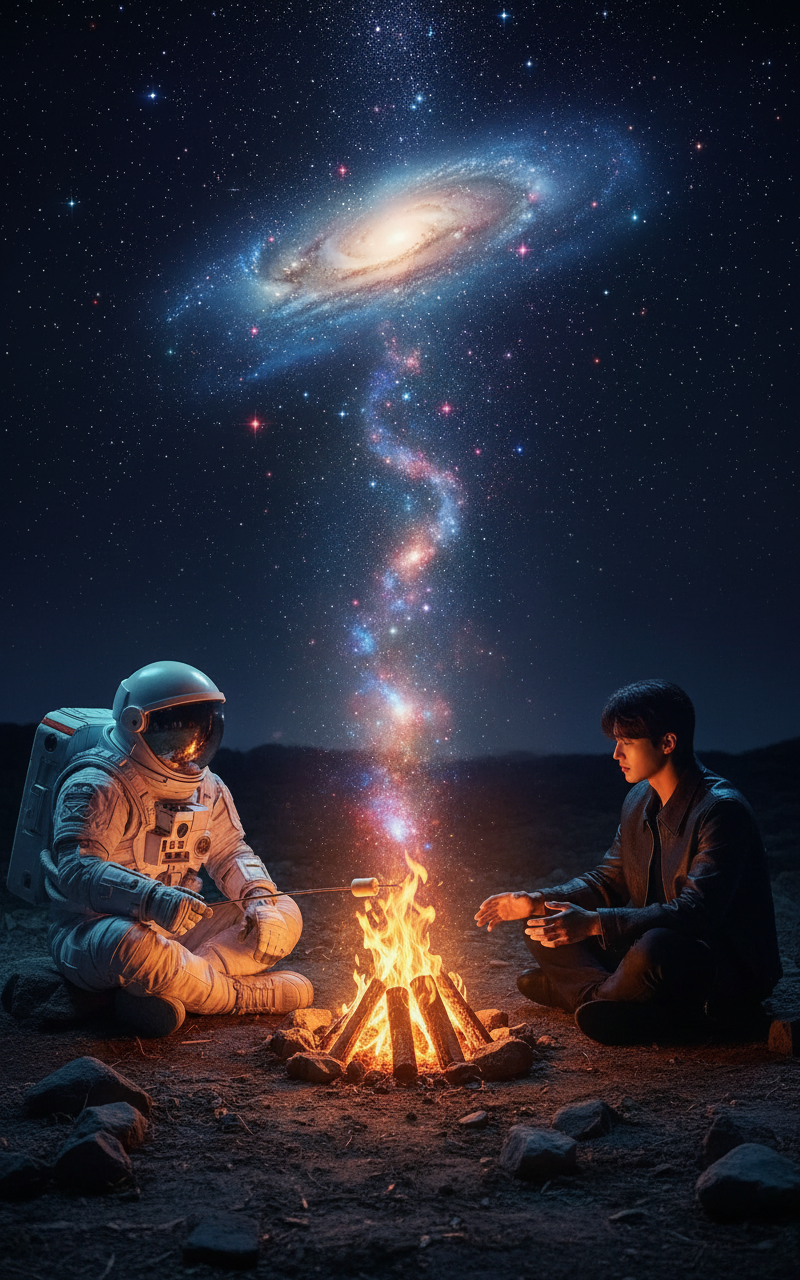
Cosmic Campfire
- Model
- Nano Banana
- Image
- 800 × 1280 px
Prompt
"two characters sit facing each other across a glowing campfire; one side is an {argument name=""character 1"" default=""astronaut""} in a detailed space suit roasting a marshmallow, the other is a {argument name=""character 2"" default="" subject""} in casual clothes warming subject hands; the fire transforms into a swirling galaxy rising above them; dramatic lighting with warm orange fire glow and cool blue-purple cosmic light; symmetrical composition, high-angle full shot, photorealistic textures, deep contrast, emotional and atmospheric, 8K quality."
Any aspect ratio
Overview
The Cosmic Campfire is a captivating AI Image Editor template that lets you create spellbinding scenarios of space exploration meets everyday life. Powered by the nano-banana model, this template is designed for those looking to craft cinematic, atmospheric visuals that combine cosmic and terrestrial elements in stunning 8K quality.
What It Does
Using the Cosmic Campfire template, you can customize visuals where an astronaut in a detailed space suit interacts with another character by a glowing campfire. The unique feature of this template is the transformation of the fire into a swirling galaxy, creating a fusion of warm earth tones and cool cosmic hues. The template guarantees a photorealistic, high-contrast result, suitable for professional presentations and storytelling.
Who It's For
This template is perfect for digital artists, space enthusiasts, and content creators who focus on narrative depth and visual storytelling. It's also ideal for marketers and designers aiming to enhance space-themed educational materials or presentations, as well as filmmakers and advertisers seeking unique visuals in promotional content.
Summary
Whether you're looking to impress with a space-themed project or simply want to explore the creative possibilities of AI-enhanced visual design, the Cosmic Campfire template offers a blend of creative flexibility and quality. Create unique compositions that convey both emotion and atmosphere, utilizing tools like the AI Image Editor to bring your vision to life.
How to Use
Choose

Customize

Generate

Use Cases
Educational Materials
- Space exploration courses
- Science fiction literature
- Astronomy clubs
Marketing Campaigns
- Social media banners
- Digital ad campaigns
- Brand storytelling
Best Practices
Select Complementary Characters
Selecting characters that contrast in themes, like futuristic vs. everyday, can highlight the duality of your compositions.Experiment with Lighting
Adjust the lighting settings to emphasize the dramatic contrast between the warm fire glow and the cool galaxy backdrop to suit your storytelling needs.Utilize High-Resolution Output
For print materials or detailed analysis, ensure you export in the highest resolution available to capture all the nuances.