Barbie live action
- Video
- 18.64 sec
Any aspect ratio
Overview
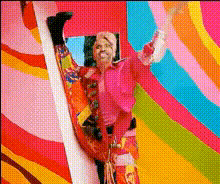
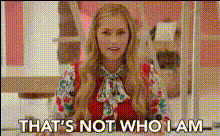
The Barbie live-action template transforms static images into engaging videos with dynamic movements and expressive enhancements. With this AI Talking Photo tool, your images gain a touch of modern style, perfect for social media or personal collections.
What It Does
This template utilizes advanced facial animation technologies to convert still images into lifelike video sequences. It's ideal for creating eye-catching content that captivates your audience, all while maintaining the charm of the Barbie style. For further image editing, consider using the AI Image Editor to enhance before animation.
Who It's For
Perfect for content creators, influencers, and anyone who loves the Barbie aesthetic, this template is a great tool whether you're creating social media posts, family memories, or imaginative content. Explore more creative options with the AI Image Generator.
Summary
The Barbie live-action template brings your photos to life by adding motion and expression. Ideal for adding a playful twist to your images, it harnesses AI technology to deliver vibrant, animated content while capturing the distinctive Barbie flair.
How To Use It
Choose Your Template

Customize Your Inputs

Generate the Video

Use Cases
Social Media Content
- Captivating stories
- Viral challenges
Personal Keepsakes
- Animated family portraits
- Memorable gifts
Creative Projects
- Art projects
- Digital storytelling
Best Practices
High-Quality Images
Use high-resolution images to ensure the best quality in animation.Facial Clarity
Select images where facial features are clear and visible for optimal effect.Pre-Edit with Image Tools
Before animating, enhance images with the AI Image Editor to boost lighting and contrast.