Endless Grass Office of Silence
- Model
- Nano Banana 2
- Image
- 896 × 1195 px
Prompt
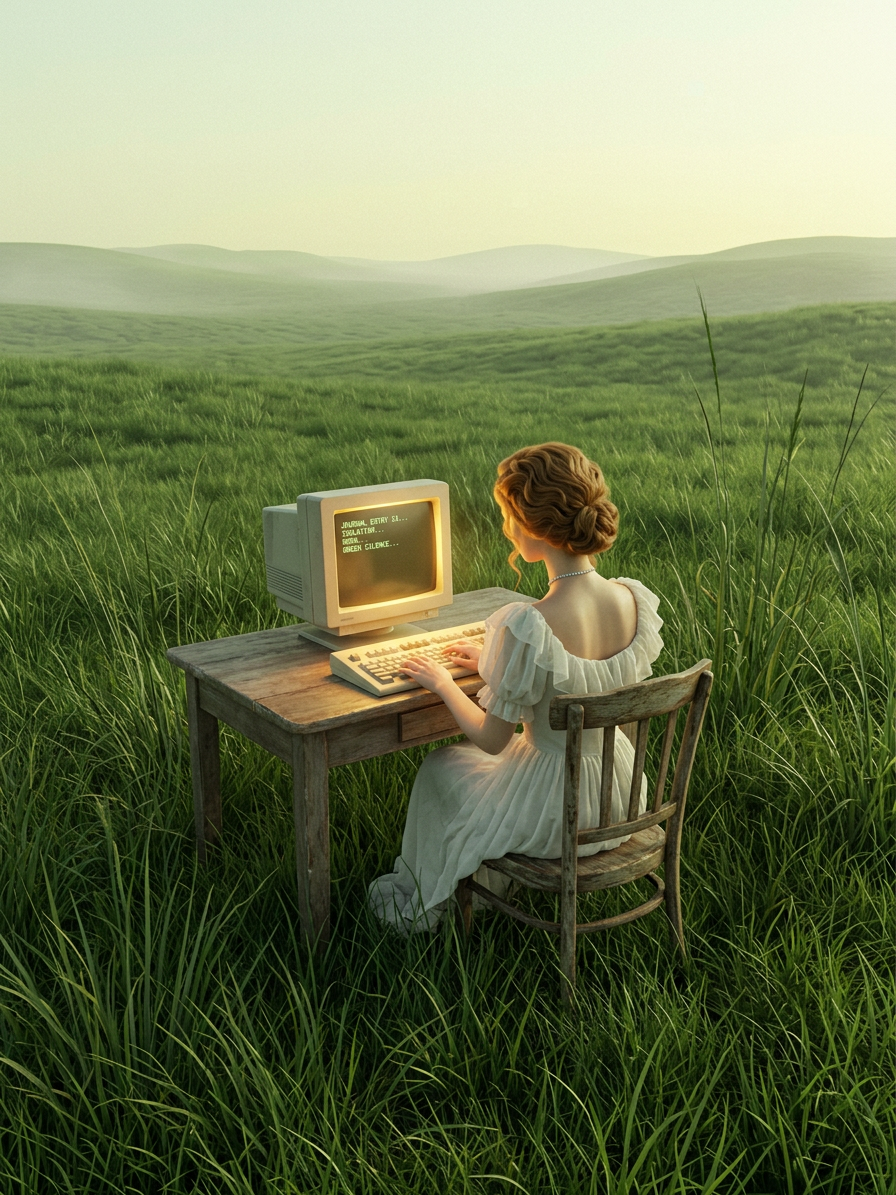
Surreal expansive landscape scene with a lone subject sitting at a rustic wooden desk in the center of an endless rolling green grass field. Viewed from behind, the subject types on a vintage beige CRT monitor with a warm golden glow, paired with a bulky keyboard. The grass is highly detailed and towering, surrounding the furniture and emphasizing scale. Misty distant horizon under a pale yellow-green sky creates an isolated, silent atmosphere. Soft natural daylight with cinematic depth, subtle film grain, aged textures on objects, hyper-detailed environment, nostalgic and pensive mood, ultra-realistic surreal composition, 8K.
Any aspect ratio
Overview
The Endless Grass Office of Silence template is a premium offering in our AI Image Editor tool, designed to transport imaginations to expansive, surreal landscapes. This template leverages the nano-banana-2 model, known for its capability to generate hyper-realistic, ultra-detailed environments.
What It Does
This template creates a surreal, expansive landscape scene where a lone subject commands the viewer's attention as they work at a vintage desk amidst towering green grass. The detailed textures, soft daylight, and aged qualities foster a nostalgic and pensive mood. The AI Image Generator helps realize this hyper-detailed composition, ensuring an ultra-realistic 8K output.
Who It's For
The Endless Grass Office of Silence template is ideal for digital artists, filmmakers, and content creators who are looking to create immersive visuals and storytelling elements. It's especially beneficial for those in advertising or media production seeking a unique and captivating background for projects such as commercials or short films. The animatics and mood boards potential is also considerable.
Summary
With the Endless Grass Office of Silence template, you can craft surreal, cinematic visuals that evoke a sense of nostalgia and isolation. The meticulous detail and rich textures provided by this template make it an invaluable asset for any creative project requiring an otherworldly atmosphere. Explore and utilize this template via our AI Image Editor to push the boundaries of your visual storytelling.
How to Use
Choose the Template

Customize Your Scene

Generate and Download

Use Cases
Digital Art and Illustration
- Hyper-detailed backgrounds
- Unique art pieces
- Storytelling canvases
Film and Video Production
- Short films
- Commercials
- Music videos
Advertising Campaigns
- Print ads
- Digital banners
- Outdoor advertising materials
Best Practices
Explore Literary Inspirations
Use literature on surrealism to inspire creative twists and enhance the thematic depth of your scenes.Mix Textures
Incorporate aged textures and film grains to lend an authentic, nostalgic aesthetic to your images.Adjust Lighting
Fine-tune the lighting to accentuate the mood, from soft daylight to dramatic golden hour effects.