My Money Don't Jiggle Jiggle It Folds
face-swap
Any aspect ratio
“My Money Don’t Jiggle Jiggle, It Folds” – Face Swap Video Template
Turn the “Jiggle Jiggle” Meme Into a Custom Face Swap Clip
This template lets you drop yourself (or anyone else) into the viral “My money don’t jiggle jiggle, it folds” meme using AI face swap. In a few minutes, you can create a polished, share‑ready meme video that looks like you’re performing the original audio.
It’s built on Magic Hour’s AI Face Swap technology and is fully remixable. You can keep the original style, timing, and meme energy—then simply replace the face to fit your brand, your friends, or your character.
What You Can Do With This Template
- Create viral-style meme clips for TikTok, Instagram Reels, YouTube Shorts, or Twitter/X.
- Personalize the meme with your own face, your team, influencers, or fictional characters.
- Test creative hooks for paid and organic campaigns without re‑shooting video.
- Prototype character concepts by combining this template with AI‑generated faces from the AI Face Generator or Avatar Generator.
- Localize or niche‑down the meme around your product, industry, or community in minutes.
How This Template Works (Remix in Magic Hour)
This page showcases a pre‑built example, but you can recreate and remix it easily inside Magic Hour using the Face Swap Video template:
- Start from Face Swap Video
Open the Face Swap Video flow. You’ll use that to swap faces onto an existing “Jiggle Jiggle” style performance. - Add your source video
Use a performance that matches the meme vibe: someone talking or dancing roughly in sync with the “My money don’t jiggle jiggle” rhythm. You can:- Upload your own short performance clip.
- Import a clip you’re licensed to use.
- Generate a base performance first with Text to Video or Image to Video, then use that as your target.
- Choose the face to swap in
Upload a clear, front‑facing photo of the person (or character) whose face you want in the meme. For best results, use:- Good lighting and no heavy obstructions (sunglasses, masks).
- Neutral or slightly expressive facial pose.
- High resolution — you can enhance with the AI Image Upscaler if needed.
- Run the face swap
Magic Hour’s AI Face Swap engine will track the head and facial expressions in the target clip and synthesize a realistic replacement face frame‑by‑frame. - Polish the output (optional remix)
To refine your meme, you can:- Turn it into a talking photo version using AI Talking Photo.
- Loop or trim it for social using AI GIF Generator.
- Upscale and sharpen for distribution with the Video Upscaler.
- Add auto‑captions using the Auto Subtitle Generator.
- Export and share
Download your final clip and publish to TikTok, Reels, Shorts, or embed it in campaigns, landing pages, newsletters, or internal demos.
Why Use Magic Hour for “Jiggle Jiggle” Face Swaps?
- High‑fidelity face replacement
The Face Swap model preserves facial structure, skin tone, and lighting, making the replacement look consistent with the original scene. - Expression and motion aware
The AI tracks head turns, lip movements, and expressions rather than just pasting a static face, so the meme feels alive and on‑beat. - Creator‑friendly remixing
Because it’s part of the Face Swap Video template ecosystem, you can quickly clone this setup, swap in new faces, or pair it with other tools like:- Lip Sync – match mouths to the “Jiggle Jiggle” audio for talking‑head style versions.
- Video to Video – restyle your meme into different visual aesthetics (cartoon, cinematic, etc.).
- Animation – turn your character into an animated rendition of the meme.
- Works with AI‑generated faces and bodies
Generate characters with the AI Character Generator, Animated Characters Generator, or Full Body Generator, then drop them into this meme using face swap.
Inspiration: The “My Money Don’t Jiggle Jiggle” Meme
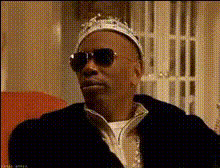
The “My money don’t jiggle jiggle, it folds” line comes from a 2000s radio segment by journalist Louis Theroux, later remixed by producers Duke & Jones. The clip exploded on TikTok, with millions of users lip‑syncing, dancing, and remixing the audio. Because the cadence is so distinctive, it’s become a go‑to soundtrack for humorous flexes, “unexpected wealth” jokes, and parody performances.
This template captures that same energy, while giving you full control over:
- Who is performing (swap in yourself, your CEO, a fictional mascot, etc.).
- What the character looks like (use the AI Image Generator or AI Photo Generator to design them).
- Where it lives (convert to GIFs, shorts, or embedded assets with AI GIF Generator and Video Upscaler).
Best Practices for High‑Quality Face Swap Memes
- Use clean, frontal reference faces
For the reference photo, aim for:- Face centered and looking roughly at the camera.
- Minimal motion blur.
- Distinct facial features; avoid extreme shadows or color casts.
- Match vibe and framing
The closer your target video’s head size, angle, and lighting are to your reference, the more realistic the swap. Short, tightly framed clips work especially well for meme formats. - Keep it ethical and legal
Always respect likeness rights and platform policies. Use your own face, team members with consent, public domain material, or licensed content. Avoid misleading or deceptive deepfakes for political, financial, or harmful purposes. - Layer in audio and captions
Pair the visual swap with the original “Jiggle Jiggle” audio or a licensed remix, then:- Auto‑caption with the Auto Subtitle Generator.
- Experiment with voiceovers using the AI Voice Generator or AI Voice Cloner.
- Test multiple characters
For campaigns, generate variations:- Different personas (e.g., “broke student” vs. “crypto degen”).
- Animated, anime, or comic‑book looks using the AI Anime Generator, Comic Book Generator, or AI Illustration Generator.
- Brand mascots created via the AI Logo Generator or Album Cover Generator for music‑adjacent content.
Advanced Remix Ideas for Creators & Teams
- Product‑led meme
Show your product “flexing” with this meme by:- Swapping your founder’s face onto the meme performer.
- Adding overlaid text that calls out a key metric (“Our CAC don’t jiggle jiggle…”).
- Turning it into an animated brand character with Animation.
- Internal culture content
Create light‑weight internal videos for all‑hands or Slack:- Face swap your teammates into the meme for onboarding or celebrations.
- Generate stylized versions with Disney AI Generator or Superhero Generator.
- Character‑driven series
Turn this template into episode one of a recurring meme character:- Design the character with AI Character Generator.
- Use Video to Video to restyle each episode (cyberpunk, manga, dark fantasy using Dark Fantasy AI, etc.).
- Distribute as GIFs across channels via AI GIF Generator.
Related Magic Hour Tools for Meme Builders
To go beyond this template, many creators chain a few tools together:
- AI Image Editor – edit faces, outfits, or backgrounds before swapping.
- AI Face Editor – adjust expressions, age, or style of the face you’re using.
- AI Outfit Generator or AI Clothes Changer – dress your meme character to match your brand or theme.
- Image Background Remover and Remove Object from Photo – clean up source images before face swap.
- Thumbnail Maker – generate scroll‑stopping thumbnails for YouTube or landing pages featuring your “Jiggle Jiggle” character.
Build Your Own “Jiggle Jiggle” Variant in Minutes
This template is a starting point, not a constraint. Use it as a reference, then:
- Open Face Swap Video in Magic Hour.
- Load a short, expressive base clip with the “Jiggle Jiggle” style performance.
- Upload your reference face and run the face swap.
- Refine, caption, and upscale using the tools above.
Within a single workflow, you can go from concept to a polished, on‑brand meme that feels native to your audience and platforms—without needing a video team or complex post‑production.