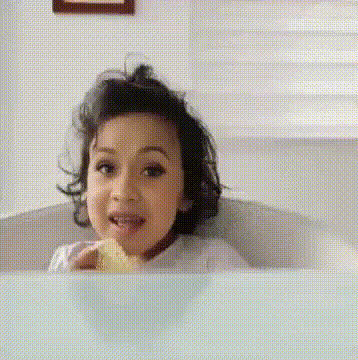
Ding Dong Eat It Up
face-swap
Any aspect ratio
Ding Dong Eat It Up Meme Video Template (Face Swap)
Turn the “Ding Dong Eat It Up” Meme Into Your Own Video
This template lets you drop yourself (or anyone you want) into the viral “Ding Dong, eat it up. Eat it well and mix it up.” moment using AI face swap. It’s built for fast remixing: upload a face, generate, download, and post.
The template is powered by Magic Hour’s AI Face Swap and is a pre-structured shortcut for creators who want to:
- Put themselves into the original “Ding Dong Eat It Up” scene
- Swap in friends, coworkers, or fictional characters
- Produce TikToks, YouTube Shorts, Reels, or memes in minutes
If you want to build a similar meme from scratch or heavily customize this one, start with the Face Swap Video creator and upload your own base clip.
What Is the “Ding Dong Eat It Up” Meme?
The “Ding Dong Eat It Up” meme comes from a prank video by Canadian YouTuber Fique, titled “Cooking Curry During College Lecture!”. In the original clip, Fique sets up a full cooking station in the middle of a college lecture, starts making butter chicken curry, and breaks into a chant:
“Ding dong, eat it up. Eat it well and mix it up.”
Short, high-contrast, and absurd, the audio and visuals were quickly clipped and reposted across TikTok, Instagram Reels, and YouTube Shorts. The format is now used for:
- Face swap memes (putting different people into the cooking scene)
- Audio remixes over unrelated footage
- Ironically pairing the chant with “cursed” or low-effort videos
Who Is Fique?
Fique is a Canadian content creator known for disruptive prank videos posted to YouTube and TikTok starting around 2022. His videos often place everyday activities in inappropriate settings (e.g., cooking in lectures, “attacking cameraman” pranks), leaning into awkwardness and over-the-top delivery.
The “Cooking Curry During College Lecture!” video is widely recognized as his breakout viral piece, with the “Ding dong, eat it up” refrain becoming the meme’s core soundbite.
Why Did the “Ding Dong Eat It Up” Meme Go Viral?
Several factors made the meme spread quickly on TikTok and other platforms:
- Highly clip‑able audio: the chant is short, rhythmic, and easy to loop or remix.
- Clear visual hook: cooking a full curry setup in a classroom is instantly recognizable in the first second of a short video.
- Reaction-friendly: creators can stitch, duet, or overlay their own commentary or expressions on top of the original scene.
- Remix culture: the sound has been layered over other “notoriously bad” tracks and meme anthems, extending its life beyond the original prank.
Like many viral formats, the meme’s spread is driven as much by remixability as by the original joke. Templates like this one exist to make that remix loop faster and easier.
How This Template Works (Face Swap + Meme-Ready Structure)
This “Ding Dong Eat It Up” template is built on Magic Hour’s Face Swap engine and is designed to be remixed in a few steps:
- Start from the template
Open the Ding Dong template inside Magic Hour. The base video is preloaded: Fique cooking in class and singing “Ding dong, eat it up. Eat it well and mix it up.” - Upload a face
Add a clear photo of the face you want to insert (your own, a friend, a character, or a persona). The AI aligns it to the original performance. - Run Face Swap
Magic Hour’s Face Swap Video creator automatically composites the new face onto the existing clip to preserve expressions, head motion, and timing. - Refine and trim
Use Magic Hour’s built-in editor to cut to the best few seconds for TikTok, Reels, or Shorts, or to create multiple variations from the same base. - Export and share
Download the finished video and post it across platforms. Most creators use it as:- A standalone meme clip
- A reaction or stitching element in other videos
- Short ad creatives or hooks for brand content
You can also bypass the template and load your own clip directly in the Face Swap product if you want to recreate the format in a different setting (office, kitchen, studio, etc.).
How to Remix or Rebuild This Template in Magic Hour
If you want to create your own version of this template rather than just use the default scene, you can remix it using other Magic Hour tools:
1. Record or source your base video
- Film your own “cooking in the wrong place” scene (office, coworking space, studio, lecture hall, etc.).
- Or use an existing short video where someone is speaking or moving animatedly.
Upload that clip into the Face Swap Video creator to set it as the new base.
2. Add or modify faces
- Use AI Face Generator or Avatar Generator to create fictional or stylized characters to drop into the scene.
- Use AI Face Editor for subtle facial tweaks (age, style, expression) before swapping.
3. Stylize the visuals
If you want the meme to have a distinct aesthetic:
- Transform stills with AI Image Editor and then animate them using Image to Video.
- Generate backgrounds or thematic art (e.g., “campus kitchen,” “corporate canteen,” “anime cooking class”) via the AI Image Generator or AI Art Generator.
- For stylized meme variants, experiment with AI Anime Generator, Disney AI Generator, or AI Manga Generator.
4. Add voice, lip sync, or talking-photo effects
To extend the meme beyond the original chant:
- Turn a still image into a talking meme with AI Talking Photo.
- Clone or stylize voices with AI Voice Cloner and AI Voice Generator.
- Use the Lip Sync template to match any new audio (e.g., remixed “Ding dong” lyrics) to a face on screen.
5. Turn static ideas into full motion
- Create character art with AI Character Generator or Animated Characters Generator and then animate with Animation.
- Use Text to Video to generate new “lecture-style” or “chaotic kitchen” footage from prompts, then face-swap yourself in.
Best Practices for High-Performance Ding Dong Memes
For creators, marketers, and founders trying to ship content that performs, not just entertain friends, these patterns help:
- Hook in 0–1 seconds: Start with the cooking action or the line “Ding dong, eat it up” immediately. Short-form feeds reward instant context.
- Align meme and message: If you’re a brand or startup, make the “eat it up” line map to something specific (a product drop, a feature launch, a Black Friday sale, new dataset, etc.).
- Test multiple faces and settings: With Face Swap, it’s trivial to generate variants: founders, team members, mascots, influencers, or fully synthetic characters.
- Repurpose across formats: Export one core meme, then:
- Cut a 6–7s version for TikTok and Reels
- Embed it as a cold-open inside a longer YouTube explainer
- Turn frames into image memes using AI Meme Generator
- Polish quality: Before publishing, upscale and clean assets with:
- AI Image Upscaler for crisp thumbnails and stills
- Video Upscaler for final video output
Ethical and Practical Notes
Face swap is powerful and, in some jurisdictions, regulated. When using this template:
- Only swap in faces you have rights to use (your own, consenting collaborators, or AI-generated characters).
- Avoid misleading viewers in ways that could damage reputations or violate platform policies.
- Follow TikTok, YouTube, and Instagram’s rules around synthetic and manipulated media disclosures where applicable.
Where to Go Next
Once you’ve created your first Ding Dong Eat It Up meme, you can:
- Explore more meme-friendly tools like AI GIF Generator, AI Meme Generator, and AI Selfie Generator.
- Build a repeatable meme workflow using:
- Face Swap Video for rapid character swaps
- Video-to-Video for stylized transformations of your footage
- Auto Subtitle Generator for platform-optimized captions
This Ding Dong Eat It Up template is a fast way to prototype, test, and scale a meme format that’s already proven to grab attention. Remix it, iterate, and plug it into your content stack however it best supports your audience and goals.