Dancing With Friends
- Video
- 25.94 sec
Any aspect ratio
Overview
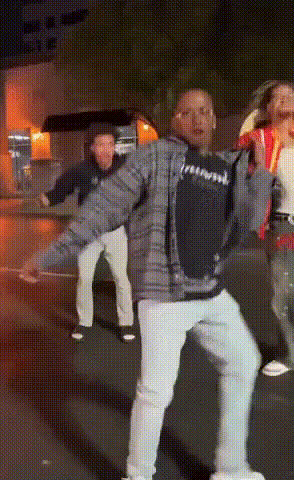
The "Dancing With Friends" template brings your group videos to life with dynamic face-swapping features. Perfect for creating fun and memorable clips, this Video Face Swap tool customizes scenes by replacing faces in a dancing sequence, making it look like you and your friends are the stars of the show.
What It Does
This template swaps faces in a video, allowing users to turn a regular clip into a personalized dance party. Utilizing cutting-edge face swap technology, it processes the video to map faces onto the dancers in the scene realistically. Use it to create engaging clips for social media or project presentations.
For more control over the creative process, explore our Face Swap and AI Clothes Changer products for additional customization options.
Who It's For
This template is ideal for content creators, social media enthusiasts, and anyone looking to add a personalized touch to their videos. Whether you're promoting a brand, making a humorous video for friends, or preparing content for an event, "Dancing With Friends" provides an accessible way to enhance viewer engagement.
Summary
In summary, "Dancing With Friends" offers a unique way to inject excitement and personalization into your videos. Use this Video Face Swap template to impress your audience with customized clips. Ready to try more transformations? Check out our AI Talking Photo and Character Replace features.
How To
Choose

Customize

Generate

Use Cases
Social Media Content
- Engage with TikTok and Instagram audiences
- Stand out with personalized content
Event Highlights
- Fun surprise at parties and gatherings
- Simple to integrate into digital invitations
Marketing Campaigns
- Showcase products in an entertaining way
- Easily relatable content for viewers
Best Practices
Ensure High-Quality Source Video
High-resolution videos produce the best results for face swaps. Try using the AI Image Upscaler if needed.Select Clear Face Images
Choose face images with good lighting and distinct angles to improve the swap accuracy.Finalize with Edits
After generating the swap, use the AI Image Editor to make any final adjustments to lighting or hue for better results.