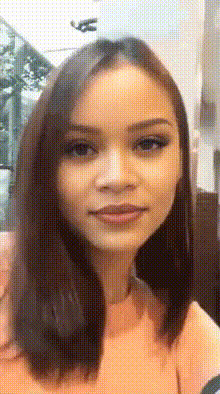
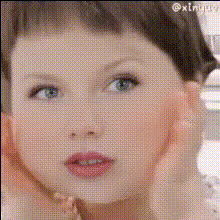
Close Up Glamour Shot

face-swap

1 clip
37 uses

Any aspect ratio

Tags

beauty

Close-Up Glamour Shot – Face Swap Video Template

Create cinematic, Hollywood-style close-up shots in minutes. The Close-Up Glamour Shot template uses Magic Hour’s advanced AI Face Swap technology to turn any portrait into a polished, red-carpet-ready glamour video — perfect for social posts, campaigns, or personal branding.

What This Template Is Best For

  • Personal branding & profile videos for LinkedIn, portfolios, and creator intros
  • Marketing & launch content for beauty, fashion, lifestyle, and luxury brands
  • Creator content for TikTok, Instagram Reels, YouTube Shorts, and thumbnails
  • Campaign concepts & A/B tests without expensive shoots or reshoots

How the Close-Up Glamour Shot Template Works

This template is powered by Magic Hour’s Face Swap Video tool. Under the hood, it uses deep learning–based face recognition, alignment, and blending to map a source face onto a target video frame-by-frame, preserving lighting, head movement, and expressions.

In practice, that means you can:

  • Drop your face (or a model’s face you have rights to use) into a polished glamour close-up
  • Re-use the same video “body” with different faces for localization or personalization
  • Prototype visual directions (lighting, angles, styling) without a full production

Key Features

1. High-Fidelity, Realistic Face Swaps

  • AI automatically aligns facial landmarks for natural eye, lip, and head movements
  • Skin tone, lighting, and shadows are adjusted to match the original footage
  • Works with selfies, portraits, or professionally shot headshots

The same core tech also powers Magic Hour’s broader AI Face Editor and AI Face Generator, so output is optimized for realism, not just novelty.

2. Designed for Close-Up Beauty & Glamour

  • Framing optimized for faces: eyes, skin texture, and makeup detail stay sharp
  • Subtle movement and expressions suitable for beauty, cosmetics, and fashion storytelling
  • Pairs well with content from tools like the AI Headshot Generator or AI Selfie Generator

3. Ready for 4K & Professional Use

  • Support for high-resolution video (up to 4K, depending on your plan)
  • Clean enough for:
    • Paid social ads
    • Landing page hero videos
    • Pitch decks and investor demos
    • Influencer and UGC-style campaigns
  • Pair with AI Video Upscaler or AI Image Upscaler for legacy or lower-res sources

4. Fast to Remix, Reuse, and Localize

  • Swap in different faces for:
    • Localized campaigns (different markets, same creative)
    • Creator collaborations and talent variants
    • Internal concept testing before you book a shoot
  • Combine with:

How to Remix This Template in Magic Hour

You can recreate or customize your own version of the Close-Up Glamour Shot by starting from the Face Swap Video tool and swapping in your own source assets.

Step-by-Step Remix Workflow

  1. Start from Face Swap Video
    Go to Face Swap Video. This is the base tool that powers the Close-Up Glamour Shot template.
  2. Choose Your Target Glamour Video
    Use either:
    • A video you’ve shot (beauty close-up, well-lit portrait, slow camera movement), or
    • A glamour-style clip you’ve produced with other Magic Hour tools (e.g. using Image-to-Video or Text-to-Video to generate cinematic close-ups from prompts or stills).
  3. Add Your Source Face
    Upload a clear, front-facing image of the person whose face you want to appear in the glamour shot. For best results:
    • Use good lighting and minimal occlusion (no heavy sunglasses, strong shadows, or extreme angles)
    • Use similar age, gender expression, and general proportions to the target body for more natural results

    If you don’t have the right portrait yet, you can create one with tools like: Avatar Generator, AI Headshot Generator, or Full Body Generator.

  4. Run the Face Swap
    Execute the swap and let Magic Hour’s AI process the video, aligning facial structure, lighting, and motion to the target footage.
  5. Export & Deploy
    Once you’re satisfied, export the video and plug it into:
    • Short-form platforms (TikTok, Instagram Reels, YouTube Shorts)
    • Ad platforms (Meta, TikTok Ads, YouTube Ads)
    • Websites, landing pages, or product demos
    • Pitch decks and investor updates

Advanced Use Cases for Builders & Marketers

1. Multi-Face Campaigns at Scale

For performance marketers and agencies, you can build variant sets with the same glamour base:

  • Use one glamour video as the “master” creative
  • Swap different faces for:
    • Different demographics or locales
    • Influencer or UGC-style variants
    • Personalized sales outreach or demos
  • Use Auto Subtitle Generator and AI Voice Generator or AI Voice Cloner to localize language and voiceovers.

2. Creator Intros & Channel Branding

3. A/B Testing Visual Directions

  • Prototype multiple glamour looks (lighting, background, styling) using:
  • Use quick face swaps to test which direction performs best before committing to a full production.

Creative Ideas & Inspiration

Quality, Ethics, and Rights

Face swapping is powerful, and responsible use matters:

  • Only use faces and videos you have rights and consent to use.
  • Disclose AI-generated content in commercial, political, or sensitive contexts where required.
  • Respect platform policies (Meta, TikTok, YouTube) regarding synthetic and altered media.

For professional teams, this makes Magic Hour useful for controlled, consent-based workflows: talent-approved variants, synthetic doubles for safety or scheduling, and visual testing.

Related Magic Hour Tools to Extend This Template

Get Started

To build and remix your own Close-Up Glamour Shot:

  1. Open Face Swap Video.
  2. Upload a glamour-style close-up video as your target.
  3. Add a clear portrait of the face you want to feature.
  4. Run the swap, review, then export for your channels.

From there, you can chain in other Magic Hour tools — like Lip Sync, AI Voice Generator, and Auto Subtitle Generator — to turn a single glamour shot into a fully produced, ready-to-ship video asset.

More Like This