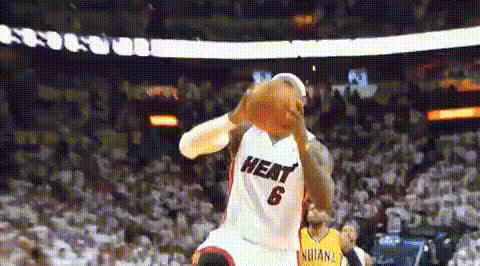
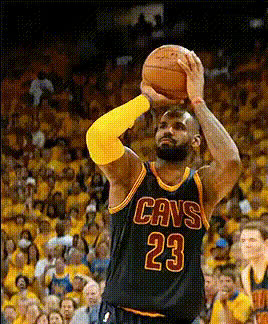
Bronny James Shooting a Three
face-swap
Any aspect ratio
Tags
sportsBronny James Shooting a Three – Face Swap Video Template
Turn Bronny’s Three-Pointer into Your Highlight Clip
This template lets you drop your face (or any face you have rights to use) into a clean, high-energy clip of Bronny James shooting a three-pointer. It’s built on Magic Hour’s AI Face Swap Video workflow, so you can create realistic, frame-accurate face swaps in just a few steps – no editing skills required.
Use it for:
- Basketball memes and social clips
- Player comparison content
- Brand or creator highlight reels
- “What if I were in the NBA?” videos for TikTok, Reels, and Shorts
What This Template Does
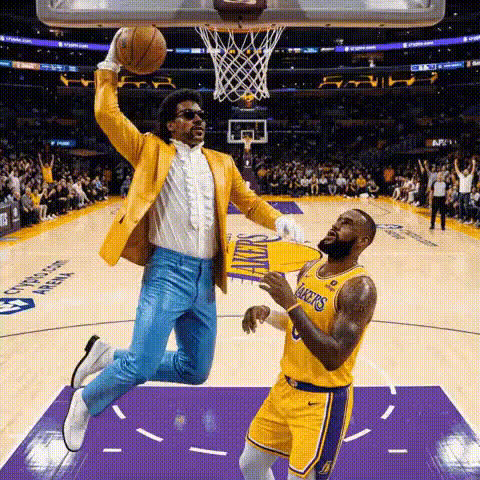
The “Bronny James Shooting a Three” template is a pre-configured face swap video. The base footage shows Bronny James rising up for a three-pointer with clear lighting and a clean view of his face – ideal conditions for high-quality AI face replacement.
With this template you can:
- Replace Bronny’s face with your own, a teammate, a client, or a fictional character
- Keep all the original motion, body language, and shooting form
- Export short, social-ready clips for marketing, content, or fan engagement
Under the hood, Magic Hour uses deep-learning–based face mapping (similar in concept to the research behind modern face reenactment systems) to track facial structure and expressions across each frame, then blend your source face into the target video while preserving lighting and perspective.
How to Remix This Template in Magic Hour
You can treat this as a starting point and quickly build your own version inside Magic Hour. Here’s a practical flow for creators and marketers:
- Start from Face Swap Video
Open Face Swap Video. This tool is optimized for swapping faces in short- to mid-length videos while preserving realism and motion. - Upload or select your base clip
Use the Bronny three-pointer clip (if you have it inside your workspace) or upload a similar basketball shot: clear angle on the shooter, stable camera, and good lighting. The closer it is to a classic pull-up or catch-and-shoot three, the better the face tracking. - Add your source face
Upload a high-quality portrait or selfie of the person you want to insert. For best results, use:- Neutral or lightly expressive facial expression
- Good, even lighting
- Front-facing or slight 3/4 angle
- Preview the swap
Use the preview to confirm that:- Facial proportions look natural
- Skin tones blend well with the body and background
- The face holds up through the shooting motion (jump, release, follow-through)
- Export and repurpose
Once you’re happy, export your clip. You can then:- Refine still frames in the AI Image Editor
- Turn a frame into a meme with the AI Meme Generator
- Upscale your video for publishing using the Video Upscaler
- Add auto captions using the Auto Subtitle Generator
Ideas: Variations You Can Build in Minutes
- “I just got drafted” announcement – Swap your face into Bronny’s three-pointer, then overlay text and your brand logo. Combine with an AI voice-over using the AI Voice Generator or clone your own voice with the AI Voice Cloner.
- Fan content for your community – Let your subscribers submit selfies, then batch-generate highlight clips with each fan “taking the shot.” This works well for creators, newsletters, and sports communities.
- Brand integration – Put your founder, spokesperson, or mascot face on the shooter, then add a branded overlay and CTA. Perfect for short performance ads on TikTok, Instagram, or YouTube Shorts.
- Basketball meme formats – Swap in celebrities, fictional characters, or AI-generated characters and caption it (“When the deck is stacked against you but you still hit from deep”). You can build the characters themselves with the AI Anime Generator, Superhero Generator, or AI Art Generator.
Why Bronny James Works Well for Face Swap
Bronny James is a strong face-swap subject for several reasons:
- Clear mechanics and form – His compact, modern shooting form (balance, high release, consistent follow-through) produces predictable head and upper-body motion, which makes tracking and swapping more stable.
- High-contrast, well-lit footage – Clean, broadcast-style lighting and camera work improve facial landmark detection by AI models.
- Cultural relevance – As a highly discussed prospect and son of LeBron James, Bronny clips perform well in sports discourse, watch parties, and social commentary content.
At the 2024 NBA Draft Combine, for example, multiple outlets reported Bronny recorded a perfect 19-of-19 performance in a spot-up three-point shooting drill from the corners and wings, highlighting both his consistency and the public’s interest in his shooting development. Moments like those make his jump shot instantly recognizable, which is ideal for viral edits and face swaps.
Combining Face Swap with Other Magic Hour Tools
To build richer, more advanced content workflows around this template, you can chain several Magic Hour tools:
- Generate your “player” first
Create a custom character or persona using the AI Image Generator or AI Character Generator, then use that output as the source face in Face Swap Video. - Turn stills into motion
If you have only an image (for example, a fan art or brand mascot), you can animate it with AI Talking Photo, or generate additional angles with the AI Image Editor before swapping onto Bronny. - Extend or stylize the clip
Use Video-to-Video to apply new visual styles (comic-book, anime, or cinematic) while keeping the original motion. Pair this with the Comic Book Generator or AI Illustration Generator for thumbnails and key art. - Create GIFs and micro-memes
Export your favorite moment (release, swish, celebration) into a loop using the AI GIF Generator. For more playful content, the dedicated Face Swap GIF workflow is ideal for reactions and chat stickers. - Clean and enhance assets
Improve legacy footage using Unblur Image, Photo Colorizer, and the AI Image Upscaler before using them as references in your pipeline.
Best Practices for Realistic Face Swaps
For professional-looking results that hold up under scrutiny:
- Match angles – If Bronny is mostly facing 3/4 towards the rim, use a source face that’s roughly similar in angle. This reduces distortion and uncanny artifacts.
- Use high-res source images – Avoid heavily compressed or low-light selfies. Details around eyes, nose, and mouth help the model produce sharper, more realistic swaps.
- Keep identity and style consistent – If you’re building a series (e.g., a full “season” of highlight edits), keep using the same base face assets, and consider standardizing your art style via Video-to-Video or Text-to-Video for intros and outros.
- Respect usage rights and ethics – Only swap in faces (including celebrities or private individuals) that you’re legally and ethically allowed to use, especially for commercial or promotional content.
Who This Template Is For
- Creators and streamers – Build recurring segments (“Chat hits the game-winner,” “Subscriber of the Week highlight”) using user-submitted photos.
- Sports media & newsletters – Quickly generate illustrative clips to accompany analysis of Bronny’s shooting mechanics, spacing, or development.
- Brands & startups – Turn dry product messaging into punchy, sports-themed visuals that cut well into short-form ad formats.
- Developers & technical teams – Prototype face-swap and personalization features atop Magic Hour’s workflows before investing in custom infrastructure.
Related Templates & Tools to Explore
- Face Swap Video – Core workflow used by this template.
- Face Swap – General product overview for face-swapping photos and videos.
- Lip Sync – Make Bronny (or your swapped face) match any audio track for comedic or promo edits.
- Animation – Turn stills or concepts into moving sequences you can later combine with sports footage.
- Image-to-Video – Turn a static “player card” of your character into a motion clip, then integrate it with game footage.
- Thumbnail Maker – Design YouTube or TikTok thumbnails around your face-swapped three-pointer.
Start Creating Your Own Bronny Face Swap
To build your version of the “Bronny James Shooting a Three” template, head to Face Swap Video, upload your base clip and source face, and iterate. In a few minutes, you’ll have a personalized highlight that feels like a real game moment – ready to ship to your audience, clients, or team.