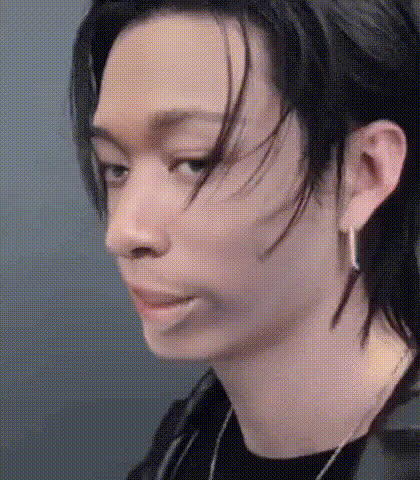
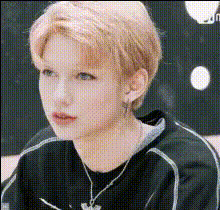
Man on Motorcycle - "Lose My Breath (Feat. Charlie Puth)" M/V Behind the Scenes 🥟 #StrayKids

face-swap

1 clip
73 uses

Any aspect ratio

Tags

kpop

Face Swap K‑Pop M/V Behind the Scenes – Man on Motorcycle “Lose My Breath (Feat. Charlie Puth)”

Turn Any Face Into a K‑Pop M/V Star

This template lets you drop yourself (or anyone) into a high‑energy, behind‑the‑scenes K‑Pop–style music video using AI face swap. It’s built on Magic Hour’s Face Swap Video workflow, so you can turn performance footage into creator‑ready content for TikTok, Reels, YouTube Shorts, or campaigns in a few clicks.

Inspired by the cinematic, high‑speed feel of “Lose My Breath (Feat. Charlie Puth)” and the performance style often associated with groups like Stray Kids, this template is ideal for:

  • Creators who want to appear inside a K‑Pop–style M/V without a full production
  • Marketers testing UGC‑style ad creatives with recognizable visual tropes
  • Developers and founders prototyping AI‑powered fan experiences

What This Template Does

The template is a pre‑structured Face Swap video scene: a rider on a motorcycle in a “making‑of” / behind‑the‑scenes environment, cut and paced like a modern K‑Pop video. You swap the rider’s face (or other characters’ faces) with:

  • Your own selfies or portraits
  • Friends, collaborators, or team members (for campaigns, fan contests, internal memes)
  • Stylized faces generated with tools like Magic Hour’s AI Face Editor or AI Face Generator

The result: a short, ready‑to‑share, AI‑augmented “behind the scenes” music video where your chosen face is the star.

About Face Swap on Magic Hour

Magic Hour’s Face Swap technology uses deep learning–based facial recognition and re‑rendering to map a source face onto a target face in video. It preserves lighting, head position, and expressions so the swap looks natural while staying faithful to the original performance.

With the Face Swap Video creator, you can:

  • Upload an existing performance video or pick from templates like this one
  • Upload one or multiple faces to swap into different characters
  • Generate share‑ready video clips for TikTok, Instagram, X, and YouTube

For animated or stylized content, you can also chain Face Swap with:

  • Video‑to‑Video – restyle your behind‑the‑scenes clip into anime, comic, or cinematic looks
  • Animation – turn static concepts into motion and then apply face swap
  • Image‑to‑Video – start from a single keyframe or poster image

How to Remix This Template in Magic Hour

You don’t have to start from scratch. Use this template as a base and remix it to match your brand, fandom, or story.

  1. Open the Face Swap Video creator
    Go to Face Swap Video and select a similar “behind the scenes” or performance‑oriented template, or upload your own motorcycle / performance footage.
  2. Prepare your source face
    For best results, use:
    • A clear, front‑facing image with good lighting
    • Minimal obstructions (no heavy sunglasses or extreme motion blur)
    • A consistent style with your target video (e.g., similar lighting or color tone)
    You can enhance or create the face using:
  3. Apply Face Swap to the performance video
    Inside the Face Swap Video flow, upload your chosen face and apply it to the performer in the scene. The AI will map expressions and angles from the original motorcycle / M‑V performance onto your face.
  4. Optionally restyle or extend the clip
    To push the aesthetic further:
  5. Add audio and publish
    Pair your face‑swapped video with licensed music, original audio, or an AI voice. For voice, you can explore: Then export and share on TikTok, Instagram Reels, YouTube Shorts, or your landing page.

Use Cases for Creators, Marketers, and Builders

  • Fan‑centric content – Let fans appear “on set” in a K‑Pop–style M/V by swapping their face into behind‑the‑scenes footage. This can be combined with contests or limited‑time campaigns.
  • UGC‑style ad creatives – Quickly generate multiple variations of ad creatives by swapping in different faces or character designs, then A/B test performance.
  • Prototype AI‑native experiences – For apps or platforms that let users personalize music videos, this template can serve as a reference flow: upload a face, generate an M‑V‑style result, share instantly.
  • Social storytelling – Combine this template with AI Talking Photo or Lip Sync to create “training camp,” “rehearsal,” or “behind the scenes” story arcs around a fictional idol or character.

Advanced Remix Ideas

Practical Tips for Better Face Swap Results

  • Use high‑quality faces – Sharper input images generally produce more convincing swaps. Upscale low‑res inputs with the AI Image Upscaler.
  • Match pose and angle – If the original rider is mostly front‑facing, use a face image with a similar angle; this helps the AI maintain realism in fast motion shots.
  • Preserve the BTS feel – Behind‑the‑scenes content works because it feels candid. You don’t need heavy VFX; a clean face swap plus subtle grading is often more believable—and more shareable.
  • Localize and personalize – For global audiences, create multiple versions with different faces or visual styles (e.g., anime, graffiti, dark fantasy) using tools like the Graffiti Generator, Dark Fantasy AI, or AI Background Generator.
  • Optimize for platforms – Use the Auto Subtitle Generator for on‑screen lyrics or captions, and the Thumbnail Maker to create clickable covers for YouTube and Shorts.

Responsible Use and Rights

Face swap and generative video tools are powerful. When you remix this template:

  • Only use faces you have permission to use (your own, collaborators, consenting talent, or AI‑generated faces).
  • Avoid misleading viewers into thinking AI‑generated appearances are official content or endorsements from real artists or public figures.
  • Check the terms of service and platform policies (TikTok, Instagram, YouTube) regarding synthetic and manipulated media.

Extend Your K‑Pop Style Toolkit

To build a full K‑Pop–inspired content stack around this template, you can combine:

Build Your Own “Lose My Breath”‑Style BTS Experience

Use this template as a reference: a high‑motion, motorcycle‑driven, behind‑the‑scenes sequence powered by Face Swap. Remix it by:

  • Changing the faces (fans, team, fictional characters)
  • Restyling the footage with Video‑to‑Video or Animation
  • Adding AI‑generated voices, captions, thumbnails, and cover art

Open the Face Swap Video creator, plug in your assets, and you’ll have a production‑quality, K‑Pop–inspired BTS video ready to ship in minutes—not days.

More Like This