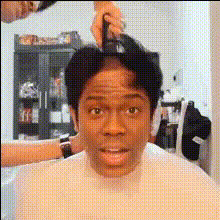
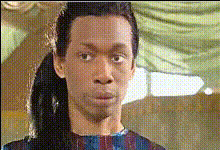
Advanced Haircutting
face-swap
Any aspect ratio
Advanced Haircutting Face Swap Video Template
Create professional, eye‑catching haircut videos in minutes by combining your own footage with AI face swap. This "Advanced Haircutting" template is built on Magic Hour’s Face Swap Video workflow, so you can instantly try new hairstyles, colors, and aesthetics on any face—without reshooting.
What This Template Is For
This template is designed for:
- Hair stylists & barbers showcasing advanced cuts, color, and transformations
- Beauty creators & influencers testing new looks for Reels, TikTok, YouTube Shorts
- Marketers producing variant ads with different models, demographics, or styles
- Founders & product teams prototyping “virtual try-on” style content quickly
Use it to turn a single haircut demo into dozens of variants: different faces, genders, age ranges, or aesthetics, all powered by AI.
How to Remix This Template in Magic Hour
You can recreate or customize this template entirely inside Magic Hour—no external tools required.
- Start from Face Swap Video
Open Face Swap Video. This is the core tool that powers this template. - Upload your base haircut video
Use any clip that clearly shows the hair from the angles you care about (front, side, back). This might be:- A real client transformation
- A mannequin / training head demo
- A model shoot or ad spot you already filmed
- Add the face you want to swap in
Upload a clear face photo (or multiple faces) you want to appear in the haircut video. You can use:- Your own selfie (great for personal branding)
- A client’s photo for “preview” content
- A model image generated with the AI Face Generator or Avatar Generator
- Generate the swapped haircut video
Let Magic Hour apply the face swap automatically. The AI tracks facial expressions, angle, and lighting to keep the haircut looking natural and anchored to the head movement. - Export and repurpose
Download your video and repurpose it for:- Instagram, TikTok, YouTube Shorts, and Stories
- Website hero sections or product pages
- Before/after compilations and ad creatives
Core Capabilities of This Template
- High‑quality face swap for hairstyle previews
Built on Magic Hour’s AI Face Swap engine, this template creates realistic, temporally consistent swaps—ideal for long hair, fades, layers, and dynamic motion. - Gender‑fluid and style‑fluid transformations
Preview looks across genders, age groups, and aesthetics. Combine this template with:- Gender Swap for more dramatic transformations
- AI Outfit Generator to match hair with wardrobe
- Perfect for social and performance marketing
Quickly test:- Different “models” for the same haircut
- Localized creatives (different skin tones, features, demographics)
- Creator / UGC style videos with your face on top of any base footage
- Supports AI‑generated faces and footage
You’re not limited to real footage. Combine this template with:- AI Image Generator or AI Photo Generator to design reference models
- Image to Video or Video‑to‑Video to turn hair concept art into motion
Advanced Use Cases for Creators & Teams
- Salons & barbershops
Build a library of “signature cuts” and instantly show them on different faces. Use:- AI Headshot Generator to produce clean, consistent model faces
- AI Selfie Generator to align with your brand or studio vibe
- Beauty brands & ecommerce
Produce demo videos for hair products, dyes, and tools without organizing new shoots. Face swap your hero footage onto multiple markets and personas. - Content creators & educators
Turn one detailed haircut tutorial into:- Multiple thumbnails using Thumbnail Maker
- Animated explainer snippets with Animation
- Talking intros and outros using AI Talking Photo and AI Voice Generator
- Startups & product teams
Prototype “try this haircut on your face” flows visually, using:- Text‑to‑Video to generate concept videos of new haircut experiences
- Video Upscaler to hit higher‑res benchmarks for demos and investor decks
How to Get a Clean, Believable Haircut Swap
- Use sharp, well‑lit footage
Clear lighting and visible hair contours make the swap look more realistic. If needed, enhance assets with:- Unblur Image for low‑quality source photos
- AI Image Upscaler or Video Upscaler for higher clarity
- Match angle and expression when possible
For the smoothest blend, choose face photos where the head angle broadly matches the base haircut video. - Clean up backgrounds and distractions
A neutral or tidy background helps the viewer focus on the hair. If needed, use:- Image Background Remover
- Remove Object from Photo or AI Remover to eliminate clutter
- AI Image Editor for more complex adjustments
- Pair with consistent branding
Generate on‑brand avatars and cover art for your channel and playlists using:
Remixing Ideas: Extend This Template Further
Once you’re comfortable with the base Advanced Haircutting template, you can remix it into other Magic Hour flows:
- Talking hairstyle consultations
Turn your swapped haircut image into a talking consultant:- Face swap with Face Swap Video
- Add speech with AI Talking Photo
- Clone your real voice via AI Voice Cloner or generate a new one with AI Voice Generator
- Haircut GIFs and memes
Turn your best transformations into fast‑looping content:- Export swaps as short clips
- Convert or enhance them with AI GIF Generator
- Add captions or humor using AI Meme Generator
- Stylized / anime / comic haircut looks
Explore how your haircut would look in different visual universes:- AI Anime Generator or AI Manga Generator
- Comic Book Generator for graphic‑novel style hair transformations
- Lip‑synced haircut explainers
Combine facial realism with clear messaging:- Build your base video with this template
- Use Lip Sync to match mouth movements to your script or VO
- Auto‑caption with Auto Subtitle Generator for accessibility and engagement
Ethics, Permissions, and Safety
Face swapping is powerful. For professional and compliant use, consider:
- Consent: Only use faces (clients, models, influencers, staff) where you have clear permission.
- Transparency: If the transformation is AI‑generated, consider disclosing it in your description or caption.
- Brand safety: Align generated content with your brand guidelines and local advertising regulations.
Join the Magic Hour Creator Ecosystem
This Advanced Haircutting template is one of many ways to use Magic Hour’s generative video stack. By working inside the same ecosystem—Face Swap Video, Video‑to‑Video, Text‑to‑Video, and more—you can:
- Iterate on ideas quickly without a production crew
- Test multiple creative directions before committing budget
- Standardize assets across campaigns, channels, and teams
Remix this template, connect it with other Magic Hour tools, and build a repeatable pipeline for advanced haircut content—whether you’re a solo creator, an agency, or a growth team.