Putting hair up
face-swap
Any aspect ratio
Putting Hair Up – Face Swap Video Template
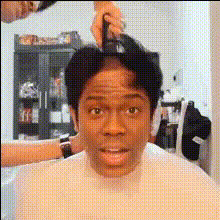
The “Putting Hair Up” Face Swap template lets you drop your own face (or any image) into a viral meme moment: a woman tying her hair up before something “serious” happens. It’s built on Magic Hour’s Face Swap Video engine, so you can create hyper‑realistic meme videos in minutes—no editing skills, no external apps.
This page explains what the meme is, how to remix this template inside Magic Hour, and how to use related Magic Hour tools to turn one simple clip into a full performance, campaign asset, or content series.
What Is the “Putting Hair Up” Meme?
The “putting hair up” meme usually shows a woman calmly tying her hair into a ponytail before a chaotic, intense, or over‑the‑top moment. Creators use it to signal:
- “It’s go time” energy – gearing up to argue, compete, work, or “handle business.”
- Before/after contrast – quiet preparation followed by a dramatic payoff.
- Relatable everyday humor – e.g., “me putting my hair up before answering one more client email.”
By combining this familiar setup with AI face swap, you can instantly turn the meme into:
- Character skits and POV jokes
- Brand, product, or startup memes
- Reaction clips and stitched content for TikTok, Reels, and Shorts
What This Template Does
1. AI Face Swap Built In
This template is powered by Magic Hour’s core AI Face Swap technology and the Face Swap Video creation flow. You can:
- Swap your own face into the video from a selfie or portrait.
- Use any reference image (characters, celebrities, avatars, mascots—subject to your rights and platform policies).
- Generate multiple variants fast for A/B testing hooks, captions, and personas.
Face swaps are designed to be highly realistic and expression‑aware, preserving lighting and head motion so the output feels native to the original clip.
2. Fully Remixable for Your Brand or Persona
Inside Magic Hour, you can treat this template as a flexible starting point:
- Swap different faces for different audiences or characters (team members, influencers, fictional personas).
- Create a character first with tools like the Avatar Generator, AI Character Generator, or AI Anime Generator, then use that image for the face swap.
- Refine source images with the AI Face Editor or AI Image Upscaler for sharper, more consistent results.
3. Ready for Cross‑Platform Distribution
The meme format is ideal for short‑form channels. After generating your clip, you can easily repurpose it into:
- Vertical videos for TikTok, Instagram Reels, YouTube Shorts
- GIFs using Magic Hour’s Face Swap GIF or AI GIF Generator
- Static meme frames with the AI Meme Generator for Twitter/X or LinkedIn
How to Remix This Template in Magic Hour
You don’t need to download or open anything in a separate editor. Everything happens inside Magic Hour.
- Open Face Swap Video
Go to Face Swap Video. From there, select the “Putting Hair Up” template from the template library. - Add your face (or another identity)
Upload:- A selfie or headshot of yourself
- A team member’s or creator’s photo (with their consent)
- An AI‑generated character from tools like Avatar Generator, AI Photo Generator, or AI Image Generator
- Apply the face swap
Magic Hour will align the new face to the original video’s head position, expressions, and motion, keeping the “hair up” action intact while changing the identity. - Generate and review
Preview the output. If you want multiple options, rerun the swap with:- Different faces (e.g., “founder vs. customer” versions)
- Alternative character art (cartoon, anime, stylized portraits)
- Export and repurpose
Download the video and:- Clip or caption it in your usual editor, or
- Turn it into a GIF with AI GIF Generator, or
- Use it as a segment in a longer sequence via Video‑to‑Video or Text‑to‑Video
Best Practices for High‑Quality Face Swaps
Face quality matters more than almost anything else. For consistently strong results:
- Use a clear, frontal face
Choose an image where the face is:- Facing mostly forward
- Well lit (no harsh shadows or heavy filters)
- Unobstructed (no sunglasses, large objects, or heavy motion blur)
- Stay consistent with your character
For recurring series or branded personas:- Generate and refine a single “hero” face with AI Character Generator or Avatar Generator.
- Upscale it with AI Image Upscaler before using it in multiple swaps.
- Respect identity and platform policies
Only swap faces you have rights and permission to use, and follow the content rules of TikTok, Instagram, YouTube, and any other platform where you publish.
Ideas: Turning “Putting Hair Up” into a Repeatable Format
For creators, marketers, and startup teams, the real value is in turning one meme into a reusable framework.
For Creators & Streamers
- Pre‑rage moments – “Me putting my hair up before queueing ranked,” with your own face swapped in.
- Skill flex – “Before I show you how I edit shorts in 5 minutes.”
- Storytime setups – Use the clip as a cold open, then cut into a talking‑head explainer or AI talking photo made with AI Talking Photo.
For Startups & Marketers
- “Founder mode activated” – swap in a founder’s face to introduce tough tasks (fundraising, shipping features, handling support).
- Customer POV memes – “Me putting my hair up before trying your competitor’s onboarding,” then follow with product demo footage created via Image‑to‑Video or Video‑to‑Video.
- Ad hooks – open performance‑creative videos with a “hair up” meme, then cut to a benefits breakdown; you can build the rest of the creative using Text‑to‑Video or Thumbnail Maker assets.
For Product & Community Teams
- Feature launches – “Me putting my hair up before shipping v2.0.”
- Internal culture memes – Swap different team members into the same template for internal Slack/Discord content.
- UGC prompts – Invite your users to make their own “hair up before using our product” clips using the same Face Swap flow.
Stacking This Template with Other Magic Hour Tools
To turn a single meme clip into a richer asset stack, combine this template with other Magic Hour capabilities:
- Talk back to your viewers
Convert a still from the video into a talking character using AI Talking Photo or add voice with AI Voice Generator and AI Voice Cloner. - Create matching cover art and thumbnails
Design episode covers, YouTube thumbnails, or Spotify‑style visuals with: - Build a whole character universe
Use Animated Characters Generator, AI Art Generator, and Full Body Generator to design characters that repeatedly appear in your “hair up” clips and other memes. - Polish and enhance video quality
Clean up older or low‑res footage with the Video Upscaler and add subtitles automatically using the Auto Subtitle Generator.
Why Use This Template Instead of Editing Everything Manually?
Compared with doing this in a traditional editor or coding your own pipeline, using Magic Hour’s “Putting Hair Up” template via Face Swap Video gives you:
- Speed – Turn a concept into a ready‑to‑post meme in minutes, not hours.
- Repeatability – Standardized setup so you can focus on messaging, not mechanics.
- Scalability – Quickly run multiple variants for testing different hooks, faces, and tones.
For creators, developers, marketers, and startup teams, this template is a fast way to plug into an existing piece of internet culture while keeping the flexibility to make it unmistakably yours.