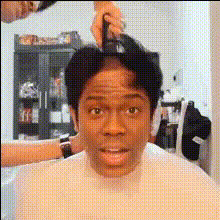
Man With Long Hair
Overview
The "Man With Long Hair" template is designed for those who want to add a fun twist to their video content by swapping faces with a character featuring long, flowing locks. Ideal for anyone looking to inject humor and creativity into their videos, this tool enables creators to make distinctive social media content and engaging personal projects.
What It Does
This Video Face Swap template allows you to transform any individual's appearance by replacing their face with that of a man sporting long hair. Using sophisticated AI, it seamlessly integrates the new face, preserving natural expressions and facial movements to ensure a realistic and engaging final product. The resulting video is a perfect fusion of originality and entertainment.
Who It's For
This template is best suited for content creators, social media enthusiasts, and artists in need of amusing or creative video transformations. Whether you're a social media manager developing unique content for branding or a hobbyist experimenting with personal video projects, this tool offers a straightforward way to enhance your visual storytelling.
Summary
With the "Man With Long Hair" template, you can easily create videos that captivate and entertain. Utilize the Face Swap technology to explore new creative avenues in video production. This tool's user-friendly interface makes it accessible to anyone, regardless of their technical expertise. Discover related tools like the Body Swap for even more transformation possibilities, or check out the AI Video Generator for a broader range of creative options.
How-To
Choose Your Template

Customize Your Video

Generate Your Video

Use Cases
Social Media Content
- Attract more views with unique transformations
- Drive engagement with comical content
Creative Storytelling
- Add humor to personal video projects
- Make promotional videos entertaining
Marketing Campaigns
- Appeal to younger audiences with trendy content
- Stand out in crowded social media feeds
Best Practices
Lighting Matters
Ensure your original video has good lighting, as this impacts the quality of facial feature recognition and the final swap result.Use High-Quality Videos
Starting with a high-resolution video will produce better end results since the algorithm can detect more facial details.Review and Adjust
Always preview the final output and make necessary adjustments to enhance alignment and expression consistency.