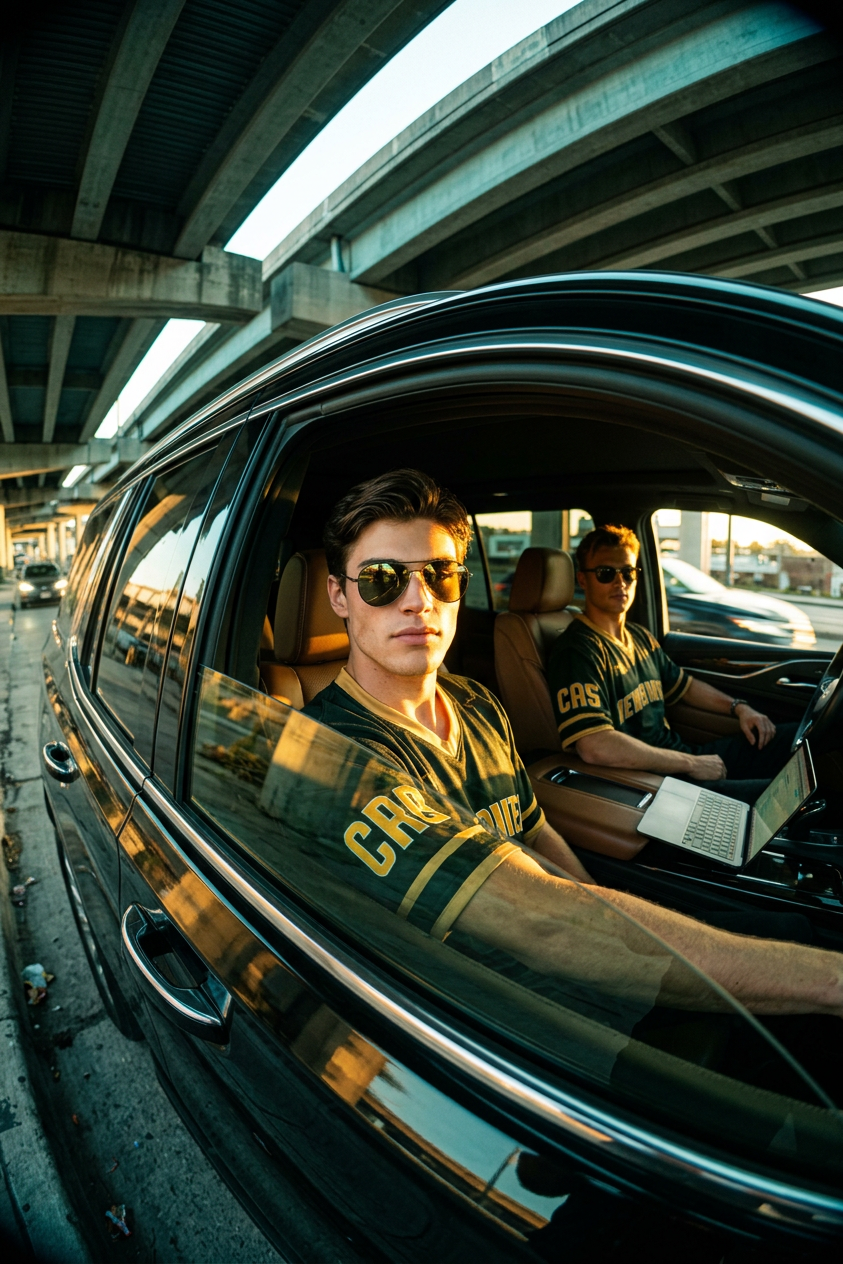
Overpass SUV
- Model
- Nano Banana 2
- Image
- 843 × 1264 px
Prompt
Create a photorealistic street photography image shot from outside the driver-side window of a modern black SUV parked under a concrete highway overpass. The perspective uses an ultra wide-angle / fisheye lens effect with strong barrel distortion, natural vignetting, and cinematic compression of space. The scene shows two men inside a brown leather interior. The main subject sits in the front seat closest to the camera, captured through the window at close range. He has a neutral, confident expression and wears dark sunglasses with strong reflective glare. His outfit is a dark green/black and gold sports jersey with bold yellow lettering on the sleeve, rendered with realistic fabric texture and stitching. Facial identity must match the provided reference exactly (preserve facial proportions, nose, lips, jawline, and overall identity with high fidelity). A second subject sits in the back seat wearing matching sunglasses and a similar coordinated jersey, posed casually and naturally. An open laptop is visible near the center console or passenger area, adding realism and lifestyle context. Lighting is dramatic and cinematic: low golden-hour sunlight cuts through the overpass structure and car windows, producing high-contrast beams, deep interior shadows, and warm highlights on skin, fabric, and leather surfaces. Shadows are tinted slightly teal-green from ambient urban bounce light, while highlights remain warm and golden. The composition is crisp and focused primarily on the front subject, with shallow depth of field emphasizing facial detail, sunglasses reflections, and jersey texture. The car interior remains detailed but secondary, with realistic reflections on glass and subtle distortion from the wide-angle lens. Overall aesthetic is cinematic urban street realism with subtle film grain, high dynamic range, and documentary-style authenticity. No stylization, no beauty smoothing, and no artificial plastic skin effects—only natural photographic imperfections and real-world lighting behavior.
Any aspect ratio
Overview
The Overpass SUV template leverages the AI Image Editor to craft highly realistic street photography images. Utilizing the nano-banana-2 model, this template excels in capturing urban scenes with a unique ultra wide-angle perspective. Perfect for photographers and digital creators aiming for a cinematic, documentary-style aesthetic.
What It Does
This template allows users to generate a detailed street photography image featuring a modern black SUV under an overpass. It employs a fisheye lens effect to create strong barrel distortion and natural vignetting while emphasizing texture and light behavior. The AI preserves facial identity with high fidelity to the reference, ensuring realistic rendering of the subjects and intricate details such as reflections and fabric stitches.
Who It's For
The Overpass SUV template is designed for professional photographers, digital designers, and content creators who are looking for authentic street photography images. This tool is ideal for those requiring high-quality visual content for marketing materials, storytelling visuals, or enhancing their portfolio with lifelike images that convey urban realism.
Summary
Achieve stunning street photography with the Overpass SUV template, using AI to simulate ultra-realistic images through cinematic perspectives. It's a powerful resource for creators focused on authenticity, enhanced by high dynamic range and photographic imperfections left intentionally untouched to preserve realism. Explore additional potentials with our AI Talking Photo and AI Image Upscaler for complementary enhancements.
How To
Choose the Template

Customize Your Inputs

Generate the Image

Use Cases
Marketing Materials
- Automotive advertisements
- Fashion brand narratives
- Real estate promotions
Storytelling Visuals
- Magazine features
- Documentary photography
- Creative storytelling
Portfolio Enhancement
- Photography portfolios
- Digital art collections
- Client presentations
Best Practices
Use High-Quality References
For the highest fidelity in facial details, provide clear and well-lit reference images to avoid identity discrepancies.Adjust Lighting Carefully
Experiment with lighting settings to maintain the balance of shadows and highlights that best fits the urban street aesthetic.Preserve Natural Looks
Avoid post-processing effects that might introduce artificial enhancements, maintaining the image's natural and authentic look.